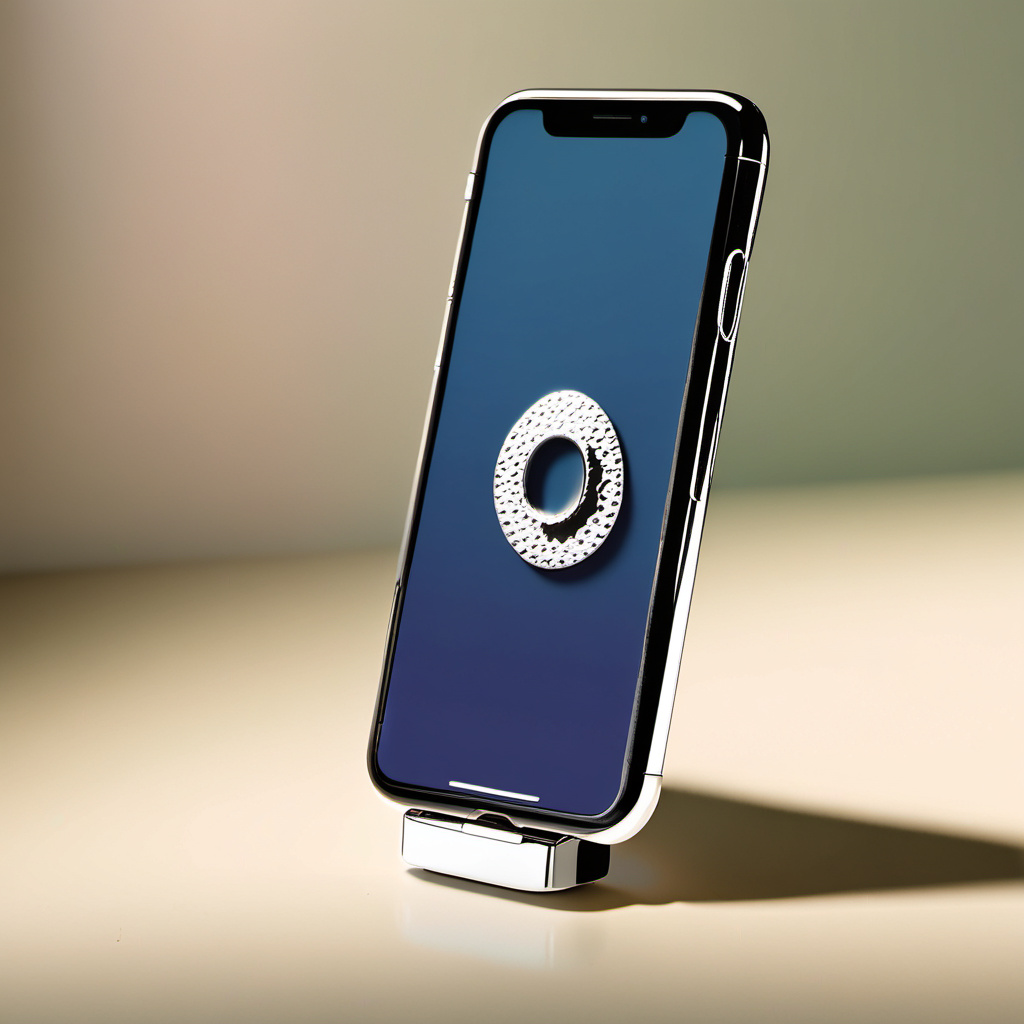
In an era where our smartphones are practically extensions of our hands, the physical toll of constant connectivity is becoming increasingly apparent. We use our devices for everything from professional communication and financial management to social networking and entertainment. However, the design of the modern smartphone—large, sleek, and often heavy—does not always align with the natural ergonomics of the human hand. Many users have begun to notice a persistent ache in their pinky fingers, a stiffness in their wrists, or a nagging tension in their necks. While high-end ergonomic equipment can cost hundreds of dollars, there is a surprisingly effective $5 iPhone ring holder health hack that can mitigate many of these issues.
Key takeaways
- Relieve pinky strain by using a ring as an anchor instead of a shelf to support your phone's weight.
- Maintain a neutral wrist position to reduce pressure on the median nerve and prevent carpal tunnel symptoms.
- Encourage better posture by using the ring to hold your phone at eye level, combating neck tension.
- Reduce repetitive strain by shifting from active muscle engagement to passive support provided by the ring.
- Increase thumb mobility and reduce joint stress during one-handed use for improved long-term dexterity.
This simple accessory, often overlooked as a mere fashion statement or a security measure against dropping your phone, serves a much deeper purpose in the realm of digital wellness. By shifting the way the hand interacts with the device, a ring holder can fundamentally alter the biomechanics of mobile use. This article explores the physiological benefits of this budget-friendly tool, providing a comprehensive guide on how to implement this hack to protect your long-term joint health and improve your overall posture.
The Hidden Physical Cost of Modern Connectivity
The human hand is a marvel of evolutionary engineering, designed for grasping, manipulating tools, and fine motor tasks. It was not, however, designed to support a 7-ounce glass-and-metal slab for five to eight hours a day. When we hold a smartphone, we typically employ a “static load” on specific muscle groups. This means the muscles are contracted and held in a fixed position for extended periods, which restricts blood flow and leads to rapid fatigue.
Repetitive Strain Injuries (RSIs) are the primary concern for heavy smartphone users. Conditions such as De Quervain’s Tenosynovitis—often called “Blackberry Thumb” or “Gamer’s Thumb”—involve inflammation of the tendons on the thumb side of the wrist. Additionally, the constant flexion of the fingers can lead to “trigger finger,” where a digit becomes stuck in a bent position. The $5 ring holder addresses these issues by reducing the need for a tight, concentric grip. Instead of squeezing the sides of the phone to keep it from slipping, the ring allows the device to rest securely against the back of the hand, allowing the primary gripping muscles to relax.
How a $5 Ring Holder Changes Your Grip Ergonomics
The traditional way of holding a large iPhone involves balancing the bottom edge of the device on the inside of the pinky finger while the thumb reaches across the screen. This creates a significant amount of leverage and pressure on the small joints of the fifth digit. By installing a ring holder, you change the physics of the interaction. The ring acts as a central anchor point, redistributing the weight of the phone across the larger, stronger bones of the middle and index fingers, and even the palm itself.
When the ring is placed correctly, the phone no longer requires the pinky finger to act as a shelf. This shift in weight distribution is the core of the health hack. It allows for a “neutral” wrist position, where the wrist is not excessively bent forward (flexion) or backward (extension). Maintaining a neutral wrist is the gold standard in ergonomic practice, as it maximizes the space in the carpal tunnel, reducing pressure on the median nerve. For a mere five-dollar investment, you are essentially providing your wrist with the same level of support found in expensive ergonomic keyboards or mice.
Combating “Text Neck” and Shoulder Tension
The benefits of a ring holder extend far beyond the hand and wrist; they reach all the way up to the cervical spine. “Text neck” is a term used to describe the neck pain and damage sustained from looking down at your cell phone, tablet, or other wireless devices too frequently and for too long. The human head weighs about 10 to 12 pounds in a neutral position. However, as the neck bends forward and down, the weight on the cervical spine begins to increase. At a 60-degree angle, the weight reaches a staggering 60 pounds.
A ring holder facilitates better posture because it makes it significantly easier to hold the phone at eye level. Without a secure grip, holding a phone high up for a long duration becomes tiring for the arm and shoulder. The ring holder provides a mechanical advantage that makes the phone feel lighter and more secure in a raised position. This encourages the user to bring the phone to their eyes rather than dropping their head to the phone. Over months and years, this small change in habit can prevent the development of a “dowager’s hump” and chronic upper back pain.
Preventing the Infamous “Smartphone Pinky”
If you look at your dominant hand’s pinky finger, you might notice a slight indentation or a curve where you usually rest your phone. While “smartphone pinky” is not a clinical medical diagnosis, the physical strain it represents is very real. The pinky is the weakest finger, yet it is often tasked with supporting the entire weight of the device. This can lead to ligament strain and localized soreness.
The $5 ring holder hack eliminates the need for the “pinky shelf” entirely. By sliding your finger through the ring, the phone is suspended. This allows the pinky to remain in its natural, slightly curved resting state. For individuals who already feel a dull ache in their small finger after a day of scrolling, the relief provided by a ring holder is often immediate. It stops the micro-trauma associated with the hard edge of a phone case pressing into the soft tissue and joints of the finger.
Maximizing Accessibility and One-Handed Use
As smartphone screens have grown larger, one-handed use has become increasingly difficult for people with average or smaller hands. Attempting to reach the top corners of the screen with the thumb while maintaining a grip on the device often requires “finger gymnastics” that can lead to drops or muscle strains. This is particularly challenging for individuals with arthritis or limited dexterity.
The ring holder serves as a pivot point. With the phone secured to a finger, the thumb gains a much wider range of motion without the risk of the phone falling. This increased reach means you don’t have to overextend the thumb’s basal joint—the joint at the base of the thumb where it meets the wrist. This joint is a common site for osteoarthritis, and reducing the strain on it is a vital preventative measure for long-term hand health. The hack makes a large iPhone Pro Max feel as manageable as a smaller Mini model, providing ergonomic equity for all hand sizes.
Choosing the Right Ring Holder for Your Health Needs
Not all ring holders are created equal, and choosing the right one is essential for the success of this health hack. When shopping for a $5 option, look for three specific features: 360-degree rotation, 180-degree flip capability, and a smooth inner finish. Rotation is crucial because it allows you to adjust the angle of the phone depending on whether you are sitting, standing, or lying down, ensuring your wrist remains in that neutral position.
The material also matters. A metal ring provides more stability, while a silicone or soft-plastic ring may be more comfortable for those with sensitive skin or circulatory issues. Furthermore, consider the thickness of the ring. A ring that is too thin might cut into the finger, while one that is too thick might prevent the phone from laying flat on a desk. Many users find that a “socket” style (which functions similarly but uses a collapsible plastic cone) offers a different kind of ergonomic benefit, though the traditional ring generally provides a more secure “locked-in” feeling for posture correction.
Beyond the Ring: Complementary Stretches for Phone Users
While the $5 ring holder is a powerful tool, it is most effective when combined with a proactive approach to hand and neck health. Incorporating simple stretches into your daily routine can help counteract the effects of digital strain. One effective exercise is the “Thumb-to-Pinky Stretch”: gently touch your thumb to the tip of your pinky, hold for five seconds, and repeat ten times. This helps maintain the flexibility of the thumb’s saddle joint.
Another vital stretch is the “Wrist Extensor Stretch.” Extend your arm in front of you with the palm facing down, and use your other hand to gently pull your fingers toward your body, feeling the stretch along the top of the forearm. For the neck, practice “Chin Tucks”: sit tall and look straight ahead, then gently pull your chin straight back as if making a double chin, without tilting your head up or down. This strengthens the deep neck flexors and reverses the “forward head posture” caused by looking at screens. Using the ring holder makes you more aware of your hand and neck positions, serving as a physical reminder to perform these stretches regularly.
Implementation Guide: Positioning Your Holder for Maximum Relief
The effectiveness of this hack depends heavily on where you stick the ring holder on your phone or case. Most people instinctively place it in the dead center, but this is rarely the most ergonomic spot. For the best results, you should place the ring slightly below the center and slightly toward the side of your dominant hand. This placement aligns with the natural diagonal path your fingers take when they wrap around the back of the device.
To find your “sweet spot,” hold your phone naturally without any adhesive. Note where your middle finger naturally rests on the back of the case. This is where the center of the ring should be. If you frequently switch hands, a centered placement is necessary, but you may need to adjust your grip slightly. Once applied, practice using the ring as a kickstand for video calls. This allows you to keep your head up and hands free, which is the ultimate ergonomic win. By treating the placement as a personalized ergonomic setup rather than a random attachment, you maximize the health benefits of your $5 investment.
The Biomechanics of Passive Retention: Reducing Micro-Oscillations
While the existing discussion on the $5 ring holder focuses on the visible relief of the pinky finger, there is a deeper physiological benefit occurring at the level of the motor units within the forearm. When you hold a smartphone without an assistive device, your hand is engaged in what kinesiologists call “active retention.” This requires constant, high-frequency micro-oscillations of the flexor digitorum superficialis and profundus muscles. Even if your hand feels still, your nervous system is sending a rapid-fire stream of signals to maintain a grip tension that is just high enough to overcome gravity but low enough to allow for thumb movement. This creates a state of chronic low-grade isometric tension.
The introduction of a ring holder shifts the mechanical burden from active muscular contraction to passive ligamentous support. When the ring is looped around a finger, the weight of the phone is suspended by the skeletal structure and the connective tissues of the finger joints rather than the continuous firing of muscle fibers. This transition allows the forearm muscles to enter a state of relative rest. By reducing these micro-oscillations, you are not only preventing fatigue but also preserving the longevity of the tendons. Tendons are notoriously slow to heal due to their limited blood supply; by removing the constant “tug” of active retention, you give the synovial sheaths around your tendons a chance to recover from the day’s scrolling, effectively turning every phone session into a lower-impact activity.
Furthermore, this passive retention helps in stabilizing the tremor that naturally occurs during extended device use. As muscles tire, their firing becomes less synchronous, leading to the “shaky hand” syndrome often seen after an hour of mobile gaming or social media browsing. The ring holder acts as a mechanical stabilizer, much like a tripod does for a camera, ensuring that the interface between the human and the machine is steady without requiring additional caloric or neurological expenditure. For users who suffer from essential tremors or early-stage Parkinson’s, this $5 hack serves as a vital compensatory tool that restores a level of fine motor control that would otherwise be lost to the weight of the device.
Navigating High-Risk Environments: The Commuter’s Ergonomic Shield
The ergonomic benefits of a ring holder are amplified significantly in dynamic environments, such as public transportation or walking. When you are standing on a moving bus or subway, your body is subjected to unpredictable lateral forces and sudden accelerations. In these scenarios, the natural instinct is to apply a “death grip” to your smartphone to prevent it from being knocked out of your hand or dropped during a sudden lurch. This sudden spike in grip force is a primary trigger for acute tendon strain and can exacerbate existing conditions like De Quervain’s Tenosynovitis.
A ring holder serves as a fail-safe tether. Because the device is physically looped around your digit, the psychological and physical need for a high-pressure grip vanishes. You can maintain a relaxed, open-palm stance even as the train vibrates or turns sharply. This is particularly crucial for the health of the median nerve. When you squeeze a phone tightly, the transverse carpal ligament can compress the carpal tunnel, leading to numbness and tingling. By relying on the ring for security, you keep the carpal tunnel open and unobstructed, even in high-stakes environments where a drop would be catastrophic.
Consider the edge case of using your phone in cold weather while commuting. Cold temperatures reduce the pliability of the soft tissues in the hand and decrease tactile sensitivity, making it harder to feel if the phone is slipping. Many users compensate by gripping even harder, which, in cold conditions, can lead to quicker muscle cramping. The ring holder bypasses the need for tactile friction entirely. It provides a hard mechanical stop that doesn’t rely on the skin’s coefficient of friction or the warmth of the hand. This makes it an essential seasonal health tool for those living in northern climates, ensuring that winter connectivity doesn’t result in springtime hand therapy appointments.
Gravity and the Supine Position: Solving the “Bedtime Scroll” Crisis
One of the most common but least discussed ergonomic failures occurs in the bedroom. Many users browse their phones while lying on their backs (the supine position), holding the device directly above their faces. In this orientation, gravity is working directly against the grip. To keep the phone from falling on their nose, the user must engage in a high-intensity pinch grip while simultaneously flexing the wrists and keeping the elbows in an acute angle. This “triple threat” of poor posture is a recipe for ulnar nerve entrapment at the elbow, also known as Cubital Tunnel Syndrome.
The $5 ring holder fundamentally reconfigures the physics of supine phone use. By sliding a finger through the ring, gravity actually helps secure the phone against the hand rather than pulling it away. The ring allows the phone to “hang” from the finger, meaning the palm can remain entirely open and the thumb can move freely without the responsibility of weight-bearing. This allows the user to straighten their wrists and potentially widen the angle of their elbows, significantly reducing the tension on the ulnar nerve.
Moreover, the risk of “facial impact trauma”—a surprisingly common occurrence where a user drops their phone on their own face due to muscle fatigue—is eliminated. Beyond the obvious avoidance of a bruised lip or a cracked tooth, the removal of this “drop anxiety” allows the neck and shoulder muscles to relax. When you are subconsciously worried about dropping an object on yourself, your trapezius and levator scapulae muscles remain in a state of guarded tension. By securing the phone with a ring, you signal to your nervous system that the threat is gone, allowing for a more genuine state of relaxation that can improve the transition into sleep.
Mitigating Ulnar Nerve Compression and the “Claw Hand” Posture
While much attention is paid to the thumb and the pinky, the ulnar nerve is the silent sufferer of the smartphone era. This nerve travels through the Guyon’s canal in the wrist and provides sensation to the pinky and half of the ring finger. Chronic compression here leads to the “claw hand” deformity, where the fingers begin to curl inward involuntarily. This compression is often caused by the hard, narrow edge of a phone case pressing into the base of the palm during long sessions of one-handed use.
The ring holder acts as a spacer and a weight redistributor that protects the Guyon’s canal. By shifting the primary contact point of the phone’s weight to the middle of the finger (proximal or middle phalanx), the base of the palm is spared from direct pressure. This is a subtle but vital distinction. When you use a ring, the phone often hovers slightly above the palm or rests on the fleshy parts of the thumb muscle (the thenar eminence), which is much better equipped to handle pressure than the nerve-dense ulnar side of the wrist.
For individuals who already experience “pins and needles” in their outer fingers, the ring holder provides an immediate diagnostic and therapeutic benefit. If the symptoms subside when using the ring, it is a clear indication that the previous grip was compressing the ulnar nerve. To maximize this benefit, users should experiment with placing the ring on the middle finger rather than the index finger. This centers the load over the largest metacarpal bone, providing the most stable and nerve-friendly alignment for the hand’s internal architecture. It transforms the phone from a crushing weight into a balanced extension of the arm.
Cognitive Load, Proprioception, and the Psychology of Grip
There is a profound connection between physical security and cognitive performance. This is known in psychology as the “extended mind” theory—the idea that our tools are parts of our cognitive processes. When you hold an expensive, slippery iPhone, a portion of your brain’s processing power is dedicated to “grip monitoring.” This is a background task that constantly evaluates the risk of a drop and adjusts muscle tension accordingly. While it may seem insignificant, this constant background processing contributes to “digital fatigue” and can actually shorten your attention span.
The $5 ring holder functions as a proprioceptive anchor. Proprioception is your body’s ability to sense its position in space. By having a physical loop around the finger, the brain receives a constant, low-level tactile signal that the phone is secure. This “locked-in” sensation allows the brain to offload the grip-monitoring task. Users often report that they feel more focused and less “fidgety” when using a ring holder. This is because the nervous system is no longer in a state of mild hyper-vigilance regarding the safety of the device.
This psychological ease also leads to better breathing patterns. It has been observed that users in a high-tension grip often engage in “screen apnea”—the tendency to hold one’s breath or take shallow breaths while concentrated on a digital task. By relaxing the hand through the use of a ring holder, the tension in the forearm travels up the kinetic chain to the shoulder and neck, eventually allowing the diaphragm to move more freely. Thus, a simple $5 plastic or metal ring can actually facilitate better oxygenation and lower cortisol levels during the workday, proving that ergonomic health is as much about the nervous system as it is about the musculoskeletal system.
Advanced Mounting Strategies for the Hybrid Professional
For the modern professional, the smartphone is often used in tandem with a laptop or tablet. This hybrid workflow creates a specific ergonomic challenge: the constant switching between a keyboard and a touch screen. This repetitive reaching and grasping is a primary cause of “mouse shoulder.” The ring holder, however, can be used as more than just a grip; it is a versatile mounting interface that can bridge the gap between different work surfaces.
One advanced hack involves using the ring as a hook. Many professionals are now using the ring to hang their phones from the top of their laptop screens or from specialized magnetic wall mounts at eye level. This allows for a “dual-monitor” setup where the phone is used for Slack, Spotify, or MFA codes without requiring the user to ever look down or pick up the device. By keeping the phone in the same focal plane as the laptop, you reduce the strain on the ciliary muscles of the eye and prevent the repetitive neck flexion required to look from the desk to the screen.
In the world of mobile photography and videography, the ring holder serves as a stabilizer that rivals expensive gimbals for basic tasks. By inserting two fingers through a larger ring or using the ring to create a “tension grip” between the hand and the phone body, you can achieve significantly smoother pans and tilts. This reduces the muscle tremors that often ruin mobile video, and more importantly, it prevents the hand cramping that occurs when trying to hold a phone by its very edges to keep fingers out of the frame. For the content creator, this is a health hack that also improves the quality of their output, reducing the physical cost of their creative labor.
The Lifecycle of the Accessory: Maintenance and Hinge Tension
To maintain the health benefits of the $5 ring holder, one must treat it as a piece of medical equipment rather than a disposable sticker. The most critical component of the ring holder is the hinge. Over time, the friction that allows the ring to stay in a specific position can wear down, leading to a “floppy” ring. A floppy ring loses its ability to act as a kickstand and, more importantly, loses its ability to provide stable counter-pressure against the finger. This can lead to the user subconsciously reverting to a tighter grip to compensate for the lack of stability.
To extend the life of the hinge, avoid “spinning” the phone by the ring—a common habit that can quickly degrade the internal washers. If you find the adhesive beginning to peel, do not simply press it back down. The micro-gaps created by a failing adhesive can cause the phone to wobble, creating an unstable ergonomic surface that requires more muscular effort to control. Instead, remove the old adhesive with isopropyl alcohol and apply a high-quality 3M VHB (Very High Bond) tape. This ensures the connection between the hand and the device remains rigid and predictable.
Finally, consider the hygiene of the accessory. Because the ring holder has many small crevices and is in constant contact with the skin, it can harbor bacteria and skin oils that may lead to contact dermatitis or simply make the ring slippery, compromising the grip. A weekly cleaning with a cotton swab dipped in alcohol ensures that the tactile feedback remains consistent. A consistent, clean, and high-tension ring holder is the key to ensuring that this $5 investment continues to pay dividends in the form of pain-free hands and a healthy spine for years to come.
Frequently Asked Questions
1. Can a ring holder cause its own health issues, like calluses?
While rare, if a ring holder is made of cheap, sharp-edged plastic or is too tight, it can cause localized skin irritation or calluses. To prevent this, ensure you choose a ring with smooth, rounded edges and a diameter that allows your finger to slide in and out easily. It is also helpful to switch which finger you use (middle vs. index) periodically to distribute the pressure.
2. Does this hack work for people with carpal tunnel syndrome?
A ring holder can be very beneficial for those with carpal tunnel because it reduces the need for a forceful grip, which can aggravate the median nerve. However, it is not a cure. If you have been diagnosed with carpal tunnel, you should consult with an occupational therapist. They may recommend using the ring holder in conjunction with a wrist splint or specific ergonomic adjustments.
3. Is a MagSafe ring holder better than an adhesive one?
MagSafe ring holders (which use magnets to attach to the back of the iPhone) offer the same ergonomic benefits as adhesive ones but with the added benefit of being removable. This is great for users who want to use wireless charging at night. From a health perspective, both are equally effective as long as they are positioned correctly to support the hand’s natural alignment.
4. How does a ring holder help with “trigger finger”?
Trigger finger is often caused by repetitive gripping motions that irritate the tendon sheath. By using a ring holder, the “grip” becomes passive rather than active. Your fingers don’t have to work as hard to keep the phone in place, which reduces the repetitive strain on the tendons and can help prevent the inflammation that leads to the finger “locking.”
5. Can children and teenagers benefit from this health hack?
Absolutely. In fact, younger users may benefit the most because their bones and joints are still developing. Establishing healthy ergonomic habits early—such as using a ring holder to keep the phone at eye level and reducing pinky strain—can prevent chronic musculoskeletal issues from developing in adulthood. It is a simple, low-cost way to encourage “digital hygiene” in the younger generation.
Related posts:
 Jimmyjane Deimos Ring Review
 Hand Stretches for Relief
 The Wrist Trainer: Enhancing Your Grip Strength and Dexterity
 Desk Setup Game-Changer: The Perfect Phone Perch for Productivity
 Mind Reading Through Grip Strength
 Wrist Mobility Stretches
 PHA Bodyweight Workout: Efficient Fitness Anywhere, Anytime
 Everything You Need to Know About Theragun and Percussive Therapy