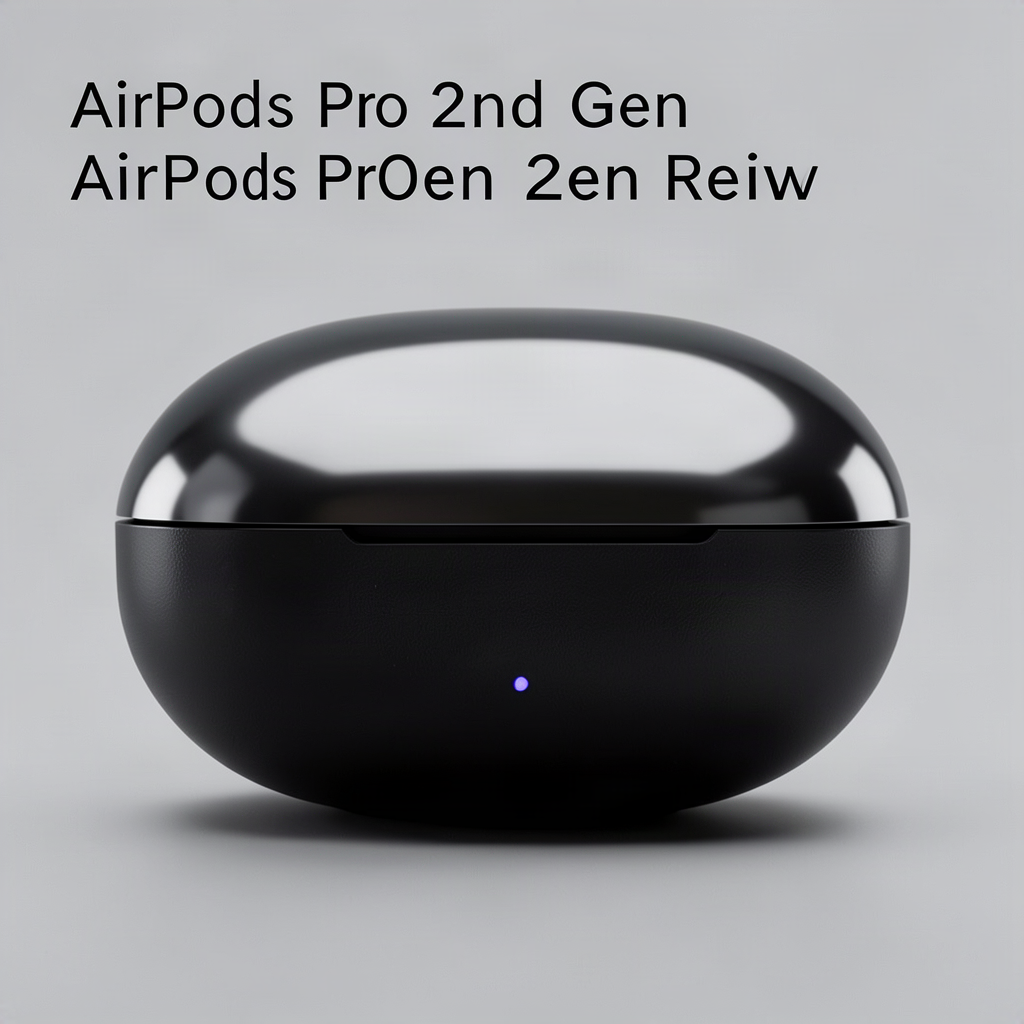
Apple’s AirPods Pro 2nd Generation arrived in late 2022, bringing meaningful upgrades to what was already one of the most popular true wireless earbuds on the market. Two years later, they remain a top contender in the premium earbuds space, and for good reason. The improvements in active noise cancellation, the addition of adaptive transparency mode, and enhanced sound quality make these a compelling choice for anyone invested in the Apple ecosystem.
This review covers everyday use cases, sound performance, comfort, battery life, and whether the 2nd Generation AirPods Pro deserve a spot in your daily carry.
What’s Different From the First Generation
The original AirPods Pro, released in 2019, set a high bar for true wireless earbuds with decent noise cancellation and a comfortable fit. But the 2nd Generation model isn’t a minor refresh—it’s a substantial leap forward.
The most notable upgrade is the H2 chip, Apple’s custom silicon designed specifically for audio processing. This chip enables the improved noise cancellation, which Apple claims is up to twice as effective as the original. In practice, the difference is immediately noticeable. Low-frequency rumble from airplanes, trains, and air conditioning systems virtually disappears, and mid-range sounds like office chatter are significantly reduced.
Beyond the chip, the 2nd Generation features a redesigned internal antenna layout for better connectivity, a new touch control system on the stem, and a charging case with some genuinely useful additions. The case now includes a built-in speaker for Find My alerts, a lanyard loop, and IPX4 water resistance—the same rating as the earbuds themselves.
Sound quality has also improved thanks to a new low-distortion driver and dedicated amplifier. The result is cleaner highs, more detailed mids, and bass that feels punchy without overwhelming the rest of the frequency range.
Active Noise Cancellation and Adaptive Transparency
The active noise cancellation (ANC) on the AirPods Pro 2nd Generation is among the best available in consumer earbuds. Apple’s computational audio approach uses the H2 chip to process sound 48,000 times per second, continuously adjusting to your environment and the fit of the ear tips.
In real-world testing, the ANC handles consistent low-frequency noise exceptionally well. On flights, the engine drone drops to a whisper. In busy coffee shops, the background clatter fades enough to let you focus on music or podcasts at moderate volumes. The ANC also adapts to fit—if you adjust the earbuds or switch ear tips, the system recalibrates to maintain optimal performance.
Adaptive Transparency mode is where the H2 chip really shines. Transparency mode on the original AirPods Pro was good, but the adaptive version on the 2nd Generation takes it further. It lets ambient sound through naturally while actively reducing loud environmental noises. A jackhammer at a construction site, a passing siren, or someone dropping a tray in a cafeteria—all get dialed down in real-time, while conversation and general ambience remain audible.
This feature works so seamlessly that you might forget it’s happening. It makes the AirPods Pro 2nd Generation much more practical for urban walking, commuting, or office work where you need awareness of your surroundings without the jarring interruptions.
Sound Quality and Personalized Spatial Audio
Out of the box, the AirPods Pro 2nd Generation deliver a well-balanced sound signature that suits most genres. The low-distortion driver provides clear, detailed audio without the harshness that can plague some earbuds in the upper frequencies.
Bass is present and satisfying, though not overwhelming. If you prefer a heavier low end, the EQ settings in the Music app can help, but the default tuning is versatile enough for pop, rock, hip-hop, podcasts, and classical alike. The separation between instruments is impressive for such small drivers, and complex tracks don’t turn muddy at higher volumes.
Personalized Spatial Audio with dynamic head tracking is another standout feature. Using the TrueDepth camera on your iPhone, the AirPods create a custom profile based on your ear shape. The result is a wider, more immersive soundstage that feels like it’s coming from around you rather than directly inside your head. When watching compatible video content, the audio adjusts as you turn your head, creating a home theater-like experience.
For music, Spatial Audio works with Dolby Atmos tracks available on Apple Music and other streaming services. Not every song benefits from the treatment, but well-mixed Atmos tracks can sound expansive and engaging. The personalization aspect makes a noticeable difference—after setting it up, audio feels more directional and dimensional.
Fit, Comfort, and Ear Tip Options
Comfort is subjective, but Apple’s approach to fit on the AirPods Pro has always been one of their strengths. The 2nd Generation maintains the same overall design as the original, with a short stem and a bulbous housing that sits in the concha of your ear. The vented design helps reduce that occluded feeling some sealed earbuds create.
Four sizes of silicone ear tips come in the box: extra small, small, medium, and large. The Ear Tip Fit Test, accessible through iOS settings, uses the earbuds’ microphones to verify whether you have a good seal. This matters not just for sound isolation but for optimal noise cancellation performance.
In extended wear testing, the AirPods Pro 2nd Generation remain comfortable for hours. The lightweight design (5.3 grams per earbud) means they don’t feel top-heavy or fatiguing. That said, ear anatomy varies widely. Some users find the stem design more secure than the stemless options from other brands, while others prefer a different form factor entirely.
If you’ve had issues with earbuds falling out during exercise or movement, the AirPods Pro’s combination of ear tips and the stem’s weight distribution tends to keep them in place. The IPX4 rating means they can handle sweat and light rain, making them suitable for workouts.
Battery Life and Charging Case Features
Battery life on the AirPods Pro 2nd Generation sees a modest but welcome improvement over the original. You get up to 6 hours of listening time with ANC enabled, and up to 5.5 hours when watching video. With the charging case providing additional charges, total listening time reaches 30 hours—up from 24 on the previous model.
In everyday use, most people will find they can go several days between case charges. A 5-minute charge in the case delivers about an hour of listening, which is genuinely useful when you forget to charge overnight.
The charging case itself has received meaningful upgrades. The built-in speaker plays sounds for pairing, low battery warnings, and most helpfully, Find My tracking. If you misplace your case, you can have it play a chime through the Find My app. The case also supports Precision Finding with the U1 chip, guiding you to its location with on-screen directions.
Charging options include Lightning, MagSafe wireless charging, and Qi-compatible wireless chargers. The lanyard loop is a small addition that makes a big difference for people who like to keep their case attached to a bag or belt loop.
Controls, Gestures, and Siri Integration
Apple replaced the force sensor on the original AirPods Pro stem with a touch-sensitive surface on the 2nd Generation. This allows for more intuitive controls: press to play/pause, double-press to skip forward, triple-press to skip back, and press and hold to switch between ANC and Transparency modes.
The new touch surface also supports volume control. Swipe up or down on the stem to adjust volume—a feature that was notably absent from the original and works surprisingly well once you get the muscle memory. It’s far more convenient than pulling out your phone or asking Siri.
Speaking of Siri, the AirPods Pro 2nd Generation support hands-free “Hey Siri” activation. Voice recognition is solid in quiet environments, though wind or loud background noise can interfere. You can also announce notifications, having Siri read messages and alerts through the earbuds, with the option to reply by voice.
For calls, the H2 chip processes your voice to isolate it from background noise. Call quality is clear and natural, making these suitable for work calls and casual conversations alike. Wind noise during outdoor calls is handled reasonably well, though extreme gusts will still cause issues.
Integration With Apple Ecosystem
For iPhone users, the AirPods Pro 2nd Generation offer an unmatched pairing and switching experience. Open the case near your phone, and a setup animation appears instantly. iCloud syncing means the AirPods are automatically available on your iPad, Mac, and Apple Watch without additional pairing.
Automatic switching between devices works reliably for the most part. Start playing music on your iPhone, then open a video on your Mac, and the audio shifts over within a couple of seconds. It’s not always instant, and occasionally you’ll need to manually select the AirPods, but it’s far smoother than most competitors.
Head tracking for Spatial Audio, personalized sound profiles, and Find My integration all require Apple devices. While you can use the AirPods Pro 2nd Generation with Android phones over Bluetooth, you lose many of the features that justify the premium price tag.
Conversation Awareness is another ecosystem perk. When you start speaking, the AirPods automatically lower volume and switch to Transparency mode, then resume ANC when you stop talking. It’s surprisingly useful for quick exchanges without removing your earbuds.
Who Should Buy the AirPods Pro 2nd Generation
The AirPods Pro 2nd Generation are ideal for iPhone users who want premium noise cancellation, seamless device switching, and integration with the Apple ecosystem. If you already use an iPhone, iPad, and Mac, the convenience factor alone makes these hard to beat.
The ANC performance suits frequent travelers, commuters, and anyone who works in noisy environments. The Adaptive Transparency mode is a genuine innovation for those who need situational awareness without sacrificing audio quality.
However, at their premium price point, they may not be worth it for everyone. If you primarily use Android devices, you’ll miss out on key features. If you prefer wired audio for critical listening, the limitations of Bluetooth compression still apply. And if you’re budget-conscious, there are capable alternatives for less money, even if they don’t match the overall package.
For current AirPods Pro 1st Generation owners, the upgrade depends on your priorities. The ANC improvement is significant, but if you’re happy with your current pair, it might not justify the cost. Volume controls on the stem and the updated charging case are nice-to-have rather than essential.
Frequently Asked Questions
Are the AirPods Pro 2nd Generation waterproof?
The AirPods Pro 2nd Generation have an IPX4 rating, meaning they’re resistant to water splashes and sweat. They can handle workouts and light rain, but they’re not designed for swimming or submersion. The charging case also has IPX4 resistance, a nice upgrade from the original case which had no water resistance rating.
Can I use the AirPods Pro 2nd Generation with Android devices?
Yes, they work as standard Bluetooth earbuds with Android phones and other devices. However, you lose access to features like personalized Spatial Audio, automatic device switching, the Ear Tip Fit Test, and easy firmware updates. For the price, Android users might be better served by alternatives from Sony, Samsung, or Google.
How do I know which ear tip size is right for me?
Use the Ear Tip Fit Test in iOS by going to Settings > [your AirPods] > Ear Tip Fit Test. This feature uses the earbuds’ microphones to detect whether you have a good seal. If the test shows poor fit on either side, try the next size up or down. A proper seal is essential for noise cancellation performance and bass response.
Do the AirPods Pro 2nd Generation support wireless charging?
Yes, the charging case supports MagSafe wireless charging, standard Qi wireless charging pads, and Lightning cable charging. The LED indicator on the front of the case shows charging status, and you can check the exact battery level on your iPhone.
What’s the difference between USB-C and Lightning versions?
In late 2023, Apple released a USB-C version of the AirPods Pro 2nd Generation, replacing the Lightning port. Functionality is identical—only the charging port differs. The USB-C version also added IP54 dust resistance for the earbuds. If you use a modern iPad or Mac with USB-C ports, this version may be more convenient for cable sharing.
Related posts:
 Top Wireless Earbuds Guide
 Apple’s Third Generation AirPods: Enhanced Audio Experience
 The Science Behind Brown Noise for Sleep
 The Best Headphones for Every Lifestyle and Budget
 Amazon’s New Meditation Podcast
 The Best Wireless Bras for Large Busts: Comfort and Support Combined
 Everything You Need to Know About Getting Your Hearing Tested
 Top Wireless Earbuds Guide