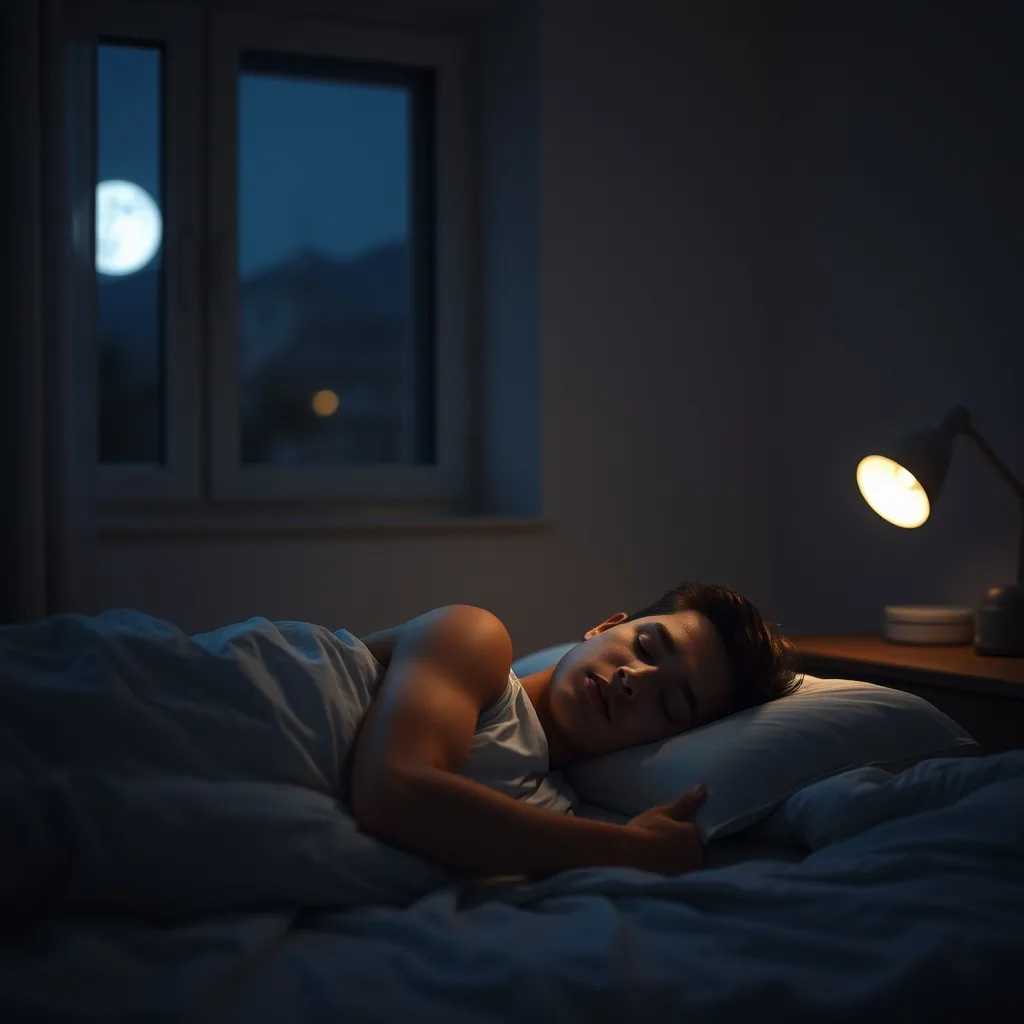
For years, the gold standard for sleep tracking was restricted to expensive, clinical-grade wearables or bedside devices that required complex setups. With the integration of advanced sleep tracking features into the Apple ecosystem, the landscape of personal health monitoring has shifted dramatically. By leveraging the sensors already present in the Apple Watch, users can now gain granular insights into their nocturnal habits, allowing for a more informed approach to rest and recovery.
Key takeaways
- Use Apple Watch sleep stages and heart rate data to identify patterns affecting your rest quality.
- Leverage Sleep Focus mode to automate wind-down routines and minimize disruptive late-night notifications.
- Monitor long-term trends in the Health app to correlate lifestyle choices, like exercise, with recovery metrics.
- Avoid orthosomnia by using sleep data as a helpful guide rather than a source of stress or obsession.
Understanding the Technology Behind Apple Sleep Tracking
The magic behind Apple’s sleep tracking lies in the sophisticated use of the accelerometer and heart rate sensors. When the watch is worn to bed, it detects micro-movements associated with different sleep states. By correlating these movements with heart rate variability, the device can estimate the duration of REM (Rapid Eye Movement), Core, and Deep sleep stages. This data is not just a collection of numbers; it is a window into the physiological processes that occur while you are unconscious. Unlike older, rudimentary trackers that only counted hours spent in bed, Apple’s algorithms provide a breakdown of sleep quality, helping users identify patterns that might be affecting their daytime alertness.
The Role of Sleep Stages in Overall Health
To truly understand why these features are transformative, one must appreciate the importance of sleep architecture. Deep sleep is essential for physical restoration and immune function, while REM sleep is crucial for cognitive processing, memory consolidation, and emotional regulation. By tracking these cycles, the Apple Health app allows users to visualize how their lifestyle choices—such as late-night screen time or evening exercise—impact their ability to reach these vital stages. Having this visual evidence empowers users to adjust their habits based on data rather than intuition, turning the elusive goal of a “good night’s sleep” into a measurable objective.
Setting Up Your Sleep Schedule for Success
Consistency is the cornerstone of healthy sleep hygiene, and the Apple Sleep app is designed to enforce this. By setting a sleep schedule, you can automate Wind Down routines that silence notifications and dim your iPhone screen, signaling to your brain that it is time to transition away from the stress of the day. This feature acts as a digital “curfew” that prevents the common trap of doom-scrolling before bed. Setting up your schedule is straightforward: navigate to the Health app, select Sleep, and define your bedtime and wake-up times. The device handles the rest, ensuring that your environment is optimized for falling asleep quickly.
Analyzing Data Trends Over Time
One of the most valuable aspects of the Apple ecosystem is the long-term data visualization. A single night of poor sleep is rarely a cause for concern, but a two-week trend showing low REM sleep or irregular wake-up times can be a powerful diagnostic tool. The Health app compiles this data into easy-to-read charts that can be shared with healthcare providers. By viewing your sleep data alongside other metrics like blood oxygen levels or respiratory rate, you can begin to see the bigger picture of your health. It is important to remember, however, that these tools are for informational purposes and should not replace professional medical advice.
Optimizing Your Environment for Better Rest
Data collection is only half the battle; the other half is environmental optimization. Many users find that after tracking their sleep for a few weeks, they realize their bedroom temperature, lighting, or noise levels are sub-optimal. Apple’s tracking can highlight correlations between your sleep quality and your environment. For instance, if you notice your heart rate remains elevated on nights when your room is warmer, you have a clear, actionable insight: lower the thermostat. The insights gained from your watch act as a catalyst for creating a sanctuary that promotes deep, uninterrupted rest.
The Psychological Impact of Tracking
While data is beneficial, it is vital to avoid “orthosomnia,” a term coined for the obsession with achieving perfect sleep data. It is common for users to feel anxious if their sleep score is low, which can ironically lead to further sleep disruption. The key to using Apple’s features effectively is to view the data as a guide rather than a grade. If you feel rested and energized, your sleep is likely sufficient, regardless of what the watch reports. Use the information to experiment with lifestyle changes, but maintain a healthy distance from the metrics to prevent the tracking process itself from becoming a source of stress.
Integrating Sleep Data with Fitness Goals
Sleep is the foundation of physical performance. Athletes and fitness enthusiasts have long known that recovery is when muscle repair and strength gains occur. By integrating sleep tracking with activity rings, the Apple Watch provides a holistic view of your body’s readiness. If your sleep data indicates a period of poor recovery, you might choose to opt for a yoga session or a light walk instead of an intense HIIT workout. This intuitive approach to training, often called “readiness-based training,” prevents overtraining and helps you reach your fitness goals more sustainably.
Looking Ahead: The Future of Wearable Health
As sensor technology continues to evolve, we can expect Apple’s sleep tracking to become even more precise. Future iterations may include more advanced detection of sleep apnea or other respiratory disturbances, further bridging the gap between consumer wearables and medical diagnostics. As the ecosystem expands, the integration between our devices and our health will only deepen, making it easier than ever to take a proactive stance on our well-being. By embracing these tools today, you are not just tracking sleep; you are investing in a healthier, more vibrant version of yourself.
Advanced Metric Correlation: Beyond Sleep Stages
While sleep stages provide a foundational overview, power users can dive deeper by correlating sleep data with other Health app metrics like Heart Rate Variability (HRV) and Respiratory Rate. HRV is a particularly sensitive marker of your autonomic nervous system; a consistently low HRV during sleep, when paired with high sleep stage fluctuations, often serves as a precursor to illness or physical burnout. By examining the ‘Trends’ tab in the Health app, you can identify if your body is struggling to enter a parasympathetic state—the ‘rest and digest’ mode necessary for recovery. If you notice a consistent spike in your resting heart rate during the early morning hours, it may suggest that late-night alcohol consumption or high-intensity evening workouts are keeping your system in a sympathetic state, preventing the deep, restorative sleep your body requires.
The Impact of Charging Habits on Data Continuity
One of the most frequent hurdles for users is maintaining a consistent data stream without compromising the watch’s battery life. The most effective strategy is to implement a ‘top-off’ charging ritual during periods of low activity, such as while showering or during your evening wind-down routine. By utilizing the fast-charging capability of modern Apple Watches, just 15 to 20 minutes of charging while you prepare for bed can provide enough power to bridge the gap through the night. If you frequently find your device dies before morning, check your ‘Background App Refresh’ settings. Disabling unnecessary background activity for non-health-related apps can significantly preserve battery life, ensuring that your watch remains active throughout your entire sleep cycle without requiring a mid-night charge.
Navigating Sleep Focus and Notification Filters
The ‘Sleep Focus’ mode is more than just a screen-dimming tool; it is a powerful interface for digital minimalism. You can customize your ‘Allowed Notifications’ within the Focus settings to ensure that critical alerts—such as emergency calls from family or important home security updates—still reach you, while silencing the noise of social media and work emails. This prevents the ‘sleep-startle’ response, where a sudden notification sound or screen light triggers a spike in cortisol, potentially pulling you out of a deep sleep cycle. By curating a ‘Sleep Focus’ whitelist, you maintain peace of mind without sacrificing the physiological benefits of a truly undisturbed night.
Leveraging Third-Party Ecosystem Integration
Apple’s native sleep tracking serves as an excellent baseline, but its data can be enriched by third-party applications that utilize the HealthKit API. Apps like ‘AutoSleep,’ ‘Sleep++,’ or ‘Pillow’ often offer more nuanced interpretations of the raw data captured by the watch, such as ‘sleep bank’ calculations or noise-level analysis. These applications can cross-reference your sleep quality with external factors like weather, lunar cycles, or caffeine intake logs. For those who find the native interface too simplistic, these third-party tools provide a more granular dashboard, allowing you to annotate your sleep data with specific events—like ‘had a stressful day’ or ‘slept in a hotel’—to better understand the context behind your sleep quality metrics.
Addressing External Disruptors: The Noise and Light Factor
Your watch can act as a silent witness to environmental disturbances. If you suspect your sleep is being interrupted by external noise, some third-party apps can utilize the Apple Watch’s microphone to detect ambient noise levels throughout the night. If the data shows a correlation between your ‘awake’ periods and spikes in ambient noise, you have empirical evidence to support investing in soundproofing curtains, a white noise machine, or a better mattress. Similarly, if you notice your sleep quality dips during specific times of the year, it may be an indicator that seasonal light changes or pollen counts are affecting your respiratory rate during sleep. Viewing these environmental factors through the lens of your watch’s data allows for targeted, rather than guessed, home improvements.
The Importance of ‘Sleep Latency’ and Bedtime Consistency
Most users focus on total sleep duration, but ‘sleep latency’—the time it takes to fall asleep—is a critical metric for assessing sleep hygiene. If your watch consistently shows a high latency (e.g., 30+ minutes to fall asleep), it is a red flag that your pre-sleep ritual is not sufficiently calming the nervous system. By analyzing the time between when you activate your ‘Sleep Focus’ and when the watch registers the first ‘Asleep’ state, you can experiment with different wind-down techniques. For example, if you find that reading a physical book versus using a tablet results in a 15-minute reduction in latency, the data provides immediate validation for your habit change. This objective feedback loop is essential for refining your bedtime routine until you find the exact combination of habits that leads to rapid sleep onset.
Synchronizing Circadian Rhythms with Light Exposure
While the Apple Watch tracks the physiological outcome of sleep, the primary driver of your sleep-wake cycle—the circadian rhythm—is governed by light exposure. You can enhance your sleep data by manually logging ‘time outdoors’ in the Health app. By tracking the time of day you receive natural sunlight, you can correlate your sleep onset latency with your morning light exposure. Users often find that getting 20 minutes of direct sunlight within an hour of waking up significantly stabilizes their sleep schedule, reducing the ‘wandering’ bedtime effect. Use your watch to set a recurring daily reminder to step outside, effectively syncing your internal clock with your external environment to ensure that by the time your ‘Sleep Focus’ kicks in, your melatonin production is already optimized for a rapid transition to deep sleep.
The Impact of Temperature on Sleep Architecture
Temperature regulation is a frequently overlooked variable in sleep quality. The human body requires a drop in core temperature to initiate and maintain deep sleep. If your watch consistently shows fragmented sleep or excessive movement during the night, consider experimenting with room temperature or bedding materials. Some users have found success by tracking their ‘Body Temperature’ (available on newer Apple Watch models) alongside their nightly movement data. If your nocturnal wrist temperature trends higher, it often correlates with a lighter sleep stage and more frequent awakenings. By adjusting your thermostat or utilizing cooling mattress pads and tracking the subsequent change in your sleep stages over a seven-day period, you can find the ‘thermal sweet spot’ that maximizes your time spent in restorative deep sleep.
Refining Recovery Metrics for Shift Workers
For those who work non-traditional hours, the standard sleep schedule settings in the Apple Health app can feel restrictive. However, the ‘Sleep Schedule’ feature can be set to ‘Every Day’ or customized for specific days of the week to accommodate rotating shifts. If you are a shift worker, the key is to prioritize ‘consistency of the inconsistency.’ Use the Health app to create a ‘Sleep Schedule’ that mirrors your work rotation, and pay close attention to your ‘Respiratory Rate’ trends. Shift work often places the body under chronic stress; a rising average respiratory rate during sleep, even if your total duration remains the same, is a clear sign that your body is failing to adapt to the irregular schedule. Using the watch to monitor this specific metric allows you to proactively schedule ‘recovery days’ where you prioritize dark, quiet environments to coax your autonomic nervous system back into balance.
Strategic Use of Haptic Alarms
One of the most jarring experiences in sleep hygiene is the sudden, loud alarm that triggers a ‘fight or flight’ response, instantly flooding the body with cortisol. The Apple Watch offers a superior alternative: the haptic alarm. By using a silent, vibrating alarm, you can wake up more gently, avoiding the spike in heart rate that often accompanies traditional auditory alarms. To optimize this, ensure your watch is snug on your wrist—a loose band can dampen the haptic feedback, causing you to sleep through it. Furthermore, you can use the ‘Alarm’ app on the watch to set multiple, staggered haptic alarms if you struggle with grogginess, allowing for a phased awakening that feels more natural and less disruptive to your mood in the early morning hours.
Managing ‘Sleep Debt’ Through Data Visualization
The concept of ‘sleep debt’—the cumulative difference between the sleep you need and the sleep you actually get—is easily visualized using the ‘Sleep’ category in the Health app. Instead of looking at individual nights, toggle the view to ‘Month’ or ‘Six Months.’ Look for the ‘Sleep Duration’ average. If your average is consistently lower than your baseline, your body may be masking fatigue with adrenaline. By identifying this cumulative deficit, you can implement ‘strategic recovery’—such as an earlier bedtime on weekends or an extra hour of rest—to pay down the debt. Seeing the visual gap between your ‘Goal’ and your ‘Actual’ sleep duration provides the necessary motivation to treat sleep as a non-negotiable appointment rather than the first thing to be sacrificed when life gets busy.
Navigating the ‘Sleep Focus’ Transition for Parents and Caregivers
For those with unpredictable sleep requirements, such as parents of newborns or caregivers, the ‘Sleep Focus’ schedule might seem impossible to adhere to. In these scenarios, use the ‘Sleep Focus’ as a manual, on-demand tool rather than an automated schedule. By adding the ‘Focus’ toggle to your Control Center, you can engage it the moment you have a window of time for a nap or a brief rest, regardless of the time of day. This ensures that even if your sleep is fragmented, the notifications are silenced, and the screen remains dim, maximizing the quality of the rest you do manage to get. Over time, you can analyze these ‘on-demand’ sleep sessions to see which patterns of activity or feeding schedules correlate with the longest stretches of uninterrupted rest, helping you find micro-opportunities for better health in a chaotic environment.
Frequently Asked Questions
Q: Is the sleep tracking data from my Apple Watch accurate enough for medical diagnosis?
A: No. While Apple’s sensors are highly advanced, they are consumer electronics, not medical-grade diagnostic tools. They can identify trends and patterns, but they cannot diagnose sleep disorders like apnea or insomnia. Always consult a healthcare professional for clinical concerns.
Q: Will wearing my watch to bed drain the battery too quickly?
A: Apple has optimized the power consumption for sleep tracking, but it does use battery life. To ensure you have enough charge, consider charging your watch for 30-60 minutes before you get into bed. The fast-charging capabilities on newer models make this a quick and easy routine.
Q: Does the watch track naps during the day?
A: The native sleep tracking feature is designed primarily for your primary sleep schedule. While it may occasionally capture a long nap, it is most effective when used within your set sleep schedule. For consistent data, focus on tracking your main overnight rest period.
Q: Can I share my sleep data with my doctor?
A: Yes. The Apple Health app has an Export feature that allows you to share your health data as a PDF. This can be very useful during consultations, as it provides your doctor with a clear visual history of your sleep patterns over weeks or months.
Q: How can I prevent sleep tracking from causing me anxiety?
A: Focus on how you feel during the day rather than the specific numbers on the screen. If you find yourself obsessing over sleep stages or scores, consider turning off notifications for sleep summaries and only checking the data once a week to look for broad trends instead of daily fluctuations.
Related posts:
 Instant Pot Apple Butter Recipe
 Apple Watch’s Game-Changing Update for Runners
 Orangetheory’s Apple Watch Integration
 Do You Really Need Less Sleep as You Age?
 PHA Bodyweight Workout: Efficient Fitness Anywhere, Anytime
 Nap Revolution: NYC’s Sleep Café Is Making Rest Trendy Again
 Apple Watch Teams Up with Aetna for Health Innovation
 UV Index Tracking with Apple Watch