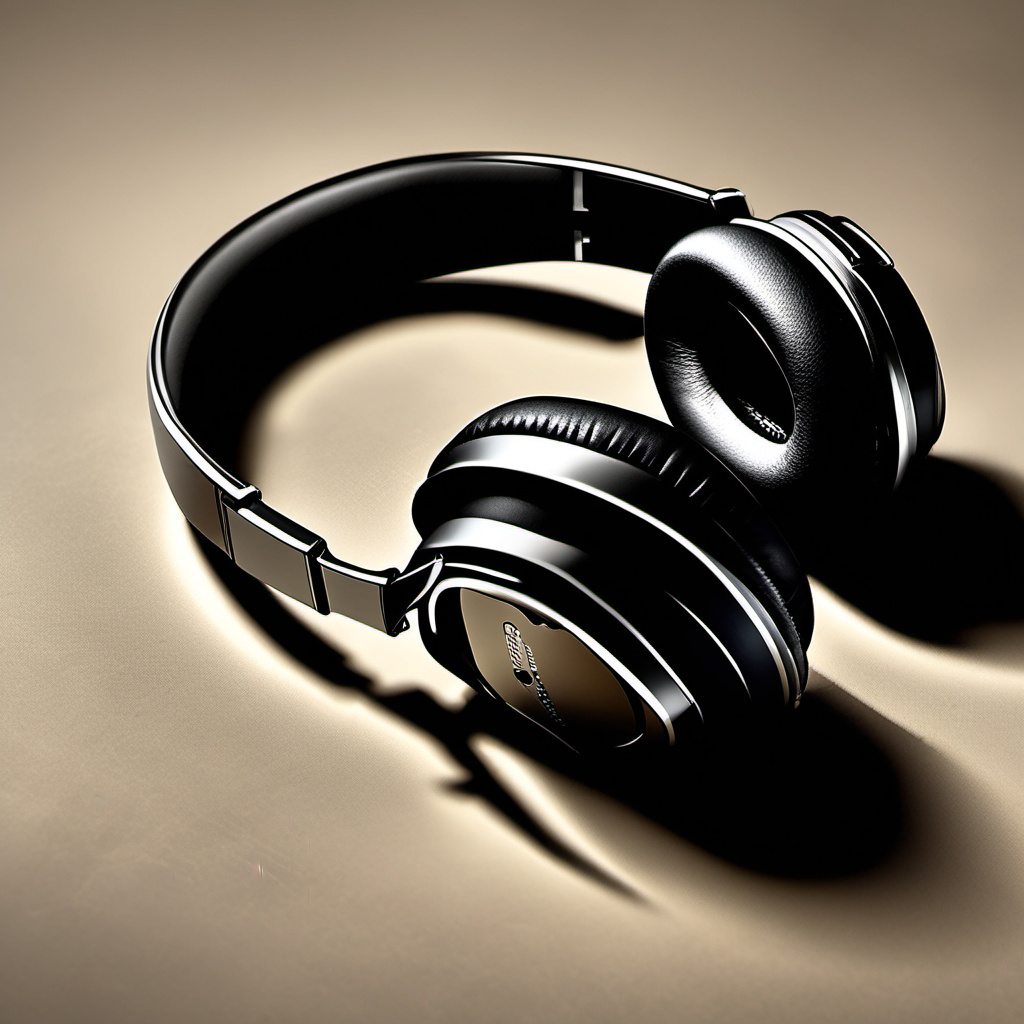
Finding the right headphones can transform how you experience music, podcasts, and calls throughout your day. Whether you’re commuting, exercising, working, or relaxing at home, the best headphones match your lifestyle, fit your budget, and deliver sound quality that makes a real difference. With so many options available, understanding your needs and knowing what to look for helps you make a choice you’ll actually enjoy using.
The headphone market has evolved dramatically over the past few years. Wireless technology has improved, battery life has extended, and prices have become more competitive across quality tiers. What hasn’t changed is that there’s no single “best” headphone for everyone. Your commute looks different from someone else’s gym routine, and your budget constraints may differ from your friend’s. This guide walks you through finding headphones that fit your specific situation.
Understanding Your Lifestyle Needs
Before comparing specs or browsing product reviews, identify how you’ll actually use headphones. The device that serves an office worker perfectly might frustrate a runner, and vice versa. Consider where you spend most of your listening time and what activities you’re doing while wearing them.
Commuters benefit from noise cancellation and comfort during longer listening sessions. Gym-goers need secure fits, sweat resistance, and durability. Office workers might prioritize microphone quality for video calls and all-day comfort. Parents at home might want headphones that allow ambient sound through so they can hear their children. Travel enthusiasts need portable designs with reliable batteries and durable construction.
Write down three to five scenarios where you’ll wear headphones most often. This clarity helps you evaluate features that actually matter versus marketing buzzwords that don’t affect your experience.
Budget Tiers and What You Get
Headphone prices range from under $30 to over $500, and understanding what each price range typically delivers helps you spend wisely. You don’t need to spend the most to get good sound, but you also shouldn’t expect premium features at entry-level prices.
Budget headphones under $50 typically offer basic sound quality and comfort. Brands like JBL, Anker, and Skullcandy deliver functional options here. You might sacrifice battery life, advanced features, or premium materials, but you get working headphones for casual listening and calls. This tier makes sense if you’re trying headphones for the first time or need a backup pair.
Mid-range headphones between $50 and $200 offer significantly better sound, longer battery life, and more durable construction. This is where most people find excellent value. You get active noise cancellation, reliable wireless connectivity, and comfort for extended wear. Popular choices like Sony WH-CH720N, Soundcore Space Q45, and Beats Solo 4 deliver noticeable quality improvements without the premium price tag.
Premium headphones from $200 to $400 add refinements in sound engineering, materials, and features. Active noise cancellation becomes more sophisticated, sound profiles more detailed, and build quality premium. These appeal to audiophiles, frequent travelers, and professionals who use headphones for work.
Ultra-premium headphones over $400 include luxury brands and specialized audio equipment. These offer marginal audio improvements for most listeners and justify their cost primarily through brand prestige, artisanal construction, or professional-grade specifications. They make sense for audio professionals or devoted enthusiasts rather than general consumers.
Wireless Versus Wired: Making the Choice
Wireless headphones dominate the market today, but wired options still serve specific purposes. Understanding the tradeoffs helps you choose the right type.
Wireless headphones using Bluetooth offer freedom of movement, convenience, and ease of switching between devices. You charge them periodically rather than worrying about cable tangles. They work well for most people in most situations. The main drawbacks are battery dependency and occasional connectivity delays with some devices.
Wired headphones need no charging and often deliver slightly lower latency, making them preferred by some gamers and video editors. They work indefinitely without battery concerns. However, cables get tangled, can break at connection points, and restrict movement. Wired options have become less common as wireless technology improved, but they remain available and sometimes preferred.
True wireless earbuds—small individual pieces with no connecting cable—offer maximum portability. They fit in your pocket and provide excellent freedom of movement. The tradeoff involves smaller batteries, potential charging case dependency, and higher prices for comparable audio quality to over-ear options.
For most lifestyles, wireless over-ear or on-ear headphones offer the best balance. They provide freedom, decent battery life, and comfortable extended wear. Choose wired if you need infinite battery life or work in an environment where wireless connectivity is unreliable. Choose true wireless earbuds if portability is your priority and you don’t mind smaller speakers or charging case management.
Active Noise Cancellation and Transparency Modes
Active noise cancellation (ANC) has become a standard feature rather than a luxury, appearing even in mid-range headphones. Understanding how it works helps you decide if you need it and what to expect.
ANC uses microphones to detect ambient sounds and generates inverted sound waves that cancel them out. It works exceptionally well on consistent, low-frequency sounds like airplane engines, traffic rumble, and air conditioning hum. It’s less effective on sudden noises, voices, and high-frequency sounds. The best ANC headphones reduce ambient noise by 15-30 decibels, making a significant difference in noisy environments.
The value of ANC depends on your environment. Frequent flyers, commuters on public transit, and office workers in open plans benefit substantially. Someone working from a quiet home doesn’t gain much. Consider whether you spend significant time in genuinely loud environments before paying extra for ANC.
Transparency or ambient modes allow you to hear outside sounds through the headphones without removing them. This proves valuable for runners who need to hear traffic, parents who need awareness of their surroundings, and office workers who need to hear knocks on doors or approaching colleagues. Quality transparency modes sound natural rather than tinny or disconnected.
If you want flexibility, look for headphones with both ANC and transparency modes. You toggle between them depending on your immediate need—ANC for flights or focused work, transparency when you need environmental awareness.
Sound Quality and Audio Profiles
“Sound quality” is subjective—what sounds good depends on your ears, your music preferences, and your expectations. Rather than chasing abstract superiority, focus on sound profiles that match what you actually want to hear.
Bass-heavy headphones emphasize low frequencies, appealing to hip-hop, electronic, and pop listeners. Balanced headphones distribute frequencies evenly, appealing to those listening to podcasts, audiobooks, or classical music. Treble-forward headphones emphasize details, appealing to jazz and acoustic music fans. No profile is objectively “better”—they’re different tools for different preferences.
Many modern headphones include app-based equalizers letting you adjust the sound to your taste. This flexibility is genuinely valuable. You might prefer slightly boosted bass for music but balanced sound for podcasts and adjust accordingly with a few taps.
Test headphones with music and content you actually listen to. Demos in stores matter, but your favorite songs through your own streaming service tell you more. Audio quality becomes noticeable when you listen carefully, but most people accept “good enough” sound from quality mid-range headphones and enjoy music rather than scrutinizing technical specs.
Comfort and Fit for Different Activities
You could have the best-sounding headphones ever made, but if they hurt to wear after 30 minutes, they’re wrong for you. Comfort is genuinely important and varies based on your activities and head shape.
Over-ear headphones distribute weight across your head and typically offer the most comfort for extended sessions. They work well for office workers, travelers, and people who wear headphones for hours. The padding quality matters—cheap padding compresses and becomes uncomfortable, while quality memory foam stays comfortable longer.
On-ear headphones rest on your ear cartilage rather than surrounding your ear. They’re lighter and more portable than over-ear options but can feel uncomfortable during extended wear if the padding isn’t generous. They suit commuters and people who wear headphones for 30-90 minutes at a time rather than all day.
Earbuds rest in your ear canal and come with multiple silicone tip sizes for fit. A proper seal is crucial—too loose and sound leaks out and outside noise comes in; too tight and they feel uncomfortable. Having multiple tip sizes lets you find your perfect fit. Earbuds work well for active use because they stay put during movement.
Headband tension affects comfort significantly. Too loose and they slip; too tight and they cause headaches. Adjustable headbands let you customize the fit. Try headphones on before buying if possible, paying attention to how they feel after 10-15 minutes, not just initial impression.
Battery Life and Charging Considerations
Wireless headphones depend on batteries, making battery life a practical consideration. Your needs depend on how frequently you can charge.
Most quality headphones offer 20-40 hours of listening between charges. This typically means several days of regular use, or a week if you wear them casually. Some offer more, some less. Consider your charging routine—if you charge nightly, 20 hours is fine. If you travel frequently without access to power, you want 30+ hours.
Fast-charging technology has improved. Many headphones now charge to 50% in 15 minutes and full charge in 45-60 minutes. Some offer “quick charge” modes where five minutes of charging gives you several hours of playback. These features reduce the inconvenience of low battery situations.
Charging case requirements matter for true wireless earbuds. The case itself is a battery that charges the earbuds. A quality case offers 20-30 extra hours of charging—enough for several days away from power outlets. Cheap cases barely extend your listening time. Consider case capacity when evaluating earbuds.
For most people, checking battery level occasionally and charging as part of a routine (overnight, while working) works fine. If you’re traveling extensively or using headphones 8+ hours daily, prioritize models with longer battery life or plan charging strategically.
Durability and Build Quality
Headphones get daily use and occasional rough treatment. Build quality affects how long they last and how much abuse they tolerate.
Materials matter. Metal components resist damage better than plastic. Rubber coating on cables prevents cracking. Quality headbands have reinforced joints where failure often occurs. When comparing models, check if the headband is reinforced, if the cable connection is sturdy, and if the overall construction feels solid.
Sweat and water resistance becomes important for gym use and outdoor activities. Most headphones have basic water resistance (IPX4 rating means protection against splash and sweat). Exercise-focused models offer greater resistance (IPX5-IPX7) handling heavy sweat and brief submersion. Nothing short of professional waterproof gear should be submerged regularly, despite marketing claims.
Warranty and repair options provide insurance against failure. Two-year warranties are standard at mid-range and above. Some brands offer easy replacement or repair, while others make it difficult. Check reviews about customer service before buying.
Realistic expectations help. Even quality headphones eventually wear out—cable connections fail, battery capacity diminishes, ear pads degrade. This typically takes 2-4 years of daily use. The better the build quality, the longer you’ll go before problems emerge.
Microphone Quality and Call Performance
If you make frequent calls or video conferences, microphone quality matters as much as speaker quality. A beautiful headphone with a poor microphone ruins calls.
Quality microphones focus on your voice and reduce background noise. Cheap microphones pick up everything—keyboard clacking, air conditioning, other people talking nearby—making you sound bad to others. Microphone quality often correlates with overall build quality, though not always.
Noise cancellation for microphones specifically works on your end of the call. It picks up your voice clearly while reducing background noise they hear. This differs from speaker-side ANC. Both matter for call quality.
Test microphone quality before committing. Recording a voice memo or making a test video call before purchase helps. Some stores let you do this. Reading reviews specifically mentioning call quality provides real-world feedback.
If conference calls are your primary use, prioritize microphone quality over speaker sound. You’re sending audio more than receiving it, and poor audio makes you seem unprofessional regardless of how good your headphone speakers sound.
Finding Headphones for Your Specific Lifestyle
Matching headphones to your actual situation narrows the overwhelming choice. Here are realistic profiles and recommendations:
Office workers benefit from all-day comfort, strong microphones for calls, and ANC for concentration. Over-ear wireless headphones with 20+ hour battery life work well. Examples: Sonos Ace ($429), Sony WH-1000XM5 ($399), Soundcore Space Q45 ($99).
Commuters need portability, ANC for trains and buses, and durability. On-ear or true wireless options work well. Examples: Apple AirPods Pro ($249), Jabra Elite 85t ($229), Sony WF-1000XM5 ($299).
Gym enthusiasts require secure fit, sweat resistance, compact design, and durability. True wireless or sports-focused on-ear options suit best. Examples: Beats Fit Pro ($199), JBL Reflect Flow Pro ($169), Shure Aonic 6 ($199).
Casual listeners on tight budgets just need working headphones. Mid-range wireless options deliver good value. Examples: Anker Soundcore 3 ($79), JBL Tune 510BT ($49), Skullcandy Grind Fuel ($99).
Travelers want packability, long battery life, and quality ANC. Over-ear headphones with carrying cases work well. Examples: Bose QuietComfort Ultra ($429), Sony WH-CH720N ($249), Anker Soundcore Life Q32 ($99).
Parents benefit from transparency mode for hearing children, durability for rough handling, and affordability since they might not get to wear them much. Budget-to-mid-range options make sense. Examples: JBL Jr 460NC ($99), Sony WH-CH720N ($249), Skullcandy Grind ($89).
Where to Buy and What to Look For
Purchasing headphones involves decisions about where to buy and what to verify before committing.
Electronics retailers, online marketplaces, and brand websites all sell headphones. Retail stores let you try headphones on before buying. Online shopping offers better prices and selection. Manufacturer websites often have current inventory and official specs.
Before finalizing a purchase, verify the warranty, check return policies, and read recent user reviews. Look specifically for reviews from people with similar use cases to yours. Someone complaining about gym durability matters if you run; it doesn’t if you work in an office.
Compare prices across retailers—the same model often costs different amounts at different stores. Sign up for price tracking if you’re not in a hurry. Many legitimate retailers offer sales or discounts regularly.
Buy from authorized retailers when possible. Counterfeits exist, and unauthorized sellers might offer refurbished units as new. Authorized retailers provide legitimate warranties and customer support.
Connectivity and Device Compatibility Across Ecosystems
Modern headphones work with multiple devices through Bluetooth, but compatibility isn’t always seamless. Understanding how headphones connect to phones, tablets, computers, and wearables helps you avoid frustration with switching and pairing.
Most Bluetooth headphones pair with any device that supports Bluetooth, which includes nearly everything made in the last decade. However, the experience varies. Some headphones maintain multipoint connectivity, staying connected to your phone and laptop simultaneously and automatically routing audio to whichever device is playing sound. Budget models typically require manual disconnection and reconnection when switching devices, which gets tedious if you move between your phone and computer throughout the day.
Ecosystem integration matters if you use products from the same manufacturer. Apple AirPods integrate seamlessly with iPhones, iPads, Macs, and Apple Watches, automatically appearing in your settings and switching between devices instantly. Similarly, Samsung Galaxy Buds work smoothly with Samsung phones and tablets. This convenience carries a cost—these headphones often cost more and don’t integrate as smoothly with devices from other manufacturers, though they still work via standard Bluetooth.
Codec compatibility affects audio quality and latency on some connections. Headphones supporting LDAC, aptX, or SSAC deliver higher-quality audio if your device also supports that codec. Phones and computers using these advanced codecs can transmit richer audio to compatible headphones. Standard SBC codec works universally but doesn’t take advantage of high-quality audio sources. For most listeners with streaming services like Spotify at standard quality, codec differences barely matter. For lossless audio playback, codec support becomes more relevant.
Latency—the delay between audio and video—matters for gaming and video watching. Bluetooth has inherent latency, typically 100-300 milliseconds. Most wired gaming headsets or gaming-focused true wireless earbuds specifically minimize this. If you primarily watch videos or play games where audio-visual sync matters, check latency specifications before buying.
If you frequently switch between Android phones, iPhones, Windows laptops, and Macs, choose headphones with strong universal Bluetooth support rather than ecosystem-locked options. These work everywhere equally well, even if integration isn’t as magical as ecosystem-specific choices.
Passive Isolation Versus Active Noise Cancellation: Understanding the Difference
Noise reduction through headphones works two ways—passive isolation from the physical seal and shape of the headphone, and active noise cancellation using electronics. Many people conflate these, but they work differently and suit different situations.
Passive isolation happens simply because headphones cover your ears or sit in your ear canal. Over-ear headphones with good padding passively isolate you from ambient sound by 10-20 decibels just through physical blocking. Earbuds with a proper seal do similar work. This passive isolation requires no battery and works on all types of sound equally. High-quality ear pads and proper fit significantly improve passive isolation.
Active noise cancellation uses microphones and processing to reduce specific sounds, particularly effective on low-frequency rumble. A good ANC implementation in combination with strong passive isolation can reduce ambient noise by 25-35 decibels. However, ANC consumes battery power and doesn’t work on all sounds equally. Voices, sirens, and sudden noises resist ANC because they’re harder to predict and cancel.
For traveling or extended use in consistent noise environments, ANC plus passive isolation works best—you get the benefits of both. For office work where you want to reduce distraction but maintain awareness, transparency mode combined with passive isolation often works better than full ANC, letting you keep some connection to your environment.
If your headphones lack physical isolation, ANC works harder and sounds less natural. Premium over-ear headphones with excellent passive isolation plus sophisticated ANC feel more transparent and sound less “hollow” than cheap headphones with poor isolation relying entirely on electronics to cancel noise.
Customization Through Apps and Firmware Updates
Modern headphones often include companion apps that unlock customization options invisible in the hardware itself. Understanding what customization options exist helps you get more value from your purchase.
Equalizer apps let you adjust frequency response to your preference. Some allow full-range adjustment; others offer presets like “Bass Boost” or “Podcast Clarity.” Testing different settings helps you discover what sounds best for your ears and your music preferences. Many people find modest adjustments—slightly boosted bass, gentle treble lift—make their headphones more enjoyable without sounding unnatural.
Spatial audio settings on some headphones create directional effects, making music sound like it’s coming from different positions around you. This enhances certain music genres and movies but feels gimmicky for podcasts and audiobooks. Apps let you enable or disable these features depending on what you’re listening to.
Noise cancellation levels can often be adjusted in apps. Some headphones let you set ANC to different intensities—maximum cancellation drains battery faster, while lighter ANC preserves battery and maintains more environmental awareness. Adjustable ANC lets you optimize for your immediate need.
Firmware updates improve performance, add features, and fix bugs. Headphones that receive regular firmware updates often perform better over time than models abandoned by manufacturers. Check if your model gets regular updates before buying, particularly for expensive options.
Touch controls and gesture customization let you reprogram what happens when you tap or hold buttons. Swapping functions to match your preferences makes daily use smoother. Well-designed apps make this intuitive; poorly designed apps make it confusing.
Battery optimization settings sometimes let you reduce processing power to extend battery life, useful if you’re away from chargers for extended periods. Trading slightly reduced audio quality or feature availability for extra battery hours works for specific situations.
Sound Profiles for Different Content Types
The headphones you love for music might feel wrong for podcasts, and vice versa. Understanding how sound characteristics affect different content types helps you choose headphones that work well across your actual usage.
Music listening benefits from headphones that showcase frequency extremes. Bass-heavy profiles enhance electronic and hip-hop production; balanced profiles let you hear every instrument in jazz or classical recordings; treble-forward profiles add clarity to acoustic guitars and vocals. Your music preferences should influence your headphone choice more than abstract “quality” metrics.
Podcasts and audiobooks prioritize clarity in the mid-range frequencies where human voices live. Heavy bass becomes distracting, and excessive treble can make voices sound harsh or fatiguing during long listening sessions. Headphones with neutral midrange profiles work best for spoken content. If your headphones feel bass-heavy, dialing back bass through an app significantly improves podcast listening comfort.
Video content requires balanced sound across frequencies. Movies and shows are mixed to sound good on a variety of systems, and headphones that follow the neutral profile reproduce this mix accurately. Exaggerated bass or treble makes dialogue hard to hear or explosions overwhelming.
Gaming benefits from detailed midrange and accurate treble to hear directional cues like footsteps or approaching enemies. Bass-heavy gaming headphones muddy these cues. Competitive gamers often prefer neutral profiles specifically to maximize positional audio clarity. Casual gaming is less demanding and works fine with any reasonable headphone profile.
Voice calling works best with midrange focus and moderate noise isolation. Excessive bass or treble doesn’t help you hear the other person, and full ANC sometimes makes speech sound robotic on video calls. Transparency modes often work better than ANC for communication.
Headphones with app-based equalizers gain value because you adjust settings for different listening modes—bass boost for music, neutral for podcasts, mid-heavy for calls. This versatility lets a single pair of headphones work well across all your content types rather than forcing compromise.
Environmental Factors and Seasonal Considerations
How you’ll use headphones changes with seasons and environments, and accounting for these variations helps you avoid buying headphones that work poorly in situations you didn’t anticipate.
Winter in cold climates creates unique challenges. Battery capacity drops in cold weather—headphones that last 30 hours at 70°F might last only 15 hours at 32°F. Keeping headphones inside a jacket pocket helps maintain warmth. Some headphones function poorly when very cold and perform better once they warm up. If you ski or spend extended time outdoors in winter, this matters more than for office workers.
Summer heat and humidity stress batteries and electronics differently. High humidity can cause condensation inside closed headphones, potentially damaging electronics. Over-ear headphones in summer heat become uncomfortable as they trap air around your ears. Breathable headbands help, but if you live in hot, humid climates, over-ear options might frustrate you. True wireless earbuds or on-ear headphones with minimal padding handle heat better, though they require secure fit for active use.
Exercise in different seasons affects headphone suitability. Indoor gym workouts mean sweat but controlled temperature. Outdoor running in hot weather adds UV exposure and intense sweat. Winter outdoor activities mean cold electronics, sweat mixing with cold air, and potential condensation concerns. Water resistance ratings matter more for summer outdoor activities; winter users might prioritize comfort and fit over max water protection.
Travel to different climates requires adjustment. Taking tropical-calibrated headphones to cold altitudes or vice versa sometimes reveals performance issues. Budget models often handle temperature variation poorly; quality mid-range and premium options usually perform consistently across climates.
Air quality affects how you experience headphones. High pollen seasons or smoky air make passive isolation valuable—it keeps irritants out while you listen. Areas with poor air quality benefit from sealed headphones more than open-back designs that let air circulate.
If your lifestyle involves significant seasonal or climatic variation—traveling between hot and cold regions, outdoor activities changing with seasons, gym use varying—choose headphones rated for broader operating temperature ranges and moisture resistance. Headphones designed specifically for one season or climate sometimes underperform in others.
Physical Accessibility and Adaptive Features
Headphone design and control systems vary in accessibility for people with different physical abilities. Considering accessibility ensures headphones work for everyone who might use them.
Control mechanisms vary significantly. Touch controls on earbud stems work well for people with full dexterity but frustrate people with tremors or limited fine motor control. Physical buttons take more intentional pressure but work more reliably for people who struggle with precise taps. Some headphones offer both options; others force one approach. If you have tremors or limited hand control, buttons beat touch controls.
Voice control through Siri, Google Assistant, or Alexa provides alternative operation. You can answer calls, adjust volume, or play music without tapping. This accessibility feature benefits people with limited dexterity and multitaskers who can’t fumble with headphones while doing other things.
True wireless earbuds require case management—opening cases, inserting earbuds into ears correctly, and retrieving from cases. This creates barriers for people with limited hand strength or dexterity. Over-ear or on-ear headphones eliminate case handling and might suit them better.
Hearing aid compatibility matters for people with hearing aids. Some Bluetooth headphones cause interference with hearing aids; others work fine. The Hearing Aid Compatibility Act requires phones to work with hearing aids, but not all headphones follow this standard. Checking compatibility before purchase prevents frustration.
Visual accessibility includes clear app interfaces with sufficient contrast and readable text. Battery indicators and status lights help you know headphone condition. Headphones with confusing controls force reliance on documentation that might not be accessible.
Weight matters for people who experience neck strain or pain. Lighter headphones reduce strain during extended wear. True wireless earbuds weigh almost nothing; over-ear headphones can weigh 250+ grams. If you experience neck issues, weight becomes a genuine consideration rather than a minor spec.
Cable design on wired headphones affects accessibility. Thick, stiff cables are harder to manage than flexible ones. Y-shaped splitters add complexity; straight cables simplify control. Detachable cables allow replacement if they fail, extending usability for people who can’t easily fix electronics.
Long-Term Cost of Ownership Beyond Purchase Price
The sticker price of headphones represents only part of their actual cost. Understanding total cost of ownership helps you make truly economical decisions.
Replacement parts extend headphone life and determine real long-term value. Ear pads degrade from contact with skin oils and moisture, typically lasting 1-2 years before they feel uncomfortable and sound muffled. Replacement pads cost $10-40. Headphones with available replacement parts cost less to maintain than models where pads aren’t available separately. Cables sometimes fray or stop connecting properly; replaceable cables cost $15-50. Batteries degrade and stop holding charge; battery replacement costs $30-100 if available, or forces buying new headphones if not.
Warranty coverage varies. Standard one-year warranties cover manufacturing defects. Extended warranties cost extra but cover accidental damage. A $30 extended warranty on $150 headphones sometimes saves you from replacing them entirely if something breaks.
Repair versus replacement decisions affect long-term costs. Some manufacturers easily replace broken components; others force full replacement. User reviews sometimes mention repair experiences that hint at manufacturer generosity or stinginess. Brands with reputation for supporting long-term use justify higher initial prices through lower replacement costs.
Charging costs seem negligible but accumulate. Wireless headphones using Bluetooth consume minimal power—charging costs perhaps $0.50 per month. Proprietary charging connectors sometimes break and require expensive replacement adapters; USB-C charging standardizes the experience and reduces connector-specific waste.
Resale value affects net cost. Quality headphones sometimes resell for 30-50% of purchase price; budget models resell for 10-20%. If you upgrade frequently, higher-quality headphones with better resale value sometimes cost less net than buying cheap models repeatedly.
Availability of replacement headphones in your price range influences replacement decisions. If preferred models get discontinued, replacement becomes impossible. Mid-range models that stay in production for several years offer better long-term support than trendy models that disappear from shelves quickly.
Calculate total cost over three years—original price plus expected repairs, replacement parts, and adjusting for resale value—to understand true affordability. A $100 headphone that breaks after one year and resells for $20 with $30 repairs costs more than a $200 headphone that lasts four years and resells for $60 with minimal repairs.
Frequently Asked Questions
Q: Do expensive headphones always sound better?
A: Not necessarily for most listeners. A $150 quality headphone sounds noticeably better than a $30 budget option, but a $400 premium headphone might sound only marginally better to most ears. Sound quality improvements plateau around the $200-300 range for most listeners. Beyond that, you’re often paying for brand, luxury materials, or specialized features rather than dramatically superior audio.
Q: How long do headphones typically last?
A: Quality headphones with decent build generally last 2-4 years of daily use before issues emerge. Common failure points include battery capacity reduction, cable connection problems, and ear pad degradation. With occasional use or careful maintenance, headphones can last longer. Cheaper models might fail sooner; premium models might last longer, though the difference is often 1-2 years rather than dramatic.
Q: Should I choose wireless or wired headphones?
A: Wireless offers convenience and freedom of movement that most people prefer. Wired headphones eliminate battery concerns and sometimes cost less, but cables get tangled and restrict movement. For most people today, wireless makes more sense. Wired still serves professionals who need guaranteed reliability (recording studios, live sound) and people in wireless-dead zones.
Q: Is active noise cancellation worth the extra cost?
A: Yes if you regularly work in genuinely loud environments—airplanes, busy offices, public transit. No if you work in quiet settings. The cost premium typically ranges from $50-150 depending on the model. If that premium fits your budget and you spend significant time in loud spaces, ANC meaningfully improves your experience. Otherwise, save the money.
Q: How do I know what ear tip size works for true wireless earbuds?
A: A proper fit should feel secure without pushing deep into your ear canal. You should be able to hear low frequencies clearly—if you can’t, the seal is probably loose. Most earbuds come with three tip sizes; try each to find which feels snug without discomfort. When sealed properly, you might notice a slight “pop” if you push in then release. If one ear fits with a different size than the other, that’s fine—ears aren’t identical.
Related posts:
 Everything You Need to Know About Getting Your Hearing Tested
 Top Wireless Earbuds Guide
 Are Your Headphones Too Loud? Here’s How to Tell
 The Best Wireless Bras for Large Busts: Comfort and Support Combined
 The Science Behind Brown Noise for Sleep
 ClassPass Just Launched Free Audio Workouts and They’re Incredible
 Top Wireless Earbuds Guide
 Headphones and Smart Watches on Sale: Upgrade Your Tech