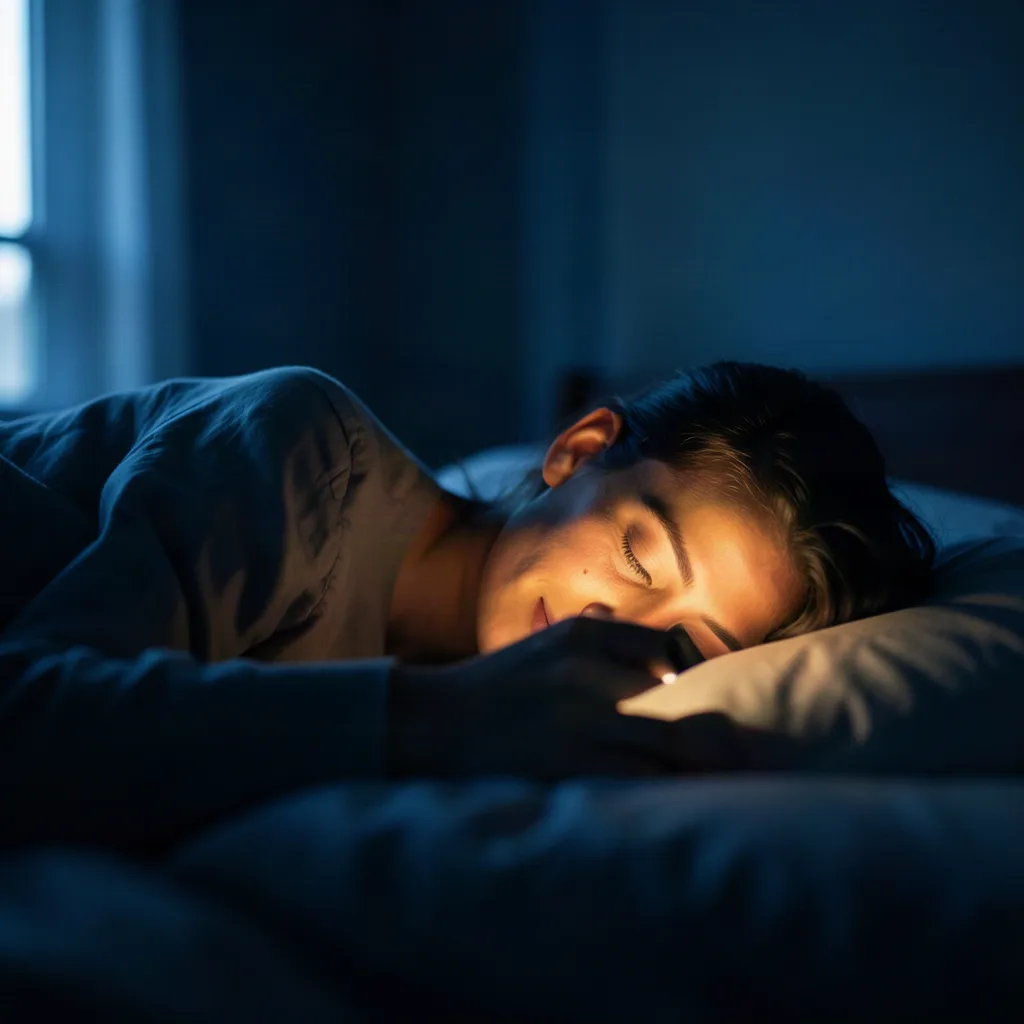
In recent years the term “blue light” has moved from niche tech blogs to everyday conversation. Smartphones, laptops, and even televisions now ship with a feature called Night Shift, Night Light, or similar, promising to reduce the harshness of blue‑rich light after sunset. The idea is simple: by shifting the screen’s colour temperature toward the warmer end of the spectrum, you might protect your eyes and improve sleep. But does the science support those claims, and how can you use these tools without falling for hype? This article unpacks the biology, the technology, and the evidence, then offers concrete steps you can take to make night‑time screen use healthier.
Key takeaways
- Schedule Night Shift modes to activate one to two hours before bedtime to minimize melatonin suppression.
- Reducing screen brightness to 30-40% is more effective for protecting sleep than simply changing the color temperature.
- Combine software filters with a digital curfew and dim ambient lighting to create a sleep-friendly environment.
- Children are more sensitive to blue light, making early activation of night modes particularly beneficial for younger users.
Understanding Blue Light and Its Sources
Blue light is part of the visible spectrum, occupying wavelengths roughly between 380 nm and 500 nm. It is abundant in natural sunlight, which is why our eyes evolved to handle it. In the modern world, artificial sources dominate after dark: LED backlights in smartphones, LCD panels, OLED displays, and even some LED‑based indoor lighting emit a significant proportion of blue wavelengths. The intensity of blue light from a typical tablet can be comparable to a bright overcast day, especially when brightness is set high.
Not all blue light is created equal. Short‑wave blue (around 415 nm) carries more energy and is more effective at stimulating the photoreceptors that regulate circadian rhythms. Longer‑wave blue (closer to 500 nm) contributes more to visual acuity and colour perception. When manufacturers talk about “reducing blue light,” they are usually referring to the short‑wave portion, which is also the range most implicated in sleep‑related research.
How Our Eyes and Circadian Rhythm React to Blue Light
The retina contains a specialised set of cells called intrinsically photosensitive retinal ganglion cells (ipRGCs). These cells contain the photopigment melanopsin, which is most sensitive to light around 480 nm – right in the blue region. Unlike rods and cones that support vision, ipRGCs send signals directly to the suprachiasmatic nucleus (SCN), the brain’s master clock. When the SCN receives strong blue‑light input, it suppresses melatonin, the hormone that signals the body it’s time to wind down.
Melatonin suppression isn’t inherently bad; it’s how daylight keeps us alert during the day. The problem arises when blue light exposure extends into the evening, when the body expects darkness. Even a modest dose of blue light an hour before bedtime can delay melatonin onset by up to an hour, shifting sleep onset and reducing total sleep time. The effect size varies by individual, age, and the intensity of the light source.
What Night Shift, Dark Mode, and Similar Features Do Technically
Night‑time colour‑temperature adjustments work by applying a colour‑filter matrix to every pixel before it reaches the display. On iOS, the Night Shift feature shifts the colour temperature from the default 6500 K (daylight) toward a warmer 3400 K by the user‑defined schedule. Android’s Night Light operates similarly, with a default target of 4000 K. macOS’s “Night Shift” and Windows’ “Night light” follow comparable algorithms.
Dark mode, on the other hand, inverts the colour palette so that background elements become dark and text becomes light. While dark mode reduces overall luminance, it does not specifically target blue wavelengths. Some users report less eye strain with dark mode, but the scientific evidence is mixed because the effect depends on ambient lighting, screen brightness, and personal preference.
Third‑party apps (e.g., f.lux, Twilight) let you fine‑tune the colour temperature, set custom schedules, and even adjust based on geographic location. These tools can push the colour temperature below what the built‑in OS options allow, sometimes down to 2000 K, which resembles candlelight.
Scientific Evidence: Do Filtered Screens Reduce Eye Strain?
Eye strain, or asthenopia, is a collection of symptoms—dryness, headache, blurred vision—that arise from prolonged near‑focus tasks. Blue light contributes to glare and reduces contrast, which can exacerbate strain, but it is only one factor among many (screen refresh rate, font size, ambient lighting).
Randomised controlled trials (RCTs) that compared blue‑light‑filtering glasses or screen filters with placebo glasses have shown modest reductions in self‑reported eye‑strain scores, typically around 10‑15 %. However, the studies often have small sample sizes and short durations (one‑hour sessions). A 2022 systematic review concluded that while blue‑light filters can improve comfort for some users, the effect is not universal and is heavily influenced by overall ergonomics.
In practice, this means that turning on Night Shift may make a screen feel warmer and less glaring, which can help some people work longer without discomfort. It is not a guaranteed solution for everyone, especially if the underlying issue is poor posture, excessive screen time, or inadequate lighting.
Impact on Sleep Quality: Lab Studies and Real‑World Findings
Laboratory studies provide the most controlled evidence. In a classic 2015 study, participants used a tablet set to a standard 6500 K colour temperature for two hours before bedtime, resulting in a 30‑minute delay in melatonin onset compared with a control condition using a dim red light. When the same tablet was set to a 3400 K temperature (similar to Night Shift), the delay was reduced to about 10 minutes, suggesting a measurable benefit.
Real‑world investigations, which track sleep with actigraphy or consumer sleep‑tracking devices, show more variable outcomes. A 2020 field study of 150 adults who enabled Night Shift on their smartphones for four weeks reported an average increase of 12 minutes in total sleep time and a 6‑minute earlier sleep onset, but the effect was strongest in participants who also reduced overall screen time after 8 p.m.
Importantly, the magnitude of benefit appears to plateau once the colour temperature reaches roughly 3500 K. Going warmer than that (e.g., 2500 K) does not produce additional sleep improvements and can make the display harder to read, potentially leading users to increase brightness—a counterproductive move.
Practical Tips for Using Night Shift Effectively
- Set a sensible schedule. Align the start of Night Shift with your usual evening wind‑down time, typically one to two hours before you intend to sleep. Most operating systems let you schedule activation based on sunset/sunrise for your location, which automatically adjusts for seasonal changes.
- Adjust brightness, not just colour. Reducing screen brightness to a comfortable level (often 30‑40 % of maximum) is more impactful for melatonin than colour temperature alone. Use the ambient light sensor if your device supports it, but verify that the sensor isn’t set to “auto‑bright” at a level that defeats the purpose.
- Fine‑tune the temperature. If the default warm setting feels too orange, experiment with the slider (iOS: 3400 K–4500 K). Aim for a temperature that feels warm but still legible. For reading long articles, many users find 3800 K to be a good compromise.
- Combine with blue‑light‑filter glasses. If you frequently work on multiple screens (e.g., desktop monitor, laptop, tablet), a pair of certified blue‑light‑filter glasses can provide a consistent reduction across devices, especially if some screens lack built‑in night‑mode features.
- Use “Do Not Disturb” mode. Turning off notifications after you enable Night Shift helps reduce the temptation to check the device, which can otherwise negate any physiological benefit.
By following these steps you create a layered approach: colour temperature, brightness, and behavioural habits all contribute to a more sleep‑friendly environment.
Complementary Strategies Beyond Screen Settings
Night Shift is only one piece of the puzzle. To optimise evening light exposure consider the following:
- Dim ambient lighting. Replace bright white LEDs with warm‑toned bulbs (2700 K–3000 K) in living areas after sunset. Smart bulbs can be programmed to dim automatically.
- Limit screen time. Aim to finish most interactive tasks at least 60 minutes before bedtime. Use a “digital curfew” timer on your phone to remind you.
- Adopt a wind‑down routine. Reading a physical book, gentle stretching, or meditation can signal the SCN that it’s time to prepare for sleep.
- Maintain a consistent sleep schedule. Going to bed and waking up at the same times each day stabilises circadian rhythms, making your body less sensitive to occasional blue‑light exposure.
- Consider screen‑free zones. Keep the bedroom a device‑free zone if possible. If you must use a device, enable Night Shift, lower brightness, and use a stand to keep the screen at eye level, reducing glare.
These habits reinforce the physiological cues that Night Shift tries to provide, leading to a more robust improvement in sleep quality.
When to Seek Professional Advice
If you experience persistent eye discomfort, frequent headaches, or chronic sleep disturbances despite applying the strategies above, it may be time to consult a professional. An optometrist can assess whether you have underlying vision issues such as dry‑eye syndrome or uncorrected refractive error, both of which can amplify screen‑related strain. A sleep specialist can evaluate whether a circadian‑rhythm disorder, insomnia, or another sleep condition is contributing to your difficulties.
In some cases, the problem is not the blue light itself but the timing and intensity of overall light exposure. Light‑therapy boxes, prescribed melatonin supplements, or cognitive‑behavioural therapy for insomnia (CBT‑I) are evidence‑based interventions that a clinician might recommend alongside or instead of screen‑filtering tools.
Quantifying the Blue‑Light Output of Your Devices
Before you can decide how aggressively to apply a colour‑temperature filter, it helps to know how much short‑wave blue light your screen actually emits. Several approaches make this measurement accessible to non‑scientists:
- Smartphone spectrometer apps. Modern phones equipped with a CMOS sensor can be turned into crude spectrometers using a diffraction grating (often a piece of CD or a dedicated accessory). Apps such as SpectraLab or ColorMeter display a wavelength‑versus‑intensity graph, allowing you to compare the peak around 460 nm before and after enabling Night Shift.
- Hardware colourimeters. Devices like the X‑Rite i1Display or Datacolor Spyder provide professional‑grade readings. After calibrating the monitor, the software reports the percentage of emitted light that falls within the 380‑500 nm band. This method is especially useful for designers who need to verify that a colour‑temperature shift does not compromise colour accuracy beyond a tolerable delta‑E.
- Online blue‑light calculators. Websites such as BlueLightCheck.com let you input your device model, screen brightness, and the colour‑temperature setting. The algorithm, based on manufacturer‑published spectral power distributions, returns an estimated melanopic lux value—a metric that correlates with ipRGC stimulation.
When interpreting these numbers, keep two thresholds in mind:
- Melanopic lux < 30 is generally considered low enough to avoid significant melatonin suppression for most adults.
- Peak blue intensity < 0.5 cd/m² at 460 nm tends to be the point where users start reporting noticeable glare.
By establishing a baseline, you can decide whether a simple software filter suffices or whether you need a hardware solution such as an external amber screen protector.
Blue Light and the Long‑Term Health of the Retina
Short‑wave blue photons carry more energy than longer wavelengths, raising the question of whether chronic exposure could damage retinal tissue. The scientific community distinguishes two pathways:
- Photochemical damage. In vitro studies on cultured retinal pigment epithelium (RPE) cells demonstrate that exposure to high‑intensity blue light (≈ 450 nm, > 10 mW/cm²) generates reactive oxygen species, leading to cell apoptosis. Translating these findings to everyday device use is challenging because typical screen luminance is orders of magnitude lower.
- Thermal effects. Prolonged viewing at maximum brightness can raise the temperature of the ocular media by a fraction of a degree Celsius. While this is insufficient to cause cataract formation, it may exacerbate pre‑existing conditions such as dry‑eye syndrome.
Epidemiological data linking screen‑time blue light to age‑related macular degeneration (AMD) remain inconclusive. A 2021 meta‑analysis of 12 cohort studies found no statistically significant association after adjusting for smoking, diet, and genetic risk factors. The authors concluded that if a relationship exists, it is likely modest and may be confounded by other lifestyle variables.
Nevertheless, certain high‑risk groups—patients with retinal dystrophies, those on photosensitising medication, or individuals with a family history of AMD—may benefit from stricter blue‑light mitigation. In such cases, clinicians sometimes prescribe amber‑tinted lenses with a measured optical density of 0.3 at 440 nm, which attenuates the most harmful wavelengths while preserving sufficient visual acuity for daily tasks.
Age‑Related Sensitivity: Children, Adolescents, and Seniors
Not everyone’s circadian system reacts to blue light in the same way. Developmental and age‑related changes affect both the eye’s optics and the brain’s clock mechanisms:
- Infants and toddlers. The crystalline lens is clearer in early childhood, allowing more blue photons to reach the retina. Studies using pupillometry have shown that children under 10 exhibit a 20‑30 % larger melanopic response compared with adults when exposed to identical lighting conditions. Consequently, pediatric sleep guidelines often recommend turning on night‑mode features as early as 7 p.m. for school‑age children.
- Teenagers. Adolescents experience a natural phase delay in their circadian rhythm, making them predisposed to later bedtimes. When combined with late‑night screen use, the melatonin‑suppressing effect can be amplified. A 2019 field trial with 200 high‑school students found that enabling Night Shift reduced reported daytime sleepiness by 15 % and improved GPA by 0.1 points, but only when paired with a mandatory screen‑off rule after 10 p.m.
- Seniors. The lens yellows with age, filtering out a portion of short‑wave blue light naturally. However, the ipRGC pathway also becomes less sensitive, meaning older adults may need a stronger blue‑light reduction to achieve the same melatonin‑preserving effect as younger users. Some sleep clinics therefore prescribe a custom “senior‑mode” with a colour temperature around 3000 K and a reduced brightness ceiling of 25 %.
These nuances suggest that a one‑size‑fits‑all schedule may be suboptimal. Many modern operating systems now allow you to create multiple profiles, each with its own start time and temperature, which can be switched manually or via an automation script based on the user’s age group.
Applying Night‑Shift Principles in Professional Settings
Office environments present a different set of lighting challenges. Workers often sit under fluorescent or LED panels that emit a steady stream of blue‑rich light throughout the day. Integrating night‑mode concepts into a workplace can improve both visual comfort and circadian health without sacrificing productivity.
- Dynamic ambient lighting. Smart lighting systems (e.g., Philips Hue, LIFX) can be programmed to follow a colour‑temperature curve that mirrors natural daylight—cool white (≈ 6500 K) in the morning, transitioning to warm white (≈ 3000 K) after 4 p.m. When paired with a screen‑level night filter, the combined effect reduces overall melanopic exposure.
- Screen‑wide calibration tools. Enterprise‑grade monitor management software like DisplayFusion or Barco ColorSpace can enforce a uniform colour‑temperature policy across all workstations. This eliminates the need for individual users to remember to enable Night Shift, ensuring compliance in shared spaces.
- Task‑specific lighting zones. In open‑plan offices, designate “focus pods” with lower colour temperature and dimmer illumination for tasks that require prolonged reading. Conversely, collaborative areas can retain higher colour temperatures to support alertness during meetings.
- Ergonomic screen positioning. Placing monitors at eye level and using an anti‑glare filter reduces the need to increase brightness, which otherwise counteracts any blue‑light reduction. For dual‑monitor setups, ensure both displays are synchronized in temperature; mismatched hues can cause visual fatigue.
Case studies from tech companies that have adopted a “circadian‑aware” workstation policy report a 7 % reduction in reported eye‑strain incidents and a modest increase in employee satisfaction scores, indicating that the benefits extend beyond sleep metrics.
Advanced Customisation: From CSS Filters to HDR Calibration
Power users who demand precise control over colour temperature can go beyond the built‑in OS sliders. Below are three technical pathways that let you fine‑tune the spectral output of a display:
- CSS
filterproperty. For web developers, applyingfilter: hue-rotate(-30deg) brightness(0.85)to thebodyelement creates a global warm‑tone effect without altering system settings. This technique is useful for web‑based reading apps that want to offer a “night‑mode” toggle independent of the operating system. - ICC colour profiles. By creating a custom ICC profile that shifts the white point to 3400 K, you can load the profile into the OS colour‑management system. Tools like DisplayCAL allow you to measure the resulting spectral power distribution with a colourimeter and iteratively adjust the gamma curve to minimise colour distortion.
- HDR tone‑mapping adjustments. High‑dynamic‑range displays expose a wider luminance range, which can inadvertently boost blue‑light peaks in bright highlights. Using the monitor’s built‑in HDR tone‑mapping controls (often labelled “Blue Light Reduction” or “Low‑Blue” in the OSD), you can attenuate the peak while preserving detail in shadows. For content creators, it is advisable to disable HDR when colour fidelity is paramount, then re‑enable it with a calibrated low‑blue preset for leisure use.
These methods also make it possible to script automatic switches. A simple Bash script that runs xrandr --output HDMI-1 --gamma 0.9:0.85:0.8 can be scheduled via cron to activate at sunset, providing a lightweight alternative to full‑featured applications.
Synchronising Digital and Physical Light: Smart‑Home Integration
Screen‑level night filters are most effective when they operate in concert with the surrounding lighting environment. Modern smart‑home ecosystems enable a holistic approach:
- Geolocation‑based automation. Services like IFTTT or Apple Shortcuts can fetch sunset times from a weather API and trigger a cascade: enable Night Shift on the phone, dim smart bulbs to 30 % brightness, and set their colour temperature to 2700 K. This creates a seamless transition from daylight to evening ambience.
- Wearable feedback loops. Devices such as the Oura Ring or Fitbit track sleep stages and can send a notification to your phone to activate night‑mode when they detect a prolonged period of low activity after 9 p.m., ensuring the filter is on even if you forget to set it manually.
- Voice‑assistant commands. Saying “Hey Google, start bedtime mode” can simultaneously lower the TV’s blue output (via HDMI‑CEC commands), enable the TV’s built‑in night‑light, and dim the living‑room lights. This reduces the cognitive load of managing multiple devices.
- Adaptive blinds. Motorised window shades that close at sunset reduce ambient daylight, which otherwise competes with the warm screen light and can diminish the perceived benefit of Night Shift. Pairing blinds with a light‑sensor that adjusts screen brightness creates a closed‑loop system that maintains a constant melanopic lux level.
By treating the screen as one node in a network of light sources, you can achieve a more consistent circadian environment. Users who have implemented such an integrated routine report not only better sleep latency but also a subjective sense of “coherence” in their evening atmosphere.
FAQ
1. Does Night Shift completely block blue light?
No. Night Shift reduces the proportion of short‑wave blue light by shifting the overall colour temperature, but it does not eliminate blue wavelengths entirely. The residual blue light is still enough to influence melanopsin signalling, albeit to a lesser degree.
2. Can I use Night Shift on a desktop monitor?
Most operating systems now include night‑light settings for external displays, but the effectiveness depends on the monitor’s colour‑gamut and whether the driver supports colour‑temperature adjustments. For older monitors, third‑party software like f.lux can provide a similar effect.
3. Are blue‑light‑filter glasses better than Night Shift?
Glasses filter blue light across all visual fields, which can be advantageous if you use multiple devices simultaneously. However, they do not address screen brightness. Combining glasses with Night Shift often yields the most comfortable experience.
4. Will a warmer colour temperature affect colour‑critical work?
Yes. Designers, photographers, and video editors rely on accurate colour representation. For tasks that require colour fidelity, it is advisable to disable Night Shift and work in a well‑lit environment with neutral lighting.
5. How long before bedtime should I enable Night Shift?
Research suggests enabling the feature at least one hour before you intend to sleep provides a measurable reduction in melatonin suppression. Adjust the timing based on personal sensitivity and evening routines.
Related posts:
 Can Your Sleep Supplement Double as a Fountain of Youth?
 Busy Philipps Eye Protection
 Do You Really Need Less Sleep as You Age?
 Best Blue Light Protection Products
 Dangerous Duo: Why Melatonin and Alcohol Don’t Mix
 Turkey Day Slumber: Bedroom Inspiration for the Ultimate Food Coma
 Three Scientific Reasons to Become a Morning Person
 Weekend Sleep Recovery