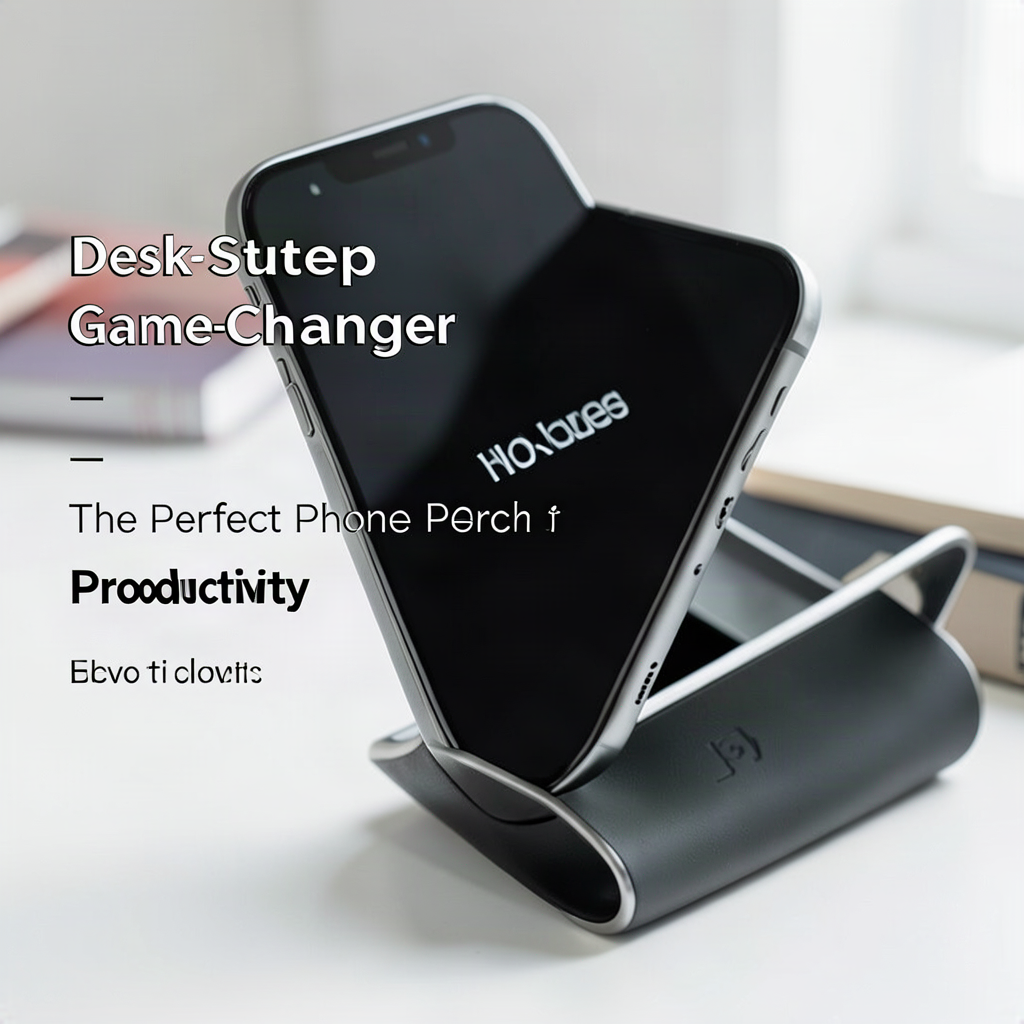
In the modern era of digital multitasking, our smartphones have become inseparable extensions of our professional and personal lives. We use them for two-factor authentication, quick calendar checks, and essential communication via messaging apps. However, a common friction point in many workspace setups is the “phone shuffle.” This constant movement of picking up, looking down, and setting down the device creates micro-distractions that break deep focus and contribute to poor posture. Finding the perfect phone perch—a dedicated, ergonomic station for your mobile device—is a subtle yet transformative productivity hack that can streamline your workflow and protect your physical well-being.
The Psychology of Visual Cues and Digital Distraction
To understand why a phone perch is a game-changer, we must first examine the psychology of attention. Every time you pick up your phone to check a notification, your brain undergoes a task-switching cost. Even if the interruption lasts only five seconds, the mental effort required to return to your primary task—be it writing a report or analyzing data—can take several minutes to recover. This is known as “attention residue.”
When your phone is lying flat on your desk, it is a visual distraction. You see the screen light up, and your brain instinctively reacts. By placing your phone on a dedicated perch at a specific angle, you transform it from a disruptive object into a controlled information station. A perch allows you to keep the device within your peripheral vision without requiring you to physically reach for it. This subtle shift moves the phone from a “reactive” tool to a “passive” information source, allowing you to monitor incoming alerts without the physical disruption of picking up the device.
Ergonomic Benefits: Saving Your Neck and Shoulders
Beyond productivity, the physical impact of smartphone usage is a growing concern for office workers. The phenomenon known as “text neck” occurs when you tilt your head forward to view a screen resting on a flat surface. This posture places immense strain on the cervical spine, leading to muscle fatigue, headaches, and long-term spinal issues.
A high-quality phone perch solves this by elevating the device to an optimal viewing angle. When the phone is propped up at roughly a 45 to 60-degree angle, your eyes can scan the screen with minimal neck flexion. This promotes a neutral spine position, keeping your head aligned over your shoulders. For professionals who spend eight or more hours at a desk, investing in a perch is not just about organization; it is an essential component of an ergonomic workstation designed to prevent repetitive strain injuries.
Choosing the Right Perch: Materials and Stability
Not all phone stands are created equal. The effectiveness of your perch depends heavily on its stability and the material used. When selecting a perch for a professional desk setup, consider these three primary categories:
- Acrylic and Clear Resin: These are ideal for minimalist setups. They are unobtrusive and allow the desk surface to remain visible, creating a sense of openness. However, they can be slippery if they do not have rubberized grips.
- Metal and Aluminum: For those who value durability and weight, metal stands are superior. A heavy aluminum base ensures that the phone won’t tip over when you tap the screen to dismiss a notification. These are also more aesthetically pleasing in a high-end executive setup.
- Wood and Organic Materials: If your workspace follows a “biophilic design” approach—integrating natural elements to reduce stress—a walnut or bamboo perch is an excellent choice. These add warmth and texture to a digital-heavy environment.
Regardless of the material, ensure the perch has non-slip silicone pads on the base and the contact points where the phone rests. This prevents the device from sliding and protects the phone’s chassis from scratches.
Integrating Your Perch into a Minimalist Workflow
A common mistake is adding more “stuff” to a desk under the guise of organization. A phone perch should not be another clutter item; it should be a tool of intentionality. To integrate it successfully, follow these steps:
1. Define a “Phone Zone”: Designate a specific spot on your desk—usually to the side of your keyboard or monitor—where the perch lives. This becomes the only place the phone is allowed to rest during work hours.
2. Curate Your Notifications: A perch is only useful if you aren’t constantly reacting to it. Use the “Do Not Disturb” or “Focus Mode” features on your smartphone to allow only essential notifications (like calls from family or urgent work messages) to appear on the screen. This ensures that when you glance at your perch, you aren’t being bombarded by trivial social media alerts.
3. Optimize the View: Position the perch so that the screen is visible without you having to turn your head significantly. It should be in your secondary line of sight—visible enough to notice, but not so central that it pulls you away from your main monitor.
The Dual-Purpose Perch: Phone and Tablet Utility
If your workflow involves using a tablet for secondary tasks—such as reading PDFs, following video tutorials, or monitoring a second communication channel like Slack—look for a perch that is adjustable. A perch that can transition from a low-profile phone stand to a higher-angle tablet stand provides much greater versatility.
Using a tablet on a perch can revolutionize how you manage your digital workspace. For example, you can keep your primary work on your large monitor, your communication tools on your phone (on the perch), and your reference materials on your tablet (on a larger perch). This tiered information hierarchy allows you to manage multiple streams of data without the mental fatigue of switching between full-screen applications on a single monitor.
Advanced Setup: The Multi-Device Ecosystem
For power users, the phone perch is part of a larger ecosystem of desktop organization. To maximize productivity, consider pairing your perch with these items:
- Wireless Charging Base: Look for a perch that has integrated Qi wireless charging. This eliminates cable clutter and ensures your phone is always at full battery when you need it.
- Cable Management Clips: If your phone requires a wired connection, use small adhesive clips to route the cable neatly along the edge of your desk.
- Desk Mat: Placing your perch on a high-quality felt or leather desk mat provides a soft landing for your equipment and helps define your workspace boundaries.
By treating your phone as a stationary piece of hardware rather than a handheld gadget, you reclaim control over your attention and create a more professional, streamlined environment.
Maintaining Your Workspace: Cleaning and Care
Because a phone perch is a high-touch item, it can quickly become a magnet for dust, fingerprints, and skin oils. A dirty perch can look unprofessional and may even leave smudges on your phone screen.
To maintain your setup, make it a habit to wipe down your perch once a week using a microfiber cloth and a small amount of isopropyl alcohol. This is particularly important for metal and glass stands. For wooden stands, a simple dry cloth is usually sufficient to prevent moisture damage. Keeping your perch clean ensures that it remains a centerpiece of your organized workspace rather than a source of clutter.
Angle Calibration for Different Desk Heights and Monitor Setups
The ideal viewing angle for your phone perch is not universal; it shifts based on your chair height, desk configuration, and monitor placement. For a standard desk height of 28 to 30 inches, a perch angle between 45 and 60 degrees typically aligns the phone screen with your natural eye level when seated. However, if you use a standing desk or an adjustable-height workstation, you will need to recalibrate that angle dynamically. When standing, your eye level rises by roughly 12 to 18 inches compared to sitting, so a steeper perch angle of 60 to 75 degrees may be necessary to keep the screen in your peripheral vision without forcing you to crane your neck upward.
Consider also the relationship between your phone perch and your primary monitor. If your monitor sits on a riser or laptop stand, your gaze is already elevated, meaning your phone perch should complement that elevated line of sight. Conversely, if your monitor is flush with the desk surface, a lower perch angle prevents you from having to dip your eyes too far downward. A practical tip is to set your phone perch at the same vertical plane as the lower third of your monitor. This creates a visual hierarchy where your primary task remains dominant, while the phone serves as a secondary alert system.
For users with dual-monitor setups, position the perch between the two screens or slightly off to the side of your dominant hand. This placement minimizes head rotation and keeps the phone within your scanning range during brief pauses in work. If space is limited, consider a perch with a rotating base that can swivel 180 degrees, allowing you to reposition the phone without moving the entire stand.
Material Performance Under Real-World Conditions
While acrylic, metal, and wood each offer distinct aesthetic and functional advantages, their performance varies significantly under everyday office conditions. Acrylic stands, though visually light and modern, are prone to developing stress fractures over time if exposed to temperature fluctuations or accidental impacts. In environments with high foot traffic or frequent desk adjustments, a metal perch made from CNC-machined aluminum or steel offers superior longevity. These materials resist warping and maintain structural integrity even when subjected to daily vibrations from keyboards or nearby equipment.
Wooden perches, particularly those crafted from bamboo or reclaimed oak, introduce organic texture but require more maintenance. In humid climates, untreated wood can expand or develop surface mold, while in dry conditions, it may crack along the grain. To mitigate these risks, look for perches finished with a protective sealant or lacquer. Additionally, wooden stands often lack the precision of machined metal or molded plastic, meaning the phone may not rest at a perfectly consistent angle over time.
For hybrid work environments where your desk setup changes frequently, consider a perch constructed from high-impact polymer or reinforced silicone. These materials combine the lightweight nature of plastic with enhanced durability, making them ideal for professionals who travel between home and office. Some manufacturers now offer modular perch systems where you can swap out the base or mounting bracket depending on your current workspace configuration.
Smartphone Compatibility and Size Considerations
Modern smartphones range dramatically in size and weight, from compact models like the iPhone SE to large phablets exceeding six and a half inches. A perch designed for a 5.4-inch phone may not accommodate a 6.7-inch device without compromising stability. Before purchasing, measure your phone’s dimensions and compare them to the perch’s stated compatibility range. Look for perches that support a width range of at least two inches to account for future upgrades or case usage.
Phone cases significantly alter both the dimensions and weight of your device. A perch that fits your bare phone may reject a bulky protective case, forcing you to remove it every time you dock the phone. To avoid this inconvenience, test the perch with your actual case installed. Many premium perches include adjustable arms or expandable cradles that can grip phones with cases up to 15 millimeters thick.
Certain phone designs introduce additional challenges. The iPhone 15 Pro Max, for instance, has a prominent camera bump that prevents it from lying flat against a standard perch surface. In such cases, look for perches with elevated or contoured cradles that accommodate protruding hardware. Similarly, phones with curved edges or glass backs may require perches with soft silicone contact points to prevent slippage and surface damage.
Power Management and Charging Integration Strategies
One of the most overlooked aspects of phone perch selection is how it interacts with your charging routine. A perch that requires you to plug in a cable every time you dock your phone undermines the convenience factor. Wireless charging perches eliminate this friction entirely, but they come with their own set of considerations. Qi-enabled stands must maintain consistent contact pressure between the phone and the charging coil, which means the perch’s mounting mechanism needs to be both firm and forgiving.
For users who rely on fast charging, wired perch solutions with integrated USB-C or Lightning passthrough ports offer superior power delivery. These perches route the charging cable through the base or along the stand’s frame, keeping the workspace tidy while ensuring your phone charges at full speed. Some advanced models include built-in surge protection and cable strain relief, extending the lifespan of both the perch and your charging accessories.
Battery health is another critical factor. Continuous wireless charging can generate heat, which accelerates battery degradation over time. If you plan to leave your phone on the perch for extended periods, choose a perch with active cooling features such as built-in fans or heat-dissipating aluminum fins. Alternatively, configure your phone’s software to stop charging once it reaches 80 percent, preserving long-term battery capacity.
Notification Filtering and Digital Boundary Management
Even the most ergonomically sound perch becomes a distraction if your phone bombards you with notifications throughout the day. The key to leveraging a perch for productivity lies in curating which alerts earn a place in your peripheral vision. Begin by categorizing your apps into three tiers: mission-critical notifications that require immediate attention, time-sensitive updates that can wait until a natural break, and non-essential alerts that should be silenced entirely during focused work sessions.
iOS and Android both offer granular notification controls that allow you to customize alerts on a per-app basis. For example, you might permit direct messages from your team’s Slack channel to appear on the lock screen while muting general channel announcements. Similarly, calendar event reminders from your work account should remain active, but personal social media notifications can be scheduled to deliver only during designated break periods.
Some professionals take a step further by using dedicated work profiles or secondary phone numbers managed through apps like Google Voice or Microsoft Teams. This creates a clear separation between personal and professional communication, ensuring that only work-related notifications appear on your perch during business hours. Pair this strategy with “Focus Modes” or “Do Not Disturb” schedules that automatically activate based on your calendar events or time of day.
Environmental Integration and Workspace Harmony
A phone perch does not exist in isolation; it must harmonize with the broader visual and functional elements of your workspace. If your desk follows a monochromatic color scheme, choose a perch in a complementary neutral tone such as matte black, brushed silver, or natural wood grain. Avoid perches with bright colors or glossy finishes that compete for visual attention with your monitor or documents.
Lighting conditions also influence perch effectiveness. In workspaces with overhead fluorescent lighting, a perch with a matte or anti-glare surface prevents screen reflections that can obscure notifications. If your desk is positioned near a window, consider a perch with an adjustable shade or visor to block direct sunlight during peak hours. Some high-end perches even include integrated LED strips that provide ambient lighting for late-night work sessions.
For shared office environments or open-plan layouts, a perch with a low profile and quiet operation becomes essential. Mechanical perches with loud clicking sounds or unstable bases that shift with every tap can disrupt nearby colleagues. Opt for perches with dampened hinges and weighted bases that remain motionless even during animated phone interactions. Additionally, consider perches with cable management channels that conceal charging wires, creating a cleaner appearance that aligns with professional office aesthetics.
Portability Considerations for Hybrid and Remote Work
With the rise of hybrid work models, many professionals now split their time between a home office and a corporate desk. A perch that excels in one environment may prove cumbersome in another. For remote work setups where desk space is at a premium, a foldable or collapsible perch made from lightweight aluminum or reinforced polymer can be easily transported in a laptop bag without adding significant bulk.
When evaluating portability, consider the perch’s footprint in its folded state. Some perches reduce to less than half their deployed size, while others maintain a rigid form factor that resists compact storage. If you frequently travel between locations, prioritize perches with quick-release mechanisms or tool-free assembly. These features eliminate the frustration of hunting for tiny screws or Allen wrenches during setup.
Additionally, consider whether your perch needs to accommodate accessories beyond your phone. A portable perch with modular expansion slots can hold a small notebook, stylus, or even a compact power bank. This versatility ensures that your mobile workspace remains organized regardless of your physical location, whether you are working from a coffee shop, airport lounge, or temporary project site.
Longevity Testing and Wear Pattern Analysis
High-quality phone perches are engineered to withstand thousands of docking cycles, but real-world usage introduces variables that manufacturers often overlook. Frequent users who dock and undock their phones dozens of times per day will notice wear patterns in the perch’s contact points. Silicone pads may lose their tackiness over time, especially when exposed to oils from fingers or cleaning agents. Metal perches with powder-coated finishes can develop chips or scratches that compromise both aesthetics and grip.
To extend the lifespan of your perch, establish a cleaning routine that avoids abrasive materials. Microfiber cloths paired with distilled water or mild isopropyl alcohol solutions are generally safe for most surfaces. For stubborn residue buildup, a soft-bristled toothbrush can reach crevices without damaging delicate components. Periodically inspect the perch’s joints and hinges for signs of loosening, and tighten any adjustable elements according to the manufacturer’s specifications.
Another often-neglected aspect of perch longevity is thermal cycling. Repeated exposure to temperature changes—such as moving between air-conditioned offices and warm vehicles—can cause certain materials to expand and contract at different rates. This phenomenon, known as thermal stress, may lead to premature failure in perches constructed from dissimilar materials or poorly bonded components. Choosing perches with unified construction or materials that share similar coefficients of thermal expansion can mitigate these risks significantly.
Customization Options for Personal and Professional Branding
For professionals who use their desks as extensions of their personal brand, a phone perch offers a unique opportunity for subtle customization. Many manufacturers now offer laser engraving services that allow you to add your name, company logo, or even a motivational quote to the perch’s surface. This personalization transforms a functional tool into a statement piece that reflects your identity and values.
Beyond cosmetic modifications, some perches support interchangeable faceplates or magnetic accessories that can be swapped out to match seasonal themes, company colors, or project-specific branding requirements. A perch with a detachable magnetic backplate, for instance, can seamlessly transition from a corporate environment with a subtle brushed metal finish to a creative workspace adorned with vibrant geometric patterns.
For teams working in collaborative environments, consider perches with uniform designs that promote visual cohesion across multiple workstations. Standardized perch selections not only enhance the professional appearance of your office but also simplify procurement and maintenance processes. Some organizations even commission custom-designed perches that incorporate their brand’s color palette or signature typography, turning everyday desk accessories into powerful branding opportunities.
FAQ
Q: Will a phone perch help with my wrist pain?
A: While a phone perch primarily addresses neck and shoulder posture, it can indirectly help wrist pain. By reducing the need to hold the phone in your hand for extended periods to check notifications, you reduce repetitive gripping and typing motions that contribute to wrist strain.
Q: Is it better to have a phone perch or a phone dock?
A: A “perch” usually refers to a stand designed for viewing at an angle, whereas a “dock” often implies a charging station that might hide the screen. For productivity, a perch is superior because it allows you to see notifications at a glance without picking up the device.
Q: Can I use a phone perch for my smartwatch?
A: Most phone perches are designed for larger screens. While you might be able to rest a smartwatch on a larger stand, it isn’t optimized for it. It is best to have a dedicated, small tray or stand for smaller wearables.
Q: Does the angle of the perch matter?
A: Yes. An angle that is too shallow forces you to tilt your head down, while an angle that is too steep might make the phone unstable. Aim for an angle that allows you to view the screen with a neutral neck position.
Q: Are expensive metal stands worth the investment?
>A: If you use your desk for 8+ hours a day, yes. A heavy, stable metal stand prevents your phone from falling and provides a professional aesthetic that can last for years, whereas cheap plastic stands often break or slip.
Related posts:
 Successful Women’s Desk Items
 Tiny Green Therapy: How Mini Plants Are Revolutionizing the Workspace
 Metal Hair Cuffs: The French Girl’s Alternative to Scrunchies
 Zodiac Workspace Setup
 Sex Toys with Apps: High-Tech Pleasure at Your Fingertips
 AirPods Pro 2nd Gen Review
 The Best Headphones for Every Lifestyle and Budget
 Boss Babes’ Desk Essentials