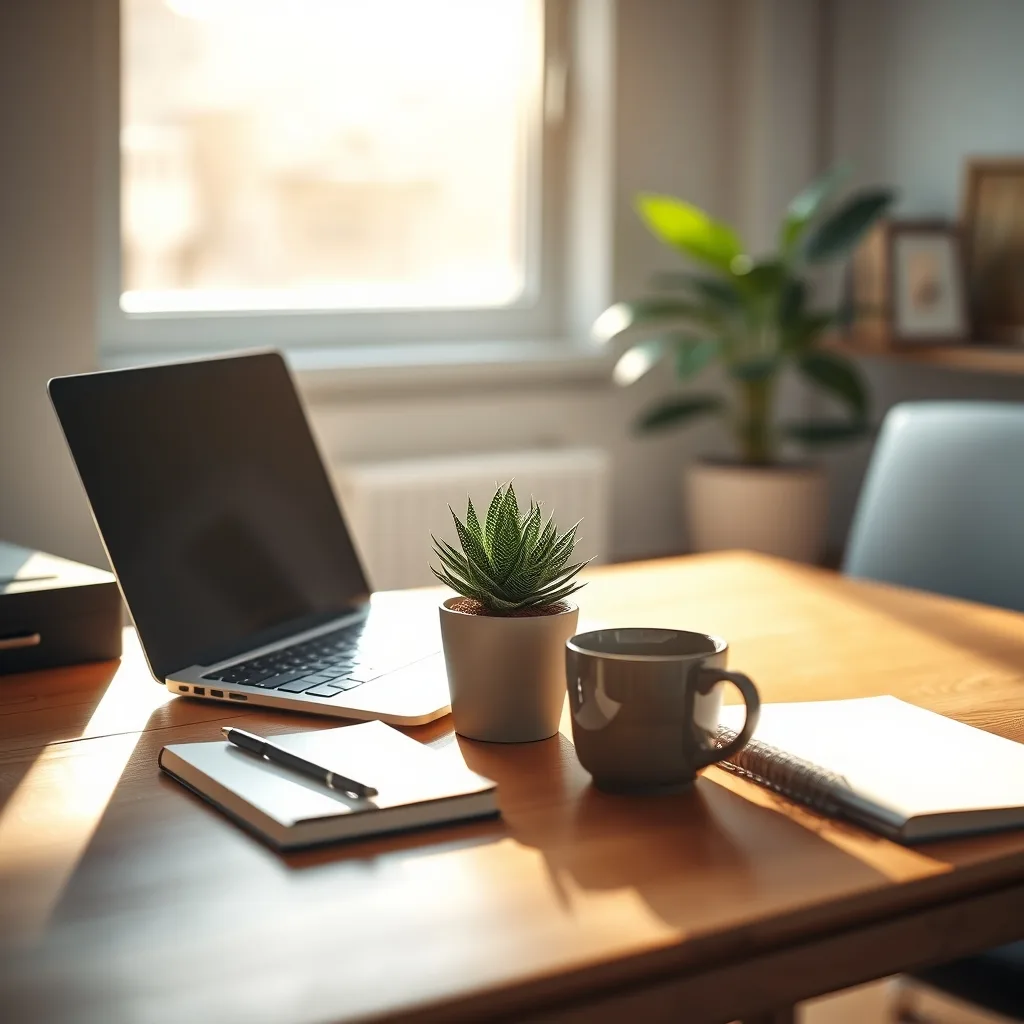
In an era where the boundaries between professional obligations and personal time are increasingly blurred, the physical environment of your workspace has become a critical determinant of your daily output. An optimized workspace is not merely about aesthetic appeal; it is a strategic tool designed to reduce cognitive load, minimize physical strain, and foster a state of deep focus. By intentionally curating your surroundings, you can transform a chaotic desk into a high-performance command center.
Key takeaways
- Position your monitor so the top third is at eye level to prevent neck strain and maintain neutral posture.
- Keep only daily essentials on your desk and perform a weekly reset to minimize visual clutter and cognitive load.
- Use natural light to regulate circadian rhythms and incorporate indoor plants like snake plants to reduce stress levels.
- Alternate between sitting and standing every 45 minutes to maintain blood flow and prevent physical fatigue.
- Place frequently used tools in a primary reach zone directly in front of you to minimize unnecessary micro-movements.
The Science of Ergonomics and Physical Comfort
Physical discomfort is one of the most significant barriers to sustained productivity. When your body is fighting against an poorly adjusted chair or a misaligned monitor, your brain consumes valuable energy attempting to compensate for that tension. The foundation of an ergonomic workspace begins with your chair. Seek a chair that offers lumbar support, adjustable armrests, and seat height customization so that your feet remain flat on the floor with your knees at a 90-degree angle.
Next, consider your eye level. Your monitor should be positioned so that the top third of the screen is at eye level. This prevents neck strain caused by looking down or up for extended periods. If you use a laptop, invest in a separate keyboard and mouse, and elevate the laptop on a stand. This simple adjustment ensures that your posture remains neutral, reducing the risk of repetitive strain injuries and allowing you to remain seated comfortably for longer sessions.
Strategic Decluttering for Mental Clarity
Visual clutter is a primary source of distraction. Research suggests that a cluttered environment competes for your attention, effectively lowering your cognitive bandwidth. To optimize your space, adopt a “clear surfaces” policy. Keep only the items you use daily—such as your computer, a notebook, and a pen—on your primary desk surface. Everything else should be relegated to drawers or designated storage solutions.
Implement a weekly “reset” ritual. At the end of every Friday, spend ten minutes clearing your desk of stray papers, coffee mugs, and loose cables. Starting Monday morning with a clean, organized slate reduces the mental friction of transitioning back into work mode. Remember that your desk is a workspace, not a storage unit; if an item hasn’t been used in the last month, it likely doesn’t deserve a permanent spot on your desk.
Lighting Strategies for Circadian Alignment
Lighting is often the most overlooked aspect of workspace design. Harsh fluorescent overhead lights can contribute to eye fatigue and headaches, while insufficient lighting can lead to lethargy. Whenever possible, position your desk near a natural light source. Exposure to daylight helps regulate your circadian rhythm, which improves your alertness during the day and your sleep quality at night.
For tasks performed in the evening or in rooms without windows, use layered lighting. A combination of a dimmable overhead light and a dedicated task lamp allows you to control the intensity and direction of your illumination. Opt for “cool” white light for high-focus analytical tasks, as this promotes wakefulness, and consider warmer tones if you find yourself feeling overstimulated or stressed later in the day.
Cable Management and Digital Hygiene
Nothing disrupts a clean aesthetic faster than a tangled mess of power cords and charging cables. Beyond the visual impact, tangled cables are a safety hazard and an organizational nightmare. Invest in cable sleeves, clips, or a cable management tray that mounts to the underside of your desk. By routing your cords neatly, you eliminate the “visual noise” that can subconsciously distract you throughout the day.
Digital hygiene is the natural extension of physical cable management. If you are constantly searching for files or struggling with a cluttered desktop interface, your physical workspace will eventually mirror that disorder. Use a cloud-based filing system, clear your computer desktop of unnecessary icons, and ensure that your charging station is centralized so that devices aren’t scattered across your workspace.
Incorporating Biophilic Design Elements
Biophilic design—the practice of incorporating nature into built environments—has been shown to reduce stress and improve creativity. Introducing greenery into your workspace is one of the most effective ways to achieve this. Plants like snake plants, pothos, or succulents are low-maintenance and improve air quality while providing a calming visual break from the stark lines of technology.
If you lack space for plants, consider incorporating natural textures or colors. Using a wooden desk surface, a stone coaster, or a color palette inspired by nature (such as soft greens, blues, or earthy tones) can create a more grounding experience. Even a small piece of natural art or a view of the outdoors can serve as an effective “micro-break” for your eyes and mind, allowing you to reset your focus after an intense period of work.
The Power of Zoning and Task-Specific Areas
Not all work is created equal. You likely perform a mix of deep, analytical work, communicative tasks like emails, and creative brainstorming. If your space allows, create “zones” for these different activities. You might have your main computer station for digital work, a secondary area—perhaps a comfortable chair or a standing desk attachment—for reading or phone calls, and a physical whiteboard or notebook area for brainstorming.
By associating specific physical spots with specific types of tasks, you prime your brain to enter the correct mental state more quickly. When you move to your “brainstorming zone,” for example, you leave behind the habitual patterns associated with your email-focused desk. This behavioral cueing can significantly reduce the time it takes to enter a flow state.
Managing Sensory Input and Soundscapes
Your auditory environment is just as important as your visual one. If you work in a noisy home or office environment, noise-canceling headphones are an essential tool. However, total silence isn’t always the best environment for everyone. Many people find that ambient sound, such as white noise, brown noise, or instrumental lo-fi beats, helps to mask distracting background sounds and provides a steady rhythm for their work.
Experiment with different soundscapes to see what keeps you in the zone. If you find yourself getting distracted by speech, avoid lyrical music and opt for ambient sound or binaural beats. Additionally, consider the temperature of your workspace. Studies suggest that productivity peaks in environments that are comfortably cool, rather than overly warm, as excessive heat can lead to physical discomfort and drowsiness.
Optimizing Workflow Through Peripheral Architecture
Beyond the primary desk surface, your peripheral architecture—the space within arm’s reach that you do not directly use for work—should be optimized to support your primary tasks. This involves “reach zone” planning. Place your most frequently accessed tools, such as your phone, a notepad, and your preferred writing instrument, within the “primary reach zone,” which is the semi-circle area directly in front of you. Secondary tools, like reference books, external hard drives, or specialized hardware, should reside in the “secondary reach zone,” requiring a slight stretch but no movement from your chair. By categorizing tools based on the frequency of use, you minimize micro-movements that accumulate over an eight-hour day, effectively conserving physical and mental energy for high-level cognitive tasks.
The Psychology of Scent and Atmospheric Control
While visual and auditory inputs are frequently discussed, olfactory stimulation is a powerful, often overlooked lever for productivity. The human brain links scent directly to memory and mood, making it an ideal tool for Pavlovian conditioning. By introducing a specific, subtle scent—such as peppermint to boost alertness, or rosemary for memory retention—exclusively when you enter “deep work” mode, you create a powerful cognitive trigger. Over time, the mere presence of that scent can help you bypass the procrastination phase and enter a focused state more rapidly. Ensure that the scent is diffused lightly; an overpowering smell will quickly transition from a productivity booster to a source of distraction or physical discomfort.
Hardware Ergonomics: Beyond the Standard Setup
Standard keyboard and mouse configurations often force the wrists into unnatural, pronated positions that lead to long-term strain. Transitioning to an ergonomic split keyboard or a vertical mouse can significantly reduce ulnar deviation and forearm tension. If you are a heavy data user, consider adding a programmable macro pad or a stream deck to your setup. These peripherals allow you to map repetitive, multi-key shortcuts to a single physical button, reducing the repetitive strain of complex keystrokes and streamlining your digital workflow. Even for non-technical roles, automating “copy-paste” chains or opening specific software suites with a single press creates a tangible sense of control and speed that keeps momentum high.
Micro-Climate Management for Cognitive Endurance
The temperature and airflow of your workspace act as a silent regulator of your cognitive endurance. Research indicates that productivity often plateaus when a room exceeds 75°F (24°C), as the body shifts its energy toward thermoregulation rather than processing information. If you lack central climate control, incorporate a low-decibel, oscillating desk fan to maintain air circulation, which prevents the buildup of stagnant CO2 concentrations—a common culprit for afternoon brain fog. Furthermore, humidity levels play a role; if your workspace feels “dry” due to air conditioning or heating, a compact, silent desktop humidifier can prevent the irritation of sinuses and eyes, ensuring that your physical comfort doesn’t force an early end to your work session.
Dynamic Furniture Adaptations for Long-Term Health
While standing desks are a popular solution, they are often used incorrectly. The key to long-term productivity is “dynamic sitting” and “active standing.” Avoid locking your joints in a single position for more than 45 minutes. If you have an adjustable desk, set a timer to switch heights, but complement this with an anti-fatigue mat. These mats provide micro-adjustments in your calf and leg muscles, which prevents the blood pooling that occurs when standing on hard, unforgiving surfaces. For those who remain seated, consider a dynamic seat cushion or a balance ball chair for short intervals; the constant, subtle engagement of your core muscles prevents the “slump” that usually occurs after lunch, keeping your nervous system alert and responsive.
The “Closed-Loop” Storage Philosophy
To prevent the inevitable creep of clutter, adopt a “closed-loop” storage philosophy. This means that every item on your desk must have a designated, enclosed “home” that is not visible when the item is not in use. Open shelving may look aesthetically pleasing in magazines, but it creates visual noise that forces your brain to categorize items even when you aren’t using them. Use drawers with modular dividers or opaque lidded boxes to hide your cables, stationery, and peripheral hardware. When you can see only the task at hand, your brain is freed from the subconscious task of processing the “to-do” items represented by the clutter on your desk. This creates a “clean slate” effect that is essential for switching between complex projects.
FAQ: Optimizing Your Workspace
Q: Is a standing desk actually better for productivity, or is it just a trend?
A: A standing desk is a valuable tool for changing your posture, which can increase blood flow and keep you alert. However, it is not a magic solution. The key to productivity is movement; alternating between sitting and standing throughout the day is more effective than doing either exclusively. If you switch, ensure your monitor is adjusted for both positions.
Q: How do I handle a small workspace where I have limited room to organize?
A: In small spaces, verticality is your best friend. Use wall-mounted shelves, pegboards, or monitor risers with built-in storage to keep your desk surface clear. Prioritize multi-functional furniture, such as a desk with a built-in drawer, and be ruthless about removing non-essential items. A small but perfectly organized space is far more productive than a large, cluttered one.
Q: Does the color of my walls or desk accessories really impact my work?
A: Color psychology suggests that certain shades can influence your mood. Blues and greens are often associated with calmness and focus, making them excellent for high-stress work. Yellows and oranges can stimulate creativity but may be distracting if used in excess. Choose colors that help you reach your intended goal for the day.
Q: How often should I reorganize my desk to maintain productivity?
A: You do not need a complete overhaul often, but you should perform a “micro-reset” daily. A more comprehensive organization session—where you evaluate your storage and tool placement—is best performed once a month. This prevents the slow creep of clutter that often happens when we are busy.
Q: What is the most important item to invest in for a home office?
A: The most important investment is always your chair. Because you spend hours in it, a chair that supports your spine correctly will prevent long-term pain and daily fatigue. While monitors and desks are important, a poor chair is the fastest way to lose productivity due to physical distraction.
Related posts:
 Creative Home Office Desk Ideas
 Is Eating While Standing Bad?
 Master Chair Pose Without Falling Over: A Yoga Guide for Real People
 Chair-ity Work: Halle Berry’s Genius Workout Using Just a Chair
 How to Create a Productive Home Office Setup
 Simple Home Office Swaps for Better Health and Productivity
 Mood Makeover: The Office Supplies That Will Transform Your Workday Vibes
 Desk Yoga for Back Pain Relief