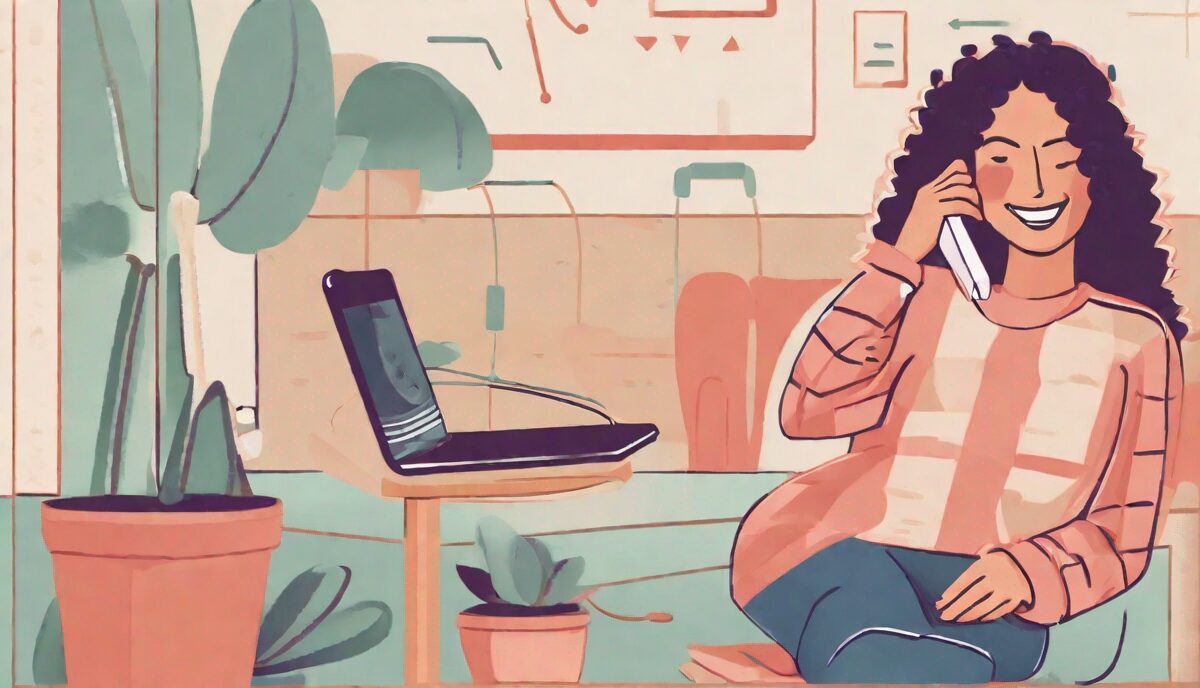
In an era where our smartphones are an extension of ourselves, it’s important to recognize the benefits of disconnecting. Spending less time on the phone can lead to improved mental health, better sleep, and more meaningful interactions with the people around us. In this article, we’ll explore practical strategies to help you reduce your screen time and reclaim your time.
Understand Your Usage
Before you can reduce your phone time, it’s essential to understand your current habits. Many smartphones have built-in tools to track your screen time. Take note of the apps you use most and how often you’re checking your device.
Set Clear Boundaries
Establishing boundaries is key to reducing phone usage. Decide on specific times when you will not use your phone, such as during meals or right before bed. Communicating these boundaries to friends and family can also help them support your goals.
Turn Off Non-Essential Notifications
Notifications are designed to draw us back into our phones. Turn off non-essential alerts so that you’re not constantly tempted to check your device.
Find Alternative Activities
Replacing the time you spend on your phone with other activities can make the transition easier. Consider hobbies that engage your hands and mind, like reading, cooking, or exercising.
Use Technology to Your Advantage
Ironically, there are apps designed to help you spend less time on your phone. These apps can block access to other apps, track your usage, and set limits to help you stay on track.
Optimizing Your Device’s Interface to Reduce Friction
While setting boundaries is helpful, the way your phone is visually organized can either trigger a compulsive habit or act as a deterrent. Most apps are designed with “persuasive architecture,” using vibrant colors and strategic placements to keep you engaged. To counter this, you can modify your interface to make the phone less stimulating.
One of the most effective technical shifts is enabling grayscale mode. By removing the vivid colors of app icons and notifications, you strip away the dopamine reward your brain receives when you see a bright red notification badge or a colorful social media feed. On most modern smartphones, this can be found under Accessibility settings. When the screen is gray, the psychological pull of “infinite scroll” apps diminishes significantly because the visual reward is gone.
Beyond color, consider a minimalist home screen layout. Instead of having your most addictive apps front and center, move them off the primary screen and into folders on the second or third page. Better yet, remove them from the home screen entirely and force yourself to use the search bar to find them. This adds a layer of “intentional friction”—a small pause between the impulse to check an app and the actual action. When you have to manually type “I-n-s-t-a-g-r-a-m,” you give your conscious mind a few seconds to ask, “Do I actually need to do this right now, or am I just bored?”
For those who find themselves reflexively opening the same three apps, try the “app rotation” strategy. Every Sunday, move your most-used apps to different folders or screens. This breaks the muscle memory developed by your thumb, forcing you to be mindful of your navigation rather than operating on autopilot.
Implementing Physical Barriers and Environmental Controls
The “out of sight, out of mind” principle is a powerful tool for reducing screen time. If your phone is within arm’s reach, the cognitive load required to resist checking it is constant, leading to decision fatigue. By creating physical distance, you remove the temptation entirely.
Start by establishing a dedicated charging station located outside of your primary relaxation or work areas. Instead of charging your phone on your nightstand or your desk, place the charger in a hallway, a kitchen cabinet, or a separate room. This prevents the “bedtime scroll” and the “morning scroll,” ensuring that your first and last thoughts of the day aren’t dictated by an algorithm.
To solve the common dilemma of using the phone as an alarm clock, invest in a basic analog or digital alarm clock. When your phone is your alarm, you are forced to touch it the moment you wake up, which often leads to an immediate dive into emails or news. A separate alarm clock allows you to keep the phone in another room entirely, giving you an hour of peace before you enter the digital world.
For families or couples, consider a “phone hotel” or a communal basket. Establish a rule that when everyone arrives home or when dinner begins, all devices are “checked in” to the basket. This creates a shared commitment to presence. An interesting edge case occurs when someone is expecting an urgent call; in these instances, you can set the phone to “Do Not Disturb” but allow “Repeated Calls” or “Favorites” to break through. This ensures you remain reachable for emergencies while remaining disconnected from the noise of general notifications.
Mastering the Psychology of the “Phone Itch”
Reducing phone time isn’t just about tools; it’s about managing the psychological triggers that lead to usage. Most of us experience a “phone itch”—a sudden, almost subconscious urge to check the device during a moment of silence, a long line at the grocery store, or a pause in a conversation. This is often a response to boredom or mild anxiety.
To combat this, practice “Urge Surfing.” When you feel the impulse to reach for your phone, don’t immediately fight it or give in to it. Instead, acknowledge the feeling. Tell yourself, “I am feeling the urge to check my phone because I am bored/anxious/waiting.” Observe the sensation for 30 to 60 seconds. Usually, the peak of the urge is short-lived. By observing the impulse rather than reacting to it, you strengthen your impulse control and break the automatic loop of stimulus and response.
Another powerful technique is the 10-Minute Rule. When you feel the need to check a non-essential app, tell yourself you can check it, but only after 10 minutes. During those 10 minutes, engage with your immediate environment—look around the room, take a few deep breaths, or strike up a conversation. In many cases, by the time the 10 minutes have passed, the urgency has vanished, and you’ve realized that the “need” to check the phone was an illusion.
It is also helpful to distinguish between active use and passive use. Active use involves a specific goal, such as calling a parent, checking a map, or paying a bill. Passive use is the aimless scrolling of feeds. When you pick up your phone, ask yourself: “Am I using this tool for a purpose, or am I consuming content to avoid the present moment?” Shifting the internal narrative from “I’m just relaxing” to “I’m avoiding boredom” can provide the necessary motivation to put the device down.
Managing Social Expectations and Digital Etiquette
A major barrier to spending less time on the phone is the perceived social obligation to be constantly available. The “instant reply” culture creates a sense of urgency and anxiety, making us feel that a delayed response is a sign of rudeness or disinterest.
To reclaim your time, you must recalibrate the expectations of others. You can do this through transparent communication. Try telling your close friends and family, “I’m trying to spend less time on my phone to be more present, so if I don’t reply immediately, don’t worry—I’ll get back to you during my check-in times.” Most people are not only understanding but are often inspired to do the same.
Implement a “batching” system for communication. Instead of responding to messages as they arrive throughout the day, set two or three specific windows—such as 12:00 PM and 6:00 PM—to handle all your texts and emails. This prevents your day from being fragmented by a constant stream of micro-interruptions. To support this, turn off “Read Receipts.” When people don’t know exactly when you’ve seen a message, the pressure to respond instantly is significantly reduced.
In professional settings, use status updates or auto-responders to signal your availability. A simple Slack or Teams status that says “Deep Work: Checking messages at 2 PM” tells your colleagues that you are working, not ignoring them. This protects your focus and prevents the anxiety of feeling like you’re falling behind while you’re intentionally disconnecting.
Creating High-Focus Zones for Deep Work and Study
The presence of a smartphone, even when turned off, has been shown to reduce cognitive capacity because a portion of your brain is actively working to ignore the device. To maximize productivity and mental clarity, you need to create environments where the phone simply does not exist.
Apply the “Physical Distance Protocol” during work or study blocks. If you are working at a desk, the phone should not be on the desk, in your pocket, or even in the same room. Place it in a drawer or a separate room. This eliminates the “micro-distractions” that occur when a screen lights up or when you subconsciously reach for the device during a challenging task. The cost of a single 30-second check is not 30 seconds, but the 20 minutes it takes for your brain to return to a state of deep focus (a phenomenon known as “attention residue”).
For those who use their phones for work-related timers or music, switch to single-purpose tools. Use a physical kitchen timer or a dedicated Pomodoro timer instead of a phone app. Use a standalone music player or a computer-based app where you can block notifications. By removing the phone’s multi-functionality from your workspace, you remove the gateway to distraction.
Consider the “Digital Sunset” for professional burnout. Set a hard cutoff time—for example, 7:00 PM—after which all work-related apps are off-limits. If you use a single device for both work and personal life, use “Focus Modes” (available on iOS and Android) to automatically hide work emails and messaging apps after a certain hour. This creates a psychological boundary that tells your brain it is safe to stop scanning for professional threats and start recovering.
Navigating Special Use Cases and Edge Cases
Reducing phone time is not a one-size-fits-all process. Different lifestyles require different adaptations, and trying to follow a rigid set of rules can lead to frustration or failure.
For parents with young children, the phone is often a lifeline for coordination or a quick tool for capturing memories. However, it can also lead to “distracted parenting.” A practical solution is the “Photo-Only Mode”: when spending time with children, put the phone on airplane mode but keep the camera active. This allows you to capture the moment without being interrupted by a work email or a news alert, ensuring your attention remains on the child.
For professionals who must be on-call, the challenge is balancing necessity with habit. The key here is to use “Emergency Bypass” settings. In your contacts, you can set specific people (like a spouse or a boss) to be allowed to ring through even when the phone is on “Do Not Disturb.” This removes the fear of missing a critical call, which is often the primary justification for keeping the phone in hand at all times.
Those who struggle with FOMO (Fear of Missing Out) should consciously pivot toward JOMO (Joy of Missing Out). FOMO is driven by the idea that something better is happening elsewhere. JOMO is the realization that by missing out on the digital noise, you are gaining a higher quality of experience in your actual life. When you feel the anxiety of missing a trend or a conversation, remind yourself: “I am missing out on a screen so that I can be present in my life.” This cognitive reframing transforms the act of disconnecting from a sacrifice into a luxury.
Finally, for those who use their phones for accessibility or health monitoring (such as glucose tracking or medication reminders), the goal should not be “less time” but “more intentional time.” Separate your health-critical tools from your entertainment tools. If possible, use a wearable device for health alerts and keep the smartphone for communication, thereby reducing the number of times you have to engage with a full-featured screen just to check a health metric.
FAQ
How can I track my phone usage?
Most smartphones have built-in screen time tracking features. You can also download third-party apps that provide more detailed insights into your usage patterns.
Are there benefits to reducing screen time before bed?
Yes, reducing screen time before bed can lead to better sleep quality. The blue light emitted by screens can disrupt your natural sleep cycle.
What are some signs that I might be using my phone too much?
Signs of excessive phone use include neglecting responsibilities, physical discomfort such as eye strain or neck pain, and feeling anxious or restless when away from your phone.
Can turning off notifications really help reduce phone time?
Yes, turning off non-essential notifications can significantly reduce the number of times you pick up your phone, helping you to focus on other tasks.
What are some good alternative activities to replace phone time?
Consider activities that are mentally or physically engaging, such as reading, sports, crafting, or spending time with loved ones.
Related posts:
 App-solutely Essential: Why Self-Care Apps Are Taking Over Our Phones
 Desk Setup Game-Changer: The Perfect Phone Perch for Productivity
 Simple Steps to Start a Digital Detox This Weekend
 Benefits of Grayscale Phone Screen
 Simple Ways to Reduce Your Screen Time
 This Rowing App Promises to Replace Your Gym Membership
 Sex Toys with Apps: High-Tech Pleasure at Your Fingertips
 Notification Detox: How Turning Off Alerts Can Transform Your Mind