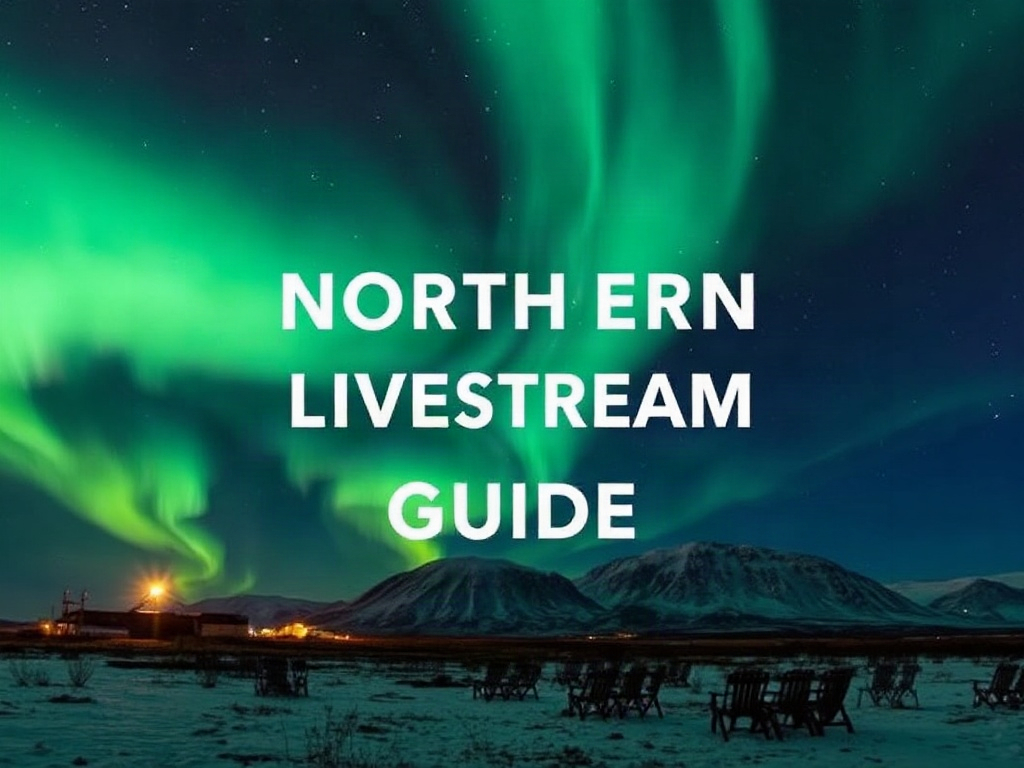
The Aurora Borealis, or Northern Lights, remains one of the most profound natural spectacles on Earth. For centuries, humans have looked toward the polar skies in awe, weaving myths and legends around the dancing ribbons of emerald, violet, and crimson light. However, witnessing this phenomenon in person often requires significant financial investment, physical stamina to endure sub-zero temperatures, and the luck of clear skies in remote locations. This is where the digital age offers a compassionate and accessible alternative: the Northern Lights livestream. By leveraging high-sensitivity cameras and global connectivity, anyone with an internet connection can now experience the majesty of the aurora from the comfort of a warm home. This guide provides a comprehensive roadmap for navigating the world of virtual aurora chasing, ensuring you never miss a solar storm.
The Science of the Shimmer: Why We See the Lights
Before diving into where to watch, it is helpful to understand what you are actually seeing on your screen. The Northern Lights are the result of a complex interaction between the sun and Earth’s magnetic field. The sun constantly emits a stream of charged particles known as the solar wind. Occasionally, the sun releases massive bursts of energy called Coronal Mass Ejections (CMEs) or high-speed streams from coronal holes. When these particles reach Earth, they are funneled toward the magnetic poles.
As these charged particles collide with gases in our atmosphere—primarily oxygen and nitrogen—they transfer energy, causing the gas molecules to glow. This process is remarkably similar to how a neon sign works. The colors you see on a livestream depend on the altitude and the type of gas involved. Green, the most common color, is produced by oxygen molecules about 60 miles above the Earth. Red auroras, which are rarer and often appear during intense solar activity, are caused by oxygen at higher altitudes (up to 200 miles). Blue and purple hues typically result from nitrogen collisions.
We are currently approaching the “Solar Maximum,” a period in the sun’s 11-year cycle where solar activity peaks. This means that from 2024 through 2026, the frequency and intensity of auroral displays are at their highest in over a decade. For livestream viewers, this is the golden era of virtual viewing, with high-intensity storms occurring more frequently and reaching further south than usual.
Top Global Livestreams to Bookmark
Not all livestreams are created equal. Some use “all-sky” cameras that provide a 360-degree fish-eye view, while others use high-definition video cameras pointed at the most promising horizon. Here are the most reliable and high-quality streams currently available:
- Explore.org – Churchill, Manitoba: Located in the “Aurora Capital of the World,” this stream is situated directly beneath the auroral oval. It features a high-definition camera that often captures incredibly crisp movement and vibrant colors. Because Churchill is so far north, the lights are visible here even during periods of low solar activity.
- Lights Over Lapland – Abisko, Sweden: Abisko is world-renowned for its “blue hole,” a patch of sky that tends to remain clear even when surrounding areas are cloudy. This livestream offers a stunning view of the Swedish wilderness and is a favorite for those seeking the classic European aurora experience.
- The AuroraMAX Live Camera – Yellowknife, Canada: Sponsored by the Canadian Space Agency, this is one of the most scientifically robust streams. It provides an all-sky view, allowing you to see the lights as they move across the entire celestial dome. It is particularly useful for seeing the “corona” effect, where the lights appear to converge directly overhead.
- University of Alaska Fairbanks (UAF) – Poker Flat: This stream is often used by researchers. While it may lack the cinematic polish of commercial streams, it provides a raw, real-time look at the sky over Alaska, often accompanied by technical data that can help you learn to read the lights like a scientist.
- Live from Iceland – Reykjavik and Beyond: Iceland’s dramatic landscapes provide a stunning backdrop for the aurora. Several local outlets provide streams that overlook iconic mountains like Kirkjufell, allowing you to see the lights dancing over volcanic peaks.
Understanding the Kp-Index and Forecasting
To be a successful virtual aurora hunter, you need to know when to tune in. You cannot simply log on at any time and expect a show. The most important metric to monitor is the Kp-index. The Kp-index is a scale from 0 to 9 used to characterize the magnitude of geomagnetic storms.
A Kp-0 or Kp-1 indicates very quiet activity, where the lights are likely only visible at the very highest latitudes. A Kp-5 is considered a G1 geomagnetic storm, which usually results in bright, active displays visible on most northern livestreams. When the index reaches Kp-7 or higher (a G3 to G5 storm), the aurora can become incredibly intense, moving rapidly and displaying rare colors like pink and red.
For the best results, use a combination of tools. The NOAA Space Weather Prediction Center provides a 30-minute forecast that shows the current location and intensity of the auroral oval. Additionally, apps like “My Aurora Forecast” or “Aurora Alerts” can send push notifications to your phone when the Kp-index rises or when local observers report sightings. By monitoring these tools, you can avoid spending hours staring at a dark screen and instead tune in exactly when the “sub-storm” begins.
Setting the Scene for an Immersive Experience
One of the drawbacks of a livestream is the lack of physical immersion. To bridge this gap and create a sense of wonder, you should prepare your viewing environment. The goal is to minimize distractions and maximize the visual impact of the digital display.
First, consider your hardware. If possible, cast the livestream to a large-screen television rather than watching on a phone or laptop. The scale of the aurora is part of its power; seeing it across a 55-inch OLED screen is far more impactful than a 6-inch mobile screen. Ensure your room is completely dark. Any ambient light in your home will reflect off the screen and wash out the subtle greens and purples of the stream.
Sound is another vital component. While the aurora itself is silent (though some claim to hear faint hissing or crackling), many livestreams feature the ambient sounds of the Arctic—the wind howling through the pines or the distant crunch of snow. If the stream is silent, consider playing a curated “Arctic Ambience” playlist or soft, neoclassical music. This auditory layer helps ground the experience and can induce a meditative state, turning a simple video into a wellness practice.
The Psychological Benefits of Virtual Nature
Watching the Northern Lights is more than just a hobby; it can be a powerful tool for mental well-being. Psychologists have long studied the concept of “awe”—the feeling we get when encountered with something so vast that it transcends our current understanding of the world. Research suggests that experiencing awe can lower stress levels, increase feelings of compassion, and even improve physical health by reducing inflammation.
Livestreaming the aurora allows individuals who may be homebound, living in urban areas, or dealing with physical disabilities to access this sense of awe. It provides a moment of “soft fascination,” a type of attention that doesn’t require effort and allows the brain to recover from the fatigue of daily tasks and digital clutter. By setting aside thirty minutes to watch the lights dance on a screen, you are giving your nervous system a chance to regulate and find peace in the rhythm of the cosmos.
Capturing the Moment: Photography and Interaction
Many livestream platforms, particularly those on YouTube or Explore.org, have vibrant communities of “screen hunters.” These are viewers who take screenshots of the most beautiful moments and share them in the comments or on social media. Since the aurora is constantly changing, every screenshot is a unique capture of a fleeting moment.
If you want to take your own digital “photographs,” look for streams that offer a high bitrate to avoid pixelation. On a PC, you can use the “Snipping Tool” (Windows) or “Shift-Command-4” (Mac) to capture specific frames. Some advanced viewers even use screen-recording software to create time-lapses of an entire night’s activity, which they then speed up to reveal the fluid, liquid-like motion of the lights. Engaging with the live chat can also enhance the experience, as seasoned observers often point out subtle movements or “steve” (a related atmospheric phenomenon) that a novice might miss.
Practical Guidance for Global Time Zones
The biggest challenge for livestream viewers is the time difference. The Northern Lights are only visible during the dark hours of the night in the Arctic. If you are located in the United States and watching a stream from Sweden or Norway, you will need to tune in during your morning or early afternoon. Conversely, if you are in Europe watching a Canadian or Alaskan stream, you will likely be watching in the middle of the night or early dawn.
To make this easier, many platforms offer a “rewind” feature. YouTube livestreams often allow you to scroll back up to 12 hours. This is an excellent way to see the previous night’s highlights without staying up until 3:00 AM. Many sites also post “Daily Highlights” or “Best Of” clips. However, there is a unique thrill in watching the lights live, knowing that what you are seeing is happening at that exact microsecond, thousands of miles away, driven by a solar wind that left the sun days ago.
Integrating the Aurora into a Sustainable Lifestyle
Virtual aurora chasing is also an act of sustainable travel. As the popularity of the Northern Lights has exploded, many fragile Arctic ecosystems have faced the strain of over-tourism. From carbon emissions of long-haul flights to the disruption of local wildlife, the environmental cost of aurora hunting is significant.
By choosing to watch via livestream, you are practicing a form of “low-impact” tourism. You can enjoy the beauty of the North without the ecological footprint. Furthermore, many of the organizations that host these cameras are non-profits or scientific institutions. Engaging with their content often helps fund conservation efforts and space weather research, ensuring that the Arctic remains a pristine wilderness for generations to come. It is a compassionate way to satisfy your wanderlust while respecting the planet.
Mastering Advanced Space Weather Metrics for Precise Viewing
While the Kp-index mentioned previously is a fantastic baseline for beginners, the seasoned virtual aurora hunter knows that it is a trailing indicator—it tells you what has happened over the last three hours rather than what is happening at this exact second. To truly master the art of the livestream, you must look at real-time solar wind data. The three most critical metrics to monitor are the Bz-component of the Interplanetary Magnetic Field (IMF), the solar wind speed, and the proton density. These data points are available via the Deep Space Climate Observatory (DSCOVR) satellite and are usually visualized on sites like SpaceWeatherLive or the ACE Real-Time Solar Wind page.
The Bz-component is perhaps the most vital ‘on-off’ switch for the Northern Lights. Think of Earth’s magnetosphere as a shield and the solar wind as a stream of energy. For that energy to enter our atmosphere, the magnetic orientation of the solar wind (the Bz) must point south (indicated by a negative value, such as -5 or -10 nT). If the Bz is positive or ‘northward,’ it essentially bounces off Earth’s magnetic field, and even a high Kp-index might result in a quiet, stagnant glow. When you see the Bz dip sharply into the negative and stay there for at least 30 minutes, that is your cue to maximize your livestream window; a ‘substorm’ is likely imminent.
Solar wind speed and density act as the volume and pressure of the display. A standard solar wind speed is around 300 to 400 km/s. When a Coronal Mass Ejection (CME) hits, this can jump to 600, 800, or even over 1,000 km/s. Higher speeds mean the aurora will move faster and show more intricate ‘curtaining’ effects on the stream. Density, measured in protons per cubic centimeter (p/cm³), determines the brightness. If the density is high (above 10 or 20 p/cm³), the colors on the livestream will appear much more vivid and saturated, even on lower-quality camera sensors. By watching these graphs alongside your chosen video feed, you can predict ‘bursts’ of activity five to ten minutes before they appear on camera, as the satellite sits about a million miles upstream from Earth.
Navigating the Technical Nuances of Night-Vision Camera Sensors
Understanding the hardware behind the stream can help you manage your expectations and troubleshoot visual artifacts. Most high-end aurora livestreams utilize ultra-high-sensitivity CMOS sensors, such as the Sony A7S series or specialized industrial sensors like the Canon ME20F-SH. These cameras are capable of ‘seeing’ in near-total darkness, but they come with specific technical trade-offs that can affect your viewing experience. One common issue is ‘sensor noise’ or ‘chromatic grain.’ In very dark conditions, the camera’s ISO (sensitivity) is pushed to its limit, creating dancing speckles of red, green, or blue pixels in the black areas of the sky. This is not a glitch in your monitor; it is a physical limitation of capturing photons at 30 frames per second in the Arctic night.
Another technical aspect to watch for is the ‘shutter speed’ vs. ‘frame rate’ dilemma. Some streams prioritize smooth, real-time motion, showing the aurora exactly as it pulses. Others might use a slightly longer exposure for each frame (perhaps 1/2 or 1/4 of a second) to make the lights look brighter. This can result in a slight ‘ghosting’ or ‘motion blur’ effect when the aurora moves rapidly. If you notice the stars look like tiny streaks rather than sharp points, the stream is likely using a longer exposure to compensate for low light. Furthermore, many cameras in remote locations like Alaska or Northern Norway are housed in heated domes to prevent frosting. If you see a slight distortion or a circular flare around a bright moon, you are likely seeing reflections within the protective glass housing. Knowing these details helps you distinguish between actual atmospheric phenomena and technical artifacts of the equipment.
Real-Time Cloud Monitoring and Satellite Overlays
The greatest enemy of the virtual aurora hunter is not a lack of solar activity, but the terrestrial weather. A Kp-7 ‘extreme’ storm is useless if the camera is under a thick blanket of Arctic stratus clouds. To avoid the frustration of staring at a gray, static screen, you should integrate real-time cloud cover maps into your routine. Sites like Windy.com or Ventusky offer high-resolution satellite overlays that allow you to toggle ‘Cloud Cover’ and ‘Low Clouds.’ Before settling into a stream, check the infrared satellite loop for the camera’s location. If a massive weather front is moving over Churchill, Manitoba, it might be time to switch your focus to a stream in Abisko, Sweden, or Tromsø, Norway.
For a more granular view, look for ‘All-Sky’ cameras that provide a 180-degree fish-eye view of the entire celestial dome. These are often used by astronomical observatories and show the presence of clouds as dark, moving patches that obscure the stars. A ‘clear’ sky on an all-sky camera will show a sharp, distinct Milky Way. If the Milky Way is invisible, the aurora will likely be muffled or invisible as well. Additionally, pay attention to the ‘Moon Phase’ in the stream’s location. A full moon can be a double-edged sword: it brightens the landscape, making the mountains and snow look beautiful on camera, but its ‘light pollution’ can wash out the subtle purples and reds of a faint aurora. The most ‘pure’ colors are captured during a New Moon, when the sky is at its darkest, allowing the camera sensor to capture the full spectrum of the solar storm.
Building a Multi-Stream Aurora Command Center
Because the ‘Auroral Oval’ shifts and expands based on solar activity, the best show might move from Northern Europe to North America over the course of several hours. To ensure you don’t miss the peak, you can create a ‘Command Center’ on your desktop. Using browser extensions like ‘Tab Resize’ or ‘Tab Scissors’ (for Chrome) or the built-in ‘Tile Tabs’ feature in the Vivaldi browser, you can view four or more livestreams simultaneously in a grid pattern. This is particularly useful during high-activity events where the aurora might be ‘substorming’ in Iceland while simultaneously ‘quieting’ in Alaska.
A professional-style setup might include one window for the NOAA 30-minute forecast map, one window for the real-time Bz/Speed graphs, and two or three windows for different geographical locations. For example, pairing a stream from the Lapland region (Sweden/Finland) with a stream from Eastern Canada (Quebec/Manitoba) covers a wide longitudinal range. As the Earth rotates and the ‘dark sector’ moves, you can close the European streams as they enter daylight and open the Alaskan or Russian streams. For those using a smart TV, some YouTube apps allow you to ‘Multi-View’ or you can simply use the ‘Watch Next’ queue to quickly toggle between active feeds. This ‘mosaic’ approach transforms you from a passive viewer into a global coordinator of the aurora experience, allowing you to track the storm as it marches across the poles.
Distinguishing the Aurora from Atmospheric Artifacts and ‘STEVE’
As you spend more time watching livestreams, you will notice phenomena that don’t quite look like the standard green curtains. It is important to distinguish between the Northern Lights and other atmospheric events. One of the most famous ‘edge cases’ is STEVE (Strong Thermal Emission Velocity Enhancement). On a livestream, STEVE appears as a narrow, mauve or purple ribbon of light stretching east-to-west, often accompanied by a ‘picket fence’ of green vertical stripes. Unlike the aurora, which is caused by particle precipitation, STEVE is caused by a hot stream of plasma flowing at extremely high speeds. If you see a thin, straight purple line that doesn’t dance like a curtain, you are likely witnessing this rare phenomenon, which was only formally identified by citizen scientists in 2016.
Another common sight on livestreams is the ‘SAR arc’ (Stable Auroral Red arc). These appear as deep red, horizontal bands of light that stay stationary for long periods. They are often invisible to the naked eye but can be picked up by sensitive livestream cameras during intense geomagnetic storms. You should also be wary of ‘light pollution’ from nearby towns or moon-glow. If you see a steady, unmoving orange or yellow glow on the horizon, it is likely the lights of a distant city reflecting off the clouds. True aurora will always have some degree of fluid motion or ‘flicker,’ even if it is slow. By learning to identify these anomalies, you become a more sophisticated observer, capable of contributing to citizen science communities by reporting rare sightings of STEVE or SAR arcs when they appear on the global feeds.
Leveraging Social Media and Community Alert Networks
The livestream experience is significantly enhanced by joining the global network of ‘Aurora Chasers’ on social media. Platforms like X (formerly Twitter) and specialized Discord servers act as a real-time ‘early warning system.’ Hashtags like #AuroraAlert, #NorthernLights, and #SolarFlare are monitored by thousands of observers worldwide. When a sudden ‘burst’ occurs, users will post ‘Ground Truth’—photos or quick videos from their actual location. If you see a flurry of posts from people in Scotland or the Northern UK, it is a sign that the auroral oval has expanded significantly southward, and you should immediately switch to livestreams located in lower latitudes, such as those in the Northern United States or Southern Canada.
Many livestream communities also utilize ‘Bot’ notifications. For instance, the ‘AuroraReach’ or ‘SpaceWeatherWatch’ accounts on various platforms provide automated updates when the solar wind hits certain thresholds. Some Discord communities even have ‘Voice Channels’ where users from around the world narrate what they are seeing on different cameras, creating a shared, social viewing experience. This is especially helpful for identifying ‘Coronal Holes’ or ‘Filament Eruptions’ on the sun that might lead to a storm in two to three days. By integrating these social layers, you move beyond the isolation of your screen and become part of a global collective that celebrates every flicker of the magnetosphere. This community aspect is often where the most practical ‘pro-tips’ are shared, such as which specific camera has the cleanest lens that night or which stream has the lowest latency.
Educational Use Cases and Group Viewing Strategies
Northern Lights livestreams are not just for solo hobbyists; they are powerful educational tools. For educators or parents, these streams provide a live laboratory for discussing physics, chemistry, and astronomy. You can use a livestream to demonstrate the ‘Inverse Square Law’ of light or to explain how different elements (Oxygen vs. Nitrogen) produce different colors. Many classrooms now use ‘Aurora Watch’ days during high-activity periods, casting the stream onto a projector to create an ‘Arctic window’ in the middle of a school day (depending on the time zone). This can be paired with drawing exercises where students try to capture the fluid shapes of the lights, helping them engage with complex science through art.
Frequently Asked Questions
What is the best time of year to watch Northern Lights livestreams?
The best time is between late September and late March. This period, known as “Aurora Season,” provides the necessary darkness in the Northern Hemisphere. The weeks around the Autumnal and Vernal Equinoxes (September and March) are often the most active due to the Russell-McPherron effect, which describes how Earth’s magnetic field aligns with the solar wind to allow more energy into our atmosphere.
Why does the livestream look different than professional photos?
Professional still photographs of the aurora often use long exposures (5 to 30 seconds), which collect more light and make the colors appear much brighter and more saturated than they look to the naked eye. Livestreams, however, show the movement in real-time or near-real-time. While the colors might seem slightly more muted than a processed photo, the livestream provides a more accurate representation of how the lights actually move and dance.
Do I need a fast internet connection to watch?
Yes, a stable and relatively fast internet connection is recommended for the best experience. High-definition video streams require a decent download speed (at least 5-10 Mbps) to prevent buffering. If your connection is slow, most platforms allow you to lower the resolution (e.g., from 1080p to 720p or 480p), which will make the image less sharp but will allow for smoother playback.
Can I see the Southern Lights (Aurora Australis) on livestream?
Yes, though they are less common because there is less landmass in the Southern Auroral Oval. However, there are cameras located in Tasmania, Australia, and parts of New Zealand that occasionally capture the Aurora Australis. These are best viewed during the Southern Hemisphere’s winter months (June through August).
Is it possible to hear the Northern Lights through the livestream?
Most livestreams will only capture the sound of the wind or local environment. While there is scientific evidence that auroras can produce audible sounds (pops or crackles) due to rare atmospheric conditions, these are very difficult to record and are rarely, if ever, heard on a standard livestream. If you hear sound on a stream, it is almost certainly the terrestrial environment around the camera.
Related posts:
 Picture Perfect: The Science Behind Taking Instagram-Worthy Photos
 California’s Super Bloom Creates Once-in-a-Lifetime Photo Opportunities
 The Astrological Significance of the Solar Eclipse in Gemini
 Total Solar Eclipse Horoscope Guide
 Solar Window Charger Innovation
 Why Pee Streams Split
 New Tool Detects Melanoma Through Temperature
 Aurora Health Beauty’s Lumbar Back Cushion Massager: Relieving Back Pain in Style