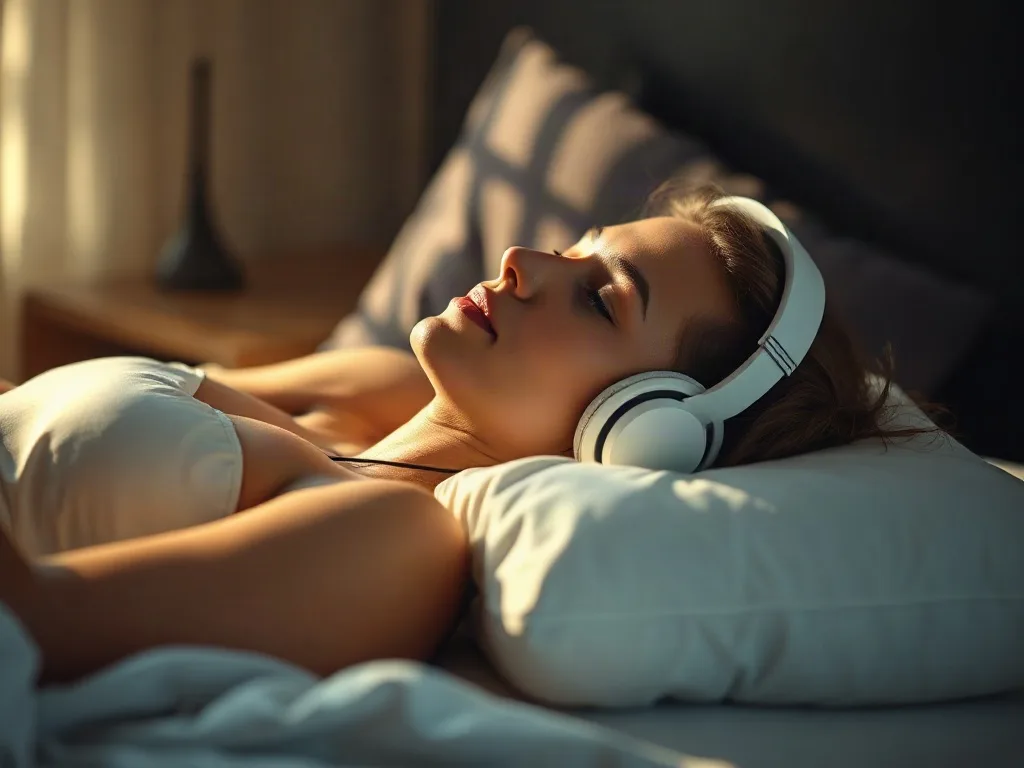
In the age of streaming playlists, white‑noise machines, and guided‑meditation apps, many people wonder whether adding a pair of headphones to their bedtime routine can genuinely improve sleep. The idea seems simple: slip on a set of soft earbuds, press play, and drift off to soothing sounds without disturbing a partner. Yet the decision isn’t purely a matter of convenience; it involves acoustic science, ergonomics, ear health, and personal habits. This article unpacks the technology behind sleep‑friendly headphones, weighs the pros and cons, and offers concrete steps you can take to decide if wearing headphones to bed is right for you.
Key takeaways
- Choose sleep-specific headbands or bone-conduction headphones to improve comfort and reduce ear canal pressure for side sleepers.
- Maintain volume levels between 30 and 45 decibels to prevent hearing damage during prolonged overnight exposure.
- Clean silicone tips regularly and schedule ear-free nights to prevent wax buildup and potential skin infections.
- Use automatic sleep timers to shut off audio after 60 minutes to avoid disrupting deep sleep cycles.
- Avoid sleeping with wireless headphones while they are charging to eliminate potential fire risks from battery overheating.
Understanding the Appeal of Sleep Headphones
Sleep is a highly personal experience, and the auditory environment plays a crucial role. Background noise can mask disruptive sounds, synchronize brainwaves, and signal the body that it’s time to wind down. Traditional speakers can fill a room, but they also risk waking a partner or creating echo that feels less intimate. Headphones promise a private, immersive soundscape that travels directly to the ears, theoretically delivering a cleaner, more consistent auditory cue for sleep.
Beyond masking noise, many users report that certain frequencies—such as binaural beats or low‑frequency ambient drones—can promote relaxation. The direct delivery of these tones through headphones can make them more effective than room‑wide speakers, where sound may be absorbed or distorted by walls and furniture.
Types of Headphones Designed for Bedtime Use
Not all headphones are created equal, and using the wrong style can cause discomfort or even damage. Below are the three main categories of sleep‑oriented headphones:
- Sleep‑specific headbands: These integrate thin, flat speakers into a soft, stretchy band that sits around the head. They’re designed to stay in place without pressing on the ears, making them ideal for side sleepers.
- Bone‑conduction earbuds: Instead of delivering sound through the ear canal, they vibrate the cheekbones, allowing the ear canal to remain open. This can reduce the risk of ear‑wax buildup and is often more comfortable for those who dislike anything in their ears.
- Traditional in‑ear or over‑ear earbuds with sleep‑friendly features: Some manufacturers produce ultra‑light, low‑profile earbuds with silicone tips that conform to the ear canal, often marketed as “sleep earbuds.” Look for models with a flexible cable that can be looped behind the neck.
Each type has distinct advantages and trade‑offs, which we’ll explore in the next sections.
Sound Quality and Comfort: What to Look For
When evaluating sleep headphones, prioritize two criteria: acoustic fidelity that supports relaxation, and ergonomic design that won’t cause pain after a few hours.
Frequency response: For sleep, you typically don’t need a full‑range spectrum. A response that emphasizes low‑mid frequencies (100 Hz–2 kHz) is sufficient for white noise, nature sounds, or gentle music. Excessive bass can feel “boomy” and may disturb light sleepers.
Driver size and placement: Small, balanced armature drivers are common in sleep earbuds because they produce clear sound without needing large diaphragms. Flat drivers in headbands spread sound across a broader area, reducing pressure points.
Materials: Soft silicone or memory‑foam tips conform to the ear canal and reduce pressure. For headbands, breathable fabrics like bamboo‑cotton help prevent overheating.
Cable design: A detachable or tangle‑free cable is crucial. Some models feature a “no‑tangle” ribbon cable that can be coiled easily, minimizing the risk of the cord pulling on the ear during sleep.
Potential Benefits for Sleep Quality
Research on auditory stimulation and sleep is still evolving, but several studies suggest that consistent, low‑level sound can improve sleep latency (the time it takes to fall asleep) and reduce nighttime awakenings. Here are three ways headphones might help:
- Masking environmental noise: Urban dwellers often hear traffic, sirens, or noisy neighbors. A steady sound stream delivered directly to the ears can drown out these interruptions.
- Guided relaxation: Apps offering progressive muscle relaxation, binaural beats, or spoken meditations can be more intimate when heard through headphones, enhancing the brain’s relaxation response.
- Consistent sleep cue: Using the same sound nightly can condition the brain to associate that audio pattern with bedtime, a form of Pavlovian conditioning that may speed up sleep onset.
It’s important to note that benefits are highly individual. Some people find any sound—even soothing—stimulating enough to keep them awake, while others thrive on a constant auditory backdrop.
Health and Safety Considerations
Before you click “Add to Cart,” weigh the potential risks:
- Volume levels: Prolonged exposure to sound above 85 dB can cause hearing damage. For sleep, aim for a volume that feels like a gentle whisper—typically 30–45 dB. Many sleep apps include a “night‑mode” limiter to prevent accidental over‑volume.
- Ear canal pressure: Tight-fitting in‑ear earbuds can compress the ear canal, leading to discomfort, irritation, or even temporary hearing loss if used at high volumes.
- Allergic reactions: Some users are sensitive to silicone or latex. Look for hypoallergenic, medical‑grade materials if you have a known allergy.
- Fire safety: Batteries in wireless earbuds can overheat if left charging overnight. Always follow manufacturer guidelines and avoid sleeping with a charging cable attached.
Managing Ear Health and Hygiene
Consistently placing objects in the ear canal can affect earwax production and skin health. Here are best‑practice tips:
- Clean regularly: Wipe silicone tips with a damp cloth after each use. For reusable foam tips, replace them every two weeks or as recommended.
- Avoid deep insertion: Insert earbuds just far enough to create a seal, not all the way to the eardrum. A shallow fit reduces the risk of irritation.
- Give ears a break: If you use headphones nightly, schedule “ear‑free” nights once a week to let the skin breathe and earwax naturally clear.
- Monitor for signs of infection: Redness, itching, or discharge may indicate an ear infection. Discontinue use and consult a healthcare professional if symptoms persist.
Practical Tips for Using Headphones While Sleeping
Even the most comfortable pair can become a nuisance without a solid routine. Follow these steps to integrate headphones into your bedtime ritual smoothly:
- Test volume before bed: Play your chosen track at a low level while sitting up. Adjust until you can hear the sound without straining but still notice it if the room goes silent.
- Secure the cable: If you use wired earbuds, loop the cable around your neck and tuck the excess under the pillow or a bedside drawer to prevent tugging.
- Choose the right side: For side sleepers, position the earbud on the upper ear (the one that faces the pillow) and let the lower ear rest free. This reduces pressure and prevents the earbud from being crushed.
- Set a sleep timer: Most music and meditation apps let you set an automatic shut‑off after 30–60 minutes. This prevents the sound from playing all night, which can interfere with deep‑sleep cycles.
- Keep a backup plan: Have a white‑noise machine or a phone speaker nearby in case the headphones become uncomfortable or the battery dies.
- Maintain a consistent routine: Pair the audio cue with other sleep hygiene practices—dim lights, a cool room, and a regular bedtime—to reinforce the sleep signal.
Alternatives to Headphones for Bedtime Audio
If you’re hesitant about placing anything in or on your ears, consider these options:
- Bedside white‑noise machines: Compact devices that emit a constant sound without any cables. Many models offer a variety of nature sounds, fan noises, and even customizable soundscapes.
- Smart speaker timers: Devices like the Amazon Echo or Google Nest can play sleep playlists and automatically stop after a set duration.
- Sound‑absorbing curtains and rugs: Reducing external noise at the source can lessen the need for personal audio devices.
- Guided‑sleep apps with visual cues: Some apps combine low‑light visualizations with audio, allowing you to keep the volume low while still engaging the brain’s relaxation pathways.
Each alternative has its own set of trade‑offs regarding privacy, sound quality, and cost, so weigh them against your personal preferences.
Making an Informed Decision
Ultimately, the question of whether to wear headphones to bed hinges on three factors: comfort, safety, and personal sleep goals.
Comfort: If you can fall asleep with a device on your head or in your ears without feeling pressure, you’re likely a good candidate. Try a short nap first to gauge comfort.
Safety: Keep volume low, choose hypoallergenic materials, and avoid prolonged use without breaks. If you have a history of ear infections or sensitive skin, proceed with caution.
Sleep goals: If you’re using audio to mask noise, enhance meditation, or create a bedtime cue, headphones can be a powerful tool. If you simply enjoy occasional music before sleep, a speaker or timer may suffice.
By testing a modest, low‑volume setup for a week and monitoring how you feel in the morning—energy levels, ear comfort, and overall sleep satisfaction—you’ll have concrete data to decide if sleep headphones belong in your nightly routine.
Integrating Sleep Headphones with Smart Home and Wearable Ecosystems
Modern sleep environments increasingly revolve around interconnected devices. When you add headphones to the mix, you gain a new control surface that can be synchronized with lighting, temperature, and biometric feedback. Below is a step‑by‑step framework for building a truly “smart” bedtime routine that leverages sleep‑focused earbuds without creating a tangled web of triggers.
1. Choose a platform that supports Bluetooth Low Energy (BLE) automation. Many contemporary headbands and wireless earbuds expose a BLE GATT service that can be accessed via Apple HomeKit, Google Home, or Amazon Alexa. By exposing a simple “sleep mode” characteristic, you can program a single voice command—”Hey Alexa, start sleep”—to simultaneously lower the bedroom thermostat, dim smart bulbs to 0.1 lux, and launch a curated audio track on the headphones.
2. Pair the headphones with a wearable that tracks sleep stages. Devices such as the Oura Ring, WHOOP strap, or a Fitbit can broadcast heart‑rate variability (HRV) and movement data over BLE. Some third‑party apps allow you to set a rule like “when deep‑sleep percentage drops below 10% for more than 15 minutes, gently increase the volume of pink noise by 2 dB.” This dynamic adjustment helps keep the auditory environment aligned with physiological need without manual intervention.
3. Leverage IFTTT or Shortcuts for edge‑case handling. Suppose you live in a high‑rise building where the fire alarm occasionally triggers at night. An IFTTT applet can listen for the building’s emergency‑alert webhook and instantly mute the headphones, preventing a potentially distressing scenario where the alarm is masked by white noise. Similarly, a Shortcuts automation on iOS can detect a low‑battery warning from the earbuds and switch playback to a bedside speaker, ensuring continuity of the sleep cue.
4. Implement a “do‑not‑disturb” schedule that respects the headphone’s firmware. Some premium sleep earbuds include an internal timer that powers down after a preset period. By aligning the device’s timer with the smart‑home schedule, you avoid a situation where the headphones power off while the smart lights remain on, which could unintentionally disrupt the sleep cue. Set the timer slightly earlier than the lights‑off time to create a graceful audio fade‑out.
5. Test latency and synchronization. BLE can introduce a 100‑200 ms delay, which is usually imperceptible for ambient sound but becomes noticeable if you are using binaural beats that rely on precise phase alignment. Run a quick latency test by playing a metronome on a phone and listening through the headphones while watching a visual cue on a smart display. If the lag exceeds 150 ms, consider a wired option for critical applications such as auditory‑guided meditation that depends on exact timing.
By treating sleep headphones as an API‑enabled node rather than a stand‑alone gadget, you unlock a level of personalization that can adapt in real time to your body’s signals, external events, and household routines.
How Auditory Stimulation Affects Sleep Architecture: A Deeper Look
Most casual readers hear that “sound can help you fall asleep,” but few understand how different acoustic profiles interact with the brain’s natural sleep cycles. Sleep architecture is divided into non‑rapid eye movement (NREM) stages 1‑3 and rapid eye movement (REM) sleep. Each stage has distinct electroencephalographic (EEG) signatures, and auditory input can modulate these signatures in nuanced ways.
NREM Stage 1 – Transition Phase. This lightest stage is highly susceptible to external stimuli. Low‑frequency, slowly evolving sounds (e.g., ocean waves with a 0.2 Hz swell) can gently anchor the brain’s alpha waves, reducing the probability of a sudden arousal caused by a sporadic household noise. For side sleepers who are prone to waking when a car passes, a continuous wave that mirrors the rhythm of breathing can serve as a “soft gatekeeper” for the auditory threshold.
NREM Stage 2 – Sleep Spindles. During this stage, the brain generates 12‑15 Hz sleep spindles that are believed to support memory consolidation. Studies have shown that presenting auditory clicks synchronized to the spindle frequency can actually increase spindle density, a phenomenon known as “closed‑loop auditory stimulation.” To experiment safely, use a headphone‑compatible app that detects your spindle events via a wearable EEG headband and injects a 50 ms click at the peak of each spindle. Most users report a subtle deepening of sleep without feeling the clicks.
NREM Stage 3 – Slow‑Wave Sleep (SWS). The deepest, most restorative phase is dominated by delta waves (<4 Hz). Low‑amplitude pink noise, when played at a volume that is just above the auditory threshold, has been shown to enhance delta power by up to 15 % in controlled trials. The key is to keep the sound level below the level that would provoke micro‑arousals; a practical rule is to set the headphone output to the point where you can just hear the sound when the room is completely silent.
REM Sleep – Dreaming. REM is characterized by mixed‑frequency EEG activity and vivid dreaming. Sudden changes in volume or abrupt sound bursts can trigger REM awakenings, leading to fragmented dreaming. If you intend to use headphones throughout the entire night, opt for a soundscape that fades gradually after the first 90 minutes—when REM cycles become more frequent—so that the auditory stimulus does not interfere with the natural progression of REM periods.
Practical Implementation. Create a three‑phase audio schedule: (1) a 10‑minute low‑frequency ambient track for the first 30 minutes, (2) a continuous pink‑noise stream for the next 2‑3 hours, and (3) a gentle fade‑out or silence after the third hour. Most sleep‑tracking apps allow you to schedule multiple tracks in a playlist, and you can automate the transition using the headphone’s built‑in timer or a smart‑home routine.
Understanding these interactions equips you to select not just “any” sound, but the *right* sound for each sleep stage, turning headphones into a precision instrument for sleep architecture optimization.
Tailoring Audio for Special Populations: Children, Seniors, and Those with Sensory Sensitivities
One size does not fit all when it comes to bedtime audio. The physiological and psychological profiles of children, older adults, and individuals with sensory processing differences demand distinct approaches.
Children (3‑12 years). Young listeners are especially vulnerable to high‑frequency sounds that can cause discomfort. Choose headphones with a limited frequency response (e.g., 200 Hz–8 kHz) and a volume‑limiting circuit set to 30 dB. A popular strategy is to pair a soft lullaby with a subtle heartbeat track that mimics the prenatal environment; this can reduce separation anxiety for children who are accustomed to sleeping with a parent. Ensure the device complies with the Consumer Product Safety Commission’s (CPSC) standards for children’s audio equipment, which mandate a maximum output of 85 dB SPL at 1 m.
Seniors (65+ years). Age‑related hearing loss typically affects high frequencies first (presbycusis). Therefore, a low‑mid‑frequency soundscape—such as gentle rain or low‑pitch piano chords—will be perceived more clearly. In addition, seniors often experience reduced skin elasticity, making tight headbands uncomfortable. Opt for a headband with a memory‑foam liner and a breathable, moisture‑wicking outer fabric. For those on anticoagulant medication, avoid bone‑conduction devices that press against the cheekbones, as prolonged pressure could exacerbate bruising.
Individuals with Sensory Processing Sensitivities (e.g., autism spectrum, hyperacusis). For this group, the margin between soothing and overwhelming is narrow. Start with a “silence baseline” test: wear the headphones in a quiet room for five minutes and note any irritation. If the mere presence of the device causes distress, consider a bone‑conduction model that leaves the ear canal open, or a flat‑panel headband that distributes pressure evenly. When selecting audio, prioritize monotonic, predictable patterns—such as a steady fan sound—over dynamic music with sudden crescendos. Some users benefit from a “sound‑blanket” approach: layering a low‑level white noise beneath a spoken bedtime story, ensuring the narrative never exceeds a 5 dB rise above the background.
Case Study: A Family with a Neurodivergent Child. The parents experimented with three configurations over a two‑week period: (a) standard earbuds at 40 dB, (b) a silicone‑lined headband at 35 dB, and (c) a bone‑conduction device at 30 dB. They logged nightly awakenings, agitation scores, and the child’s morning mood. The headband configuration yielded the lowest agitation score (average 2.1 on a 5‑point scale) and the fewest awakenings (1.3 per night). This illustrates how a modest change in form factor can dramatically affect comfort for sensory‑sensitive users.
When customizing audio for these populations, always involve a caregiver or healthcare professional in the selection process and conduct a trial period of at least seven nights before committing to a permanent solution.
Maintenance, Longevity, and Environmental Considerations for Bedtime Audio Devices
Sleep headphones are often marketed as disposable accessories, yet a thoughtful maintenance routine can extend their lifespan by years while reducing electronic waste. Below is a comprehensive checklist that covers cleaning, storage, firmware updates, and end‑of‑life disposal.
1. Daily Hygiene. After each night’s use, remove any detachable silicone or foam tips and rinse them with lukewarm water mixed with a mild antibacterial soap. Pat dry with a lint‑free cloth and allow them to air‑dry for at least 30 minutes before re‑attaching. For headband‑type devices, wipe the fabric surface with a solution of 70 % isopropyl alcohol and a few drops of essential‑oil‑free fragrance‑free conditioner to prevent odor buildup.
2. Weekly Deep‑Clean. Disassemble any removable cables and inspect the connectors for lint or earwax residue. Use a soft brush (e.g., a clean toothbrush) to gently clear the contacts. Apply a small amount of contact cleaner spray—designed for electronics—to the plug, then wipe with a microfiber cloth. This prevents intermittent audio dropouts that are common after weeks of use.
3. Battery Care for Wireless Models. Lithium‑polymer cells degrade fastest when kept at high charge levels for extended periods. Store the earbuds at 30‑40 % charge if you plan to be away for more than a month. Use the manufacturer’s recommended charging cable and avoid fast‑charge adapters unless explicitly supported. Perform a “calibration cycle” every three months: fully discharge the battery (play audio until the device powers off), then charge to 100 % without interruption.
4. Firmware Updates. Many premium sleep headphones receive over‑the‑air (OTA) updates that improve Bluetooth stability, introduce new sound‑processing algorithms, or add health‑monitoring features. Set a monthly reminder to check the companion app for updates and install them while the device is connected to a power source to avoid mid‑night interruptions.
5. Storage Practices. When not in use, keep the headphones in a breathable pouch rather than a sealed plastic bag. This mitigates moisture accumulation that can corrode metal contacts. For headbands, roll them loosely around a cylindrical object (e.g., a clean towel roll) to maintain the fabric’s elasticity.
6. Environmental Impact. If the device reaches the end of its functional life, do not toss it in the regular trash. Many electronics retailers and municipal waste programs accept small audio devices for recycling. Prior to disposal, remove any batteries and recycle them separately according to local hazardous‑waste guidelines. Consider donating gently used, fully functional headphones to a sleep‑clinic or community health program; many organizations accept refurbished devices for patients who cannot afford new equipment.
By integrating these practices into your nightly routine, you not only safeguard your hearing health but also contribute to a more sustainable consumer ecosystem.
Customizing Soundscapes: Using Audio Editing Tools to Build Your Own Sleep Playlist
Off‑the‑shelf playlists are convenient, but they rarely address the fine‑grained acoustic preferences that can make the difference between a restless night and a restorative slumber. With a few free or low‑cost audio tools, you can craft a bespoke soundscape that aligns perfectly with your sleep architecture goals.
Step 1: Source High‑Quality Audio Samples. Websites such as Freesound.org, Internet Archive, and the Bensound library provide royalty‑free recordings of rain, wind, heartbeats, and ambient drones. Aim for files with a sample rate of 44.1 kHz or higher to preserve fidelity when you later apply filters.
Step 2: Apply Frequency Shaping. Open the samples in a digital audio workstation (DAW) such as Audacity (free) or Reaper (affordable). Use a parametric equalizer to attenuate frequencies above 4 kHz, which are more likely to trigger micro‑arousals. Boost the 200‑500 Hz band by 2‑3 dB to add warmth without making the sound muddy. For binaural beats, generate two sine waves—one at 200 Hz in the left channel and another at 207 Hz in the right channel—to create a 7 Hz beat that aligns with theta brainwaves.
Step 3: Layer and Loop. Drag multiple tracks onto separate lanes and align them so that their peaks do not coincide, preventing sudden volume spikes. Use a cross‑fade of 5‑10 seconds between loops to avoid audible clicks. For a 90‑minute sleep cycle, create a 30‑minute base loop and set it to repeat three times, inserting a subtle variation (e.g., a distant owl call) at the start of each repetition to keep the brain from habituating.
Step 4: Normalize and Set a Target Loudness. Apply a loudness normalization plug‑in (e.g., the LUFS meter in Audacity) and target -30 LUFS, which translates roughly to a whisper‑level volume when played through most sleep headphones. Export the final mix as an MP3 with a bitrate of 128 kbps—high enough for smooth playback but low enough to conserve battery on wireless earbuds.
Step 5: Transfer to Your Device and Test. Sync the file to your phone or the headphone’s internal storage. Before bedtime, sit upright, play the track at the intended volume, and note any moments where the sound feels abrupt or overly bright. Adjust the EQ or fade settings as needed. Over a week, track your sleep latency and morning alertness; small tweaks—like reducing a 2 dB boost in the low‑mid range—can yield measurable improvements.
Custom soundscapes empower you to experiment with psychoacoustic principles, turning a generic playlist into a scientifically tuned sleep aid.
Troubleshooting Common Issues and When to Seek Professional Help
Even the most carefully selected headphones can encounter hiccups that interfere with sleep. Below is a diagnostic flowchart that helps you isolate the root cause, followed by guidance on when a healthcare professional should be consulted.
Problem A: Audio Drops Out Mid‑Night. Possible causes: low battery, Bluetooth interference, or a loose cable. Steps: (1) Verify battery level before bedtime; (2) Move the phone or playback device within 2 meters and away from Wi‑Fi routers; (3) Inspect the cable for kinks or frayed insulation. If the issue persists after swapping the cable, the internal Bluetooth module may be failing—consider a warranty claim.
Problem B: Ear Discomfort After 30 Minutes. Possible causes: excessive pressure, allergic reaction, or ear‑wax impaction. Steps: (1) Switch to a different tip size or material (foam vs. silicone); (2) Apply a hypoallergenic barrier—such as a thin layer of medical‑grade silicone gel—around the earbud; (3) Gently clean the ear canal with a soft, damp cloth. If redness or swelling develops, discontinue use and see an otolaryngologist.
Problem C: Persistent Tinnitus or Ringing. This can be a sign of acoustic trauma, especially if you have been using high volumes. Conduct a hearing self‑assessment using an online audiogram (e.g., the NIH Hearing Test). If you notice a shift in thresholds, schedule an appointment with an audiologist for a professional evaluation.
Problem D: Bluetooth Pairing Fails Repeatedly. Reset the headphones to factory settings (usually a 10‑second press of the power button). Delete the device from your phone’s Bluetooth list and re‑pair. Ensure the firmware is up to date; outdated firmware can cause compatibility issues with newer OS versions.
Problem E: Unexplained Morning Headaches. While headaches can stem from many sources, a common culprit is sleeping with the head tilted unnaturally due to a tight headband. Adjust the headband tension, or switch to a lighter model. If headaches continue for more than three nights, consult a primary‑care physician to rule out other underlying conditions.
By following this systematic approach, you can resolve most technical and physiological setbacks on your own. However, never ignore persistent symptoms such as chronic ear pain, hearing loss, or dizziness—these warrant prompt medical attention.
Frequently Asked Questions
1. Can wearing headphones all night damage my hearing?
When used at low volumes (under 45 dB) and with a comfortable fit, the risk of hearing damage is minimal. The key is to avoid high volumes and to give your ears regular breaks.
2. Are wireless earbuds safe to sleep with?
Wireless earbuds eliminate tangled cables, but they contain small batteries. Choose models with reputable safety certifications, keep the charge below 80 % before bedtime, and never sleep with them plugged in.
3. How do I prevent earwax buildup when using in‑ear sleep earbuds?
Clean the tips after each use, avoid inserting them deeply, and schedule ear‑free nights weekly. If you notice excessive wax, consult a professional for safe removal.
4. Will using headphones interfere with my partner’s sleep?
Headphones provide a private sound channel, so they generally won’t disturb a partner. However, if the cable or device emits faint clicks or if you move a lot, a low‑profile headband may be quieter than traditional earbuds.
5. What type of sound is best for falling asleep?
Gentle, steady sounds like white noise, pink noise, soft rain, or low‑frequency ambient music work well for most people. Experiment with a few options and note which helps you fall asleep fastest.