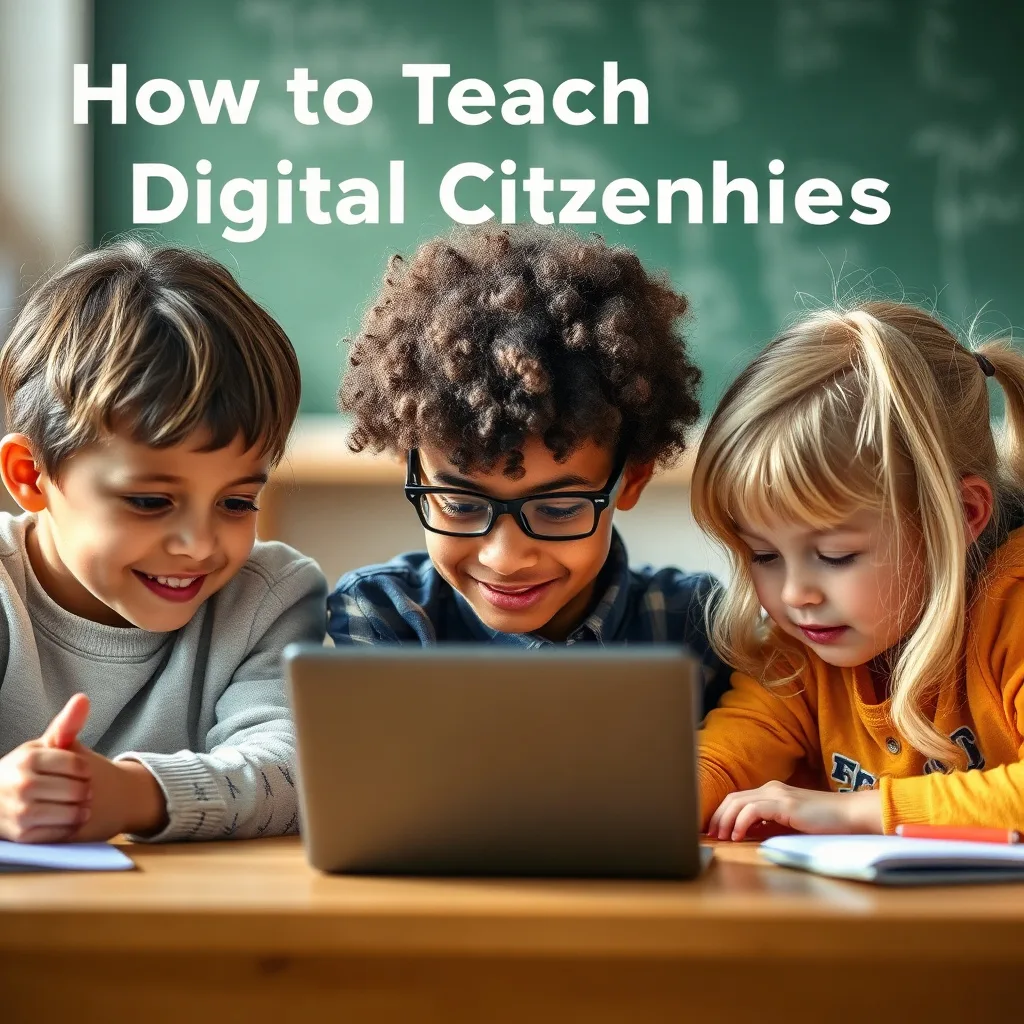
Teaching children about digital citizenship is one of the most important parenting tasks in today’s hyper‑connected world. Unlike traditional lessons about manners or safety, digital citizenship blends technology, ethics, and social interaction into a set of skills that children will use for the rest of their lives. This guide walks parents, educators, and caregivers through a step‑by‑step approach that respects a child’s developmental stage while laying a strong foundation for responsible online behavior.
Understanding Digital Citizenship
Digital citizenship refers to the norms of appropriate, responsible, and safe behavior when using technology and the internet. It includes concepts such as privacy, respectful communication, critical evaluation of information, and awareness of one’s digital footprint. When children grasp these ideas early, they are better equipped to navigate social media, online games, and educational platforms without falling prey to scams, cyberbullying, or harmful content.
Setting the Foundation: Values and Rules
Before diving into specific online scenarios, establish clear family values that will serve as a compass for digital decisions. Discuss honesty, respect, empathy, and responsibility in both offline and online contexts. Translate those values into concrete rules, such as:
- Never share personal information (full name, address, school name) without parental permission.
- Ask before posting photos or videos that include other people.
- Use kind language; treat others as you would like to be treated.
- Report any content that feels uncomfortable or unsafe.
Write the rules on a visible chart in a common area so they become a regular reference point.
Age‑Appropriate Conversations
Children’s cognitive abilities evolve rapidly, so tailor your discussions to their age:
- Preschool (3‑5 years): Focus on basic concepts like “don’t talk to strangers online” and the idea that the internet is a shared space.
- Early elementary (6‑9 years): Introduce the notion of a digital footprint and why passwords are private.
- Pre‑teens (10‑12 years): Discuss how to spot misinformation, the impact of cyberbullying, and the importance of privacy settings.
- Teenagers (13+ years): Dive deeper into data security, intellectual property, and the long‑term consequences of online posts.
Use everyday moments—such as watching a TV ad or seeing a viral video—as teachable opportunities. Ask open‑ended questions like, “What do you think the creator wants you to believe?” to encourage critical thinking.
Modeling Positive Online Behavior
Children learn more from what they observe than from what they are told. Demonstrate good digital habits in your own screen time:
- Show how you set privacy controls on social media accounts.
- Explain why you choose strong, unique passwords and use a password manager.
- Pause before reacting to a heated comment; narrate your thought process: “I’m taking a moment to think before I reply because I don’t want to say something I’ll regret.”
When you make a mistake—perhaps posting something you later regret—own it publicly and model how to apologize and correct the error. This demonstrates accountability and shows that learning is a lifelong process.
Teaching Critical Thinking and Media Literacy
Digital environments are saturated with advertising, sponsored content, and misinformation. Equip children with a simple checklist to evaluate online information:
- Who created this content? Look for author bios or organizational logos.
- What is the purpose? Is it to inform, entertain, or sell something?
- Is there evidence supporting the claims? Check for citations, dates, and corroborating sources.
- Do you feel pressured to act quickly? Scare‑tactics often indicate low credibility.
Practice the checklist together using real examples—news articles, product reviews, or social media posts. Encourage children to ask, “What might be missing?” and to verify facts through reputable sites like government health portals or established news organizations.
Managing Privacy and Personal Data
Privacy is a cornerstone of digital citizenship. Teach children how to protect their personal data in concrete ways:
- Use nicknames or initials instead of full names on public forums.
- Enable two‑factor authentication on accounts that support it.
- Regularly review app permissions; disable access to location, microphone, or contacts when unnecessary.
- Explain the concept of data mining: companies collect browsing habits to serve targeted ads.
Set up parental controls on devices, but pair them with transparent discussions about why those controls exist. This prevents children from feeling punished and instead frames the controls as collaborative safety tools.
Encouraging Empathy and Anti‑Cyberbullying Practices
Cyberbullying can be more damaging than face‑to‑face bullying because it follows the child home via notifications. Foster a culture of empathy by:
- Role‑playing scenarios: “If you saw a mean comment about a classmate’s video, what would you do?”
- Highlighting positive online communities where kindness is celebrated.
- Teaching the “pause‑think‑respond” technique before replying to a provocative message.
- Encouraging children to document bullying incidents (screenshots, timestamps) and report them to trusted adults.
Reinforce that it’s okay to step away from a conversation that feels hostile. Provide a family “digital safe word” that signals the need for a break without judgment.
Using Tools and Resources Effectively
There are many free, reputable resources that simplify digital citizenship education:
- Common Sense Media: Offers age‑based lessons, videos, and printable worksheets.
- Google’s Be Internet Awesome: Interactive games that teach kids about safe browsing and phishing.
- National Cyber Security Alliance (Stay Safe Online): Provides checklists for parents and teens.
- School‑based curricula: Many districts integrate digital citizenship into health or technology classes; coordinate with teachers for reinforcement.
Schedule a weekly “tech talk” where the family explores one of these resources together. Keep a shared notebook of lessons learned and questions that arise.
Creating a Family Digital Plan
A digital plan formalizes expectations and creates accountability. Include the following sections:
- Screen time limits: Specify daily or weekly allowances for devices, balancing school work, recreation, and family time.
- Device‑free zones: Designate areas such as the dinner table or bedrooms after a certain hour as screen‑free.
- Accountability check‑ins: Set a regular time (e.g., Sunday evening) to review app usage, privacy settings, and any concerns.
- Emergency protocol: Outline steps if a child encounters harassment or a suspicious link—who to contact, how to preserve evidence.
Involve every family member in drafting the plan. When children see their input reflected, they are more likely to adhere to the guidelines.
Cultivating Digital Creativity and Responsible Content Creation
Beyond consuming media, children can become creators—whether they are drawing digital art, recording short videos, or building simple websites. Encouraging this creative side gives them a sense of ownership over their online presence and a practical context for applying citizenship principles. Start by identifying tools that match their skill level: for younger kids, block‑based coding platforms like Scratch or drawing apps such as Tux Paint work well; for tweens and teens, introduce more advanced options like Canva, iMovie, or even beginner‑friendly HTML editors.
When a child begins a project, embed a brief planning step that mirrors the “pause‑think‑respond” habit used for communication. Ask questions such as:
- “Who is your intended audience, and why might they react the way they do?”
- “What kind of language or imagery will be respectful to all viewers?”
- “If someone disagrees with your content, how will you respond constructively?”
These prompts reinforce empathy while teaching the child to anticipate the broader impact of their work. Show them how to add watermarks or copyright notices to protect original creations, and discuss the difference between using royalty‑free assets versus copyrighted material. A practical exercise: have the child remix a public‑domain image, then publish it on a family blog with a clear attribution line. Review the post together, pointing out any accidental inclusion of personal data (e.g., location tags) and correcting it on the spot.
Another powerful lesson is the concept of “digital legacy.” Explain that once something is posted, it can be copied, shared, or archived even after deletion. Encourage the habit of keeping a private backup of original files and periodically reviewing published work to decide if it still aligns with the family’s values. This practice not only safeguards their creative output but also instills a habit of self‑audit that will serve them throughout adulthood.
Finally, celebrate successes publicly. When a child’s video receives positive feedback, use the moment to model gracious acknowledgment: thank commenters, highlight contributors, and, if appropriate, discuss how to handle unsolicited criticism. By turning creation into a structured, reflective process, you turn a simple hobby into a robust component of digital citizenship.
Guiding Safe and Balanced Online Gaming Experiences
Online gaming is a dominant pastime for many children, offering social interaction, problem‑solving, and narrative immersion. However, it also introduces unique risks such as exposure to aggressive chat, micro‑transactions, and excessive screen time. Approach gaming as a negotiated activity rather than an outright restriction.
Begin with a game‑selection matrix that evaluates each title on three criteria: age‑appropriateness, community moderation quality, and monetization model. For example, a sandbox game like Minecraft scores high on creativity and moderate on community safety (especially when played on a private server), while a battle‑royale title with in‑game purchases may require stricter oversight. Involve the child in filling out the matrix, explaining why each factor matters.
Once a game is approved, set up a shared account structure. Many platforms allow “family” or “parental” accounts that let you view friend lists, chat logs, and spending reports. Demonstrate how to enable “restricted chat” or “friends‑only” modes, and practice together by sending a test message that you later review for tone and content.
Teach children to recognize “gaming fatigue”—the subtle decline in mood, concentration, or sleep quality after prolonged sessions. Provide a visual cue, such as a timer or a colored wristband, that signals when a break is due. Pair the break with a non‑screen activity (stretching, a quick walk, or a short conversation) to reset attention.
Micro‑transactions can be a hidden financial pitfall. Walk through a mock purchase on a tablet, pointing out the actual cost, the billing cycle, and the difficulty of reversing a transaction. Encourage the use of a prepaid card with a limited balance for younger gamers, and require a parental password for any purchase exceeding a pre‑set amount.
Lastly, address the social dynamics of multiplayer environments. Role‑play a scenario where a teammate uses offensive language. Discuss the “report‑block‑move on” sequence: report the behavior to the platform, block the user, and, if needed, exit the match. Emphasize that leaving a toxic game is a valid choice and not a sign of weakness. By framing gaming as a balanced, monitored, and reflective activity, you protect children while preserving the developmental benefits of collaborative play.
Introducing Digital Financial Literacy and Online Transactions
Financial literacy traditionally begins with a piggy bank or a simple allowance chart, but the digital economy now requires children to understand virtual wallets, subscription services, and data‑driven pricing. Start the conversation early, using real‑world analogies that link physical money to its digital counterpart.
One effective method is a “virtual shopping day.” Create a mock online store using a spreadsheet that lists items, prices, and optional add‑ons (similar to in‑app purchases). Give the child a set amount of virtual currency and ask them to make purchasing decisions, recording each choice in a ledger. Review the ledger together, highlighting concepts such as budgeting, impulse control, and the difference between a one‑time purchase and a recurring subscription.
When the child is ready for real transactions—perhaps a modest purchase of an educational app—set up a joint account with a prepaid debit card or a child‑friendly digital wallet (e.g., Apple Cash Family). Walk through the checkout process step by step: locating the total cost, confirming the merchant’s name, and entering a secure password or biometric verification. Point out the receipt screen and explain how to keep a digital copy for future reference.
Explain the notion of “data as currency.” Many free apps monetize by collecting usage data rather than charging money. Use a simple diagram that shows the flow: user clicks → app records activity → data is aggregated → advertisers target ads → revenue generated. Ask the child to consider whether they are comfortable sharing certain types of data and why.
Introduce the concept of refunds and chargebacks. Simulate a scenario where a purchased game does not work as expected. Show the child how to locate the purchase history, request a refund, and document the communication. This exercise demystifies consumer rights and reinforces the habit of keeping records.
Finally, discuss the long‑term impact of early financial decisions. A child who learns to compare subscription tiers, read fine print, and protect payment information is better equipped for future responsibilities such as college tuition payments or managing a credit card. Embedding these lessons within everyday digital interactions turns abstract financial concepts into concrete, actionable skills.
Understanding Digital Rights, Responsibilities, and Legal Boundaries
Digital citizenship is not only about personal safety; it also encompasses a child’s rights and obligations under the law. While the language of statutes can be dense, you can translate key ideas into child‑friendly narratives.
Begin with the “four‑R” framework: Right to privacy, Right to expression, Responsibility to respect, and Responsibility to obey the law. For each, provide a relatable example. For privacy, discuss how a school may require a photo for a yearbook but cannot share it on a public website without consent. For expression, explain that a child can post a review of a video game, but they must avoid defamation—making false statements that could harm a person’s reputation.
Introduce the concept of “age‑of‑consent” for online services. Many platforms require users to be 13 years old under the Children’s Online Privacy Protection Act (COPPA) in the United States. Explain that this rule is designed to limit the amount of personal data collected from younger children. If a child wants to join a platform that enforces this age limit, discuss alternative age‑appropriate options or the possibility of a supervised account.
Discuss intellectual property in a practical way. Show a side‑by‑side comparison of a child’s original drawing and a famous artwork that is in the public domain. Highlight how copying the style is fine, but directly scanning and posting the famous work without attribution can violate copyright. Encourage the use of Creative Commons‑licensed resources for school projects, and demonstrate how to read the license symbols (CC‑BY, CC‑BY‑NC, etc.).
Legal boundaries also include cyber‑harassment laws. Explain that many jurisdictions treat repeated online threats as criminal offenses, and that platforms are required to cooperate with law enforcement when a serious threat is reported. Role‑play a situation where a child receives a threatening message: they should preserve evidence, inform a trusted adult, and avoid direct retaliation.
To reinforce these concepts, create a “digital rights charter” that the family signs together. The charter lists the child’s rights (e.g., to ask questions about data collection) and responsibilities (e.g., to report illegal content). Revisiting the charter annually helps the child see how their understanding evolves as they mature.
Preparing Children for Emerging Technologies: AI, VR, and the Metaverse
Artificial intelligence (AI), virtual reality (VR), and the broader concept of the metaverse are moving from experimental labs into mainstream devices that children will encounter in school and play. Preparing them now mitigates confusion and potential harm later.
Start with AI by demystifying the term. Use a familiar example: a voice‑assistant like Alexa or Siri. Ask the child to think of the assistant as a “tool that learns from the things you say.” Explain that AI can recommend videos, generate text, or even create images, but it does so based on patterns in data, which may include biases. Show a simple bias demonstration—ask an AI image generator to create a picture of a “doctor” and discuss whether the result reflects stereotypes. This visual cue makes the abstract concept tangible.
When introducing VR, focus on the sensory differences. Conduct a short, supervised VR session using a low‑cost headset (e.g., Google Cardboard) and a child‑friendly app. After the experience, debrief with questions like, “Did anything feel uncomfortable?” and “How did the virtual environment differ from the real world?” Emphasize the importance of taking regular breaks to avoid eye strain and motion sickness, and set a clear time limit (e.g., 15 minutes for children under 12).
The metaverse—persistent, shared virtual spaces—combines elements of social media, gaming, and VR. Explain that in these spaces, avatars can interact, trade virtual goods, and attend events. Highlight three safety pillars specific to the metaverse:
- Identity protection: Use avatars that do not reveal real names, birthdates, or locations.
- Transaction vigilance: Treat virtual currency like real money; only purchase items from reputable vendors and never share wallet passwords.
- Social boundaries: Apply the same “friend‑only” or “invite‑only” settings that you would on a traditional social platform.
Provide a hands‑on activity: create a simple avatar together using a free tool, then explore a moderated virtual classroom environment. Discuss how the avatar’s behavior reflects the child’s offline values, reinforcing that digital actions are extensions of personal character.
Finally, keep the conversation ongoing. Emerging tech evolves quickly, so schedule a quarterly “future‑tech check‑in” where the family reviews new apps or devices that have entered the market. This habit ensures that safety practices stay current and that children feel empowered to ask questions about novel experiences.
Building Community Partnerships and Ongoing Support Networks
Digital citizenship does not thrive in isolation; it flourishes when reinforced by a broader ecosystem of parents, educators, librarians, and community organizations. Establishing these connections creates a safety net that catches issues before they become crises.
Start by mapping the existing resources in your neighborhood. Identify schools that offer after‑school tech clubs, local libraries with maker spaces, and community centers that host cyber‑safety workshops. Reach out to the coordinators and request copies of their curricula or upcoming event calendars. Share your family’s digital plan with them; many programs appreciate parental input and may tailor activities to align with your goals.
Develop a “digital buddy” system within the school. Pair older students who have completed a digital citizenship certification with younger peers. The buddies can mentor on topics such as safe password creation, respectful commenting, or spotting phishing attempts. This peer‑to‑peer model reinforces learning for both groups and builds a culture of responsibility.
Leverage online forums specifically designed for parents. Websites like the National PTA’s Digital Citizenship Hub or Reddit’s r/ParentingTech provide a platform to ask questions, share successes, and receive alerts about emerging threats. When participating, adopt a “share‑and‑listen” stance: contribute a tip you found useful, then read others’ experiences to broaden your perspective.
Organize a quarterly “tech‑safety town hall” at home or via a video conference. Invite teachers, school counselors, and even local law‑enforcement cyber‑units to speak briefly about current trends (e.g., new social platforms, recent scams). Encourage children to prepare one question in advance, fostering active engagement.
Finally, create a shared digital resource folder—using a cloud service with appropriate permissions—where the family stores useful guides, checklists, and screenshots of settings. Label each file with a date and a brief description (e.g., “2025‑03‑Privacy‑Settings‑Instagram”). Review the folder together every six months to prune outdated items and add fresh material.
By weaving these community‑based strategies into the family’s routine, digital citizenship becomes a collective endeavor rather than a solitary chore. The resulting network of knowledge, support, and accountability equips children with the confidence and competence to navigate the ever‑changing digital landscape responsibly.
FAQ
What is the best age to start teaching digital citizenship?
Foundational concepts can begin as early as three years old, focusing on simple ideas like “don’t talk to strangers online.” As children grow, expand the conversation to include privacy, critical thinking, and empathy. The key is to match the depth of the topic to the child’s cognitive development.
How can I monitor my teen’s online activity without violating their trust?
Transparency is essential. Explain that monitoring tools are a safety net, not a surveillance system. Use built‑in parental controls that generate monthly reports you review together. Invite your teen to share passwords for shared accounts and discuss why you need occasional access (e.g., to reset a forgotten password).
My child has been cyberbullied. What steps should I take immediately?
First, stay calm and listen without judgment. Document the bullying (screenshots, URLs, timestamps). Report the incident to the platform using its built‑in reporting tools. Then, contact the school if the bully is a classmate, and consider involving law enforcement if threats of physical harm or illegal content are present. Finally, provide emotional support and discuss coping strategies, such as blocking the harasser and seeking support from trusted friends.
Are there any free tools to help children create strong passwords?
Yes. Services like Bitwarden and LastPass offer free password managers that generate complex passwords and store them securely. For younger children, you can create a memorable phrase (e.g., “BlueSky!2024”) and add numbers or symbols. Teach them never to reuse passwords across important accounts.
How can I encourage my child to think critically about the news they see online?
Introduce the “four‑question” habit: Who, What, When, Why. Practice together by picking a trending story and researching the author, publication date, evidence, and possible bias. Encourage them to compare multiple sources before forming an opinion. Over time, this habit becomes an automatic filter for misinformation.
Related posts:
 4 parenting tips to get me through the big milestones, from potty training to first days of school
 The Science Behind Having a Favorite Child
 The Chef Revolution Transforming School Lunch One Healthy Meal at a Time
 How to Teach Kids About Digital Safety Online
 USDA Extends Pandemic Electronic Benefit Transfer Program
 How to Help Children Grieve and Deal with Loss
 Simple Ways to Teach Kids About Environmental Care
 Take Control of Your Digital Life Before Google Takes Control of You