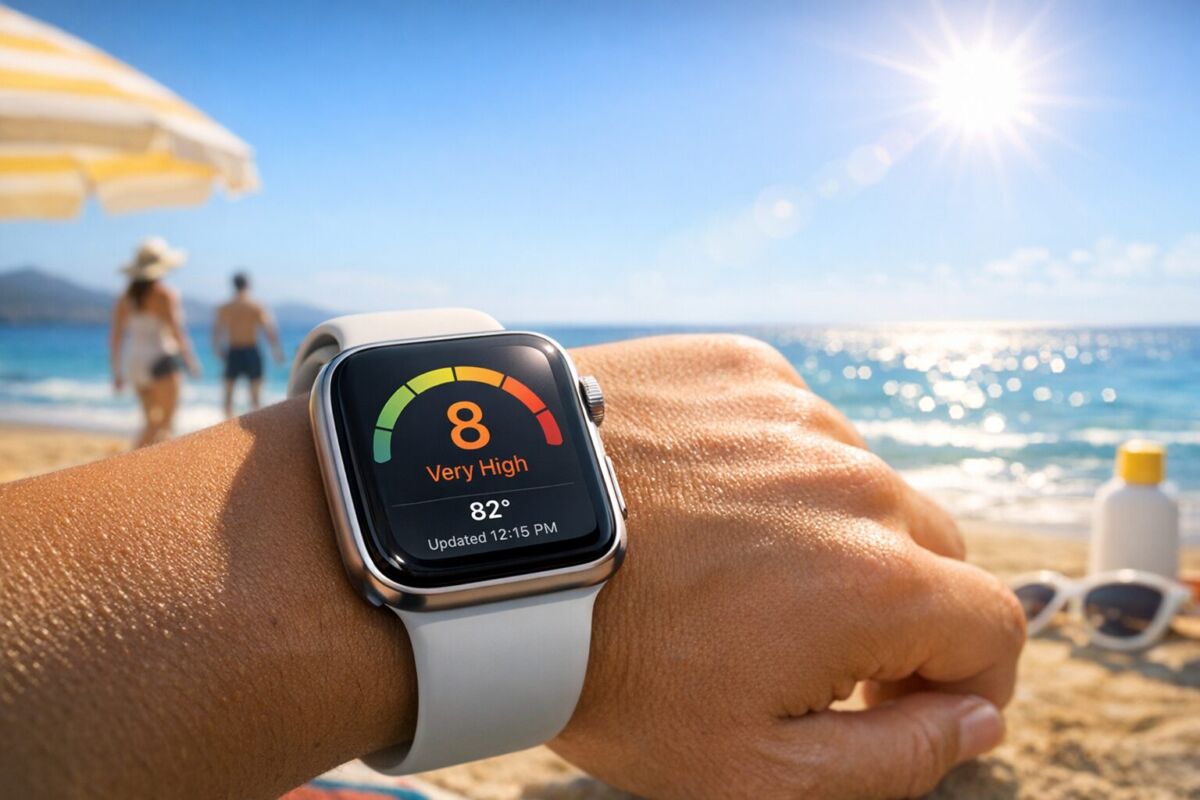
If you spend time outdoors, monitoring the UV index can help you protect your skin and eyes from harmful ultraviolet radiation. Your Apple Watch, paired with its built-in sensors and connected iPhone, can be a convenient tool for tracking UV exposure in real time. This guide explains how to access UV index data on your Apple Watch, interpret the readings, and use them to make smarter decisions about sun safety.
What Is the UV Index and Why Does It Matter?
The UV index is a standardized scale developed by the World Health Organization (WHO) and meteorological agencies to measure the strength of ultraviolet radiation from the sun at a particular place and time. The scale ranges from 0 (low) to 11+ (extreme), indicating the risk of harm to skin and eyes without protection.
Prolonged exposure to high UV levels increases the risk of sunburn, premature skin aging, and long-term conditions like skin cancer. Even on cloudy days, up to 80% of UV rays can penetrate the atmosphere, making consistent monitoring essential for anyone who spends extended periods outside.
How Apple Watch Tracks UV Index
Apple Watch does not have a dedicated UV sensor, but it can display UV index data through its Weather app or third-party complications. The information comes from your iPhone’s Weather app, which sources data from local meteorological services. When your iPhone and Apple Watch are paired, the UV index updates automatically on your wrist.
To ensure accuracy, your iPhone must have Location Services enabled for the Weather app, and both devices should be running the latest version of watchOS and iOS. The UV index updates periodically, typically every hour or when you open the Weather app.
Accessing UV Index on Your Apple Watch
There are two primary ways to check the UV index on your Apple Watch:
Method 1: Using the Weather App
- Press the Digital Crown to open the App Grid or list view.
- Tap the Weather app (the icon shows a sun and cloud).
- Scroll down using the Digital Crown or your finger to find the UV index section. It may appear as “UV Index” with a numerical value and a risk level (e.g., Low, Moderate, High).
- Tap the UV index for more details, including hourly forecasts.
Method 2: Adding a UV Index Complication
If you use a watch face that supports complications (e.g., Infograph, Modular, or Chronograph), you can add a UV index complication for quick access:
- Press and hold on your current watch face until the Edit button appears.
- Tap Edit.
- Swipe left to the complications screen and tap a complication slot.
- Scroll through the list and select the Weather app, then choose the UV index complication if available (this depends on the watch face and watchOS version).
- Turn the Digital Crown to adjust the complication, then press the Digital Crown to save.
Some third-party apps, like UVLens or QSun, also offer dedicated UV index complications with additional features such as sunburn time estimates and personalized alerts.
Understanding UV Index Readings
The UV index is divided into categories to help you assess risk and take appropriate precautions. Here’s how to interpret the numbers:
- 0-2 (Low): Minimal risk. Sun protection is generally not required unless you have very fair skin or are outdoors for extended periods.
- 3-5 (Moderate): Moderate risk. Wear protective clothing and a wide-brimmed hat. Apply broad-spectrum SPF 30+ sunscreen if you’ll be outside for more than 30 minutes.
- 6-7 (High): High risk. Protection is crucial. Seek shade during midday hours (10 a.m. to 4 p.m.), wear sunglasses with UV protection, and reapply sunscreen every two hours.
- 8-10 (Very High): Very high risk. Take extra precautions. Limit sun exposure, especially between 10 a.m. and 4 p.m. Use SPF 50+ sunscreen, and wear long sleeves and a hat.
- 11+ (Extreme): Extreme risk. Avoid sun exposure as much as possible. If you must be outside, wear full protective clothing, a hat, and SPF 50+ sunscreen. Reapply sunscreen every hour and stay in the shade.
Note that UV levels can vary based on altitude, reflection (e.g., from water, sand, or snow), and time of year. For example, UV exposure increases by about 4-5% for every 1,000 feet (300 meters) of elevation.
Setting Up UV Index Alerts
While the Apple Watch Weather app does not natively support UV index alerts, you can use third-party apps or iPhone shortcuts to create notifications. Here’s how:
Using Shortcuts (iOS)
- Open the Shortcuts app on your iPhone.
- Tap the + icon to create a new shortcut.
- Name your shortcut (e.g., “UV Alert”).
- Tap Add Action and search for “Get Current Weather.” Select it.
- Add another action: search for “If” and select it. Set the condition to UV Index is greater than [your threshold, e.g., 6].
- Inside the If block, add the “Show Notification” action. Customize the message (e.g., “UV Index is high! Wear sunscreen.”).
- Tap Done and run the shortcut manually, or automate it to run at specific times using the Automation tab in Shortcuts.
For a more seamless experience, third-party apps like UVLens or SunSmart (by Cancer Council Australia) offer customizable UV alerts that sync with your Apple Watch.
Using UV Index Data for Sun Safety
Knowing the UV index is only helpful if you act on it. Here are practical ways to use the data from your Apple Watch to stay safe:
- Plan Outdoor Activities: Check the UV index before heading out. If the index is 6 or higher, schedule outdoor activities for early morning or late afternoon when UV levels are lower.
- Dress Appropriately: On days with a UV index of 3 or above, wear lightweight, long-sleeved clothing, a wide-brimmed hat, and UV-blocking sunglasses. Fabrics with a tight weave or UPF (Ultraviolet Protection Factor) rating offer the best protection.
- Apply Sunscreen Correctly: Use a broad-spectrum sunscreen with SPF 30 or higher, even on cloudy days. Apply it 15-30 minutes before going outside, and reapply every two hours (or immediately after swimming or sweating).
- Seek Shade: When the UV index is 8 or higher, take breaks in shaded areas, especially between 10 a.m. and 4 p.m. Use umbrellas or canopies if you’re at the beach or park.
- Protect Your Eyes: UV radiation can damage your eyes and increase the risk of cataracts. Wear sunglasses labeled as blocking 100% of UVA and UVB rays.
Third-Party Apps for Enhanced UV Tracking
If the built-in Weather app’s UV index feature feels limited, consider these third-party apps that offer more detailed insights and integrations with Apple Watch:
- UVLens: Provides real-time UV index data, hourly forecasts, and sunburn time estimates based on your skin type. It also offers a complication for Apple Watch and customizable alerts.
- QSun: Uses your skin type, location, and time of day to calculate personalized sun exposure limits. It includes a watchOS app with complications and notifications.
- SunSmart: Developed by Cancer Council Australia, this app offers UV index alerts, sun protection reminders, and a widget for quick access. It’s free and focuses on health education.
- WeatherBug: A comprehensive weather app with UV index tracking, air quality data, and severe weather alerts. The Apple Watch app includes UV index complications.
Before downloading, check app reviews and permissions to ensure they align with your privacy preferences.
Limitations of UV Index Tracking on Apple Watch
While Apple Watch makes it easy to monitor the UV index, there are some limitations to be aware of:
- No Dedicated Sensor: Apple Watch relies on data from your iPhone’s Weather app, which may not always reflect hyper-local conditions (e.g., if you’re in a microclimate or indoors).
- Update Frequency: UV index data may not update in real time. It’s typically refreshed hourly, so sudden changes in weather (e.g., clouds clearing) might not be immediately reflected.
- Battery Impact: Using third-party apps with frequent background updates can drain your Apple Watch battery faster. Adjust notification settings to balance convenience and battery life.
- Regional Data: UV index data is sourced from meteorological services, which may not be available or accurate in all regions. Rural or remote areas might have less precise readings.
For the most accurate and up-to-date information, cross-reference your Apple Watch data with local weather forecasts or dedicated UV monitoring websites like the EPA’s UV Index tool.
UV Index and Other Health Metrics
Combining UV index tracking with other health data from your Apple Watch can give you a more holistic view of your well-being. For example:
- Activity Levels: If you’re tracking outdoor workouts (e.g., running or cycling) with the Workout app, check the UV index beforehand to adjust your sun protection strategy.
- Skin Health: Use the UV index data alongside apps that track moles or skin changes (e.g., SkinVision) to monitor potential sun damage over time.
- Hydration: High UV exposure can lead to dehydration. Pair UV index alerts with hydration reminders from apps like Waterllama or Apple’s built-in Hydration tracking in watchOS.
Apple Watch’s Health app can also help you correlate UV exposure with other metrics, such as heart rate or sleep, to understand how sun exposure might be affecting your overall health.
Advanced UV Index Interpretation: Beyond the Basics
While the standard UV index scale (0–11+) provides a general risk assessment, understanding the nuances can help you make even more informed decisions. For instance, the UV index is not linear—each increment represents a 25% increase in UV radiation intensity. A UV index of 6 is not just twice as intense as 3; it’s significantly more harmful. This exponential scale means that jumping from a UV index of 8 to 9 requires far more caution than moving from 2 to 3.
Additionally, the UV index can be influenced by factors not always reflected in the raw number:
- Ozone Layer Thickness: The ozone layer absorbs most of the sun’s UV radiation, but its thickness varies by location and season. Areas with thinner ozone (e.g., near the poles or during certain times of the year) may have higher UV levels than the index suggests. Apps like NASA’s Ozone Watch can provide supplementary data.
- Solar Zenith Angle: The angle of the sun in the sky affects UV intensity. When the sun is directly overhead (around solar noon), UV radiation is at its peak. This is why UV levels are highest between 10 a.m. and 4 p.m., even if the index doesn’t change dramatically.
- Atmospheric Conditions: Pollution, dust, and haze can scatter UV radiation, sometimes reducing ground-level UV but also creating a false sense of safety. Conversely, clean, dry air (e.g., in mountainous regions) allows more UV radiation to reach the surface.
For outdoor enthusiasts, it’s also worth noting that UV index forecasts are typically modeled for clear-sky conditions. If the forecast predicts a UV index of 8 but the day turns out cloudy, the actual UV exposure could be 20–40% lower. However, as mentioned earlier, light clouds may only reduce UV by 10–25%, so protection is still necessary.
To account for these variables, consider using spectral UV data from specialized apps like UVLens Pro or SunSafety, which break down UV exposure by wavelength (UVA vs. UVB) and provide more granular insights for sensitive individuals, such as those with photosensitivity disorders.
Calibrating UV Index Readings for Personal Risk Factors
The same UV index can pose vastly different risks depending on individual factors. To tailor UV index data to your needs, consider the following adjustments:
Skin Type and Fitzpatrick Scale
The Fitzpatrick scale classifies skin types (I–VI) based on their response to UV exposure. Here’s how to adjust your sun protection strategy:
| Fitzpatrick Type | Description | UV Risk Multiplier | Recommended SPF (Minimum) |
|---|---|---|---|
| I | Always burns, never tans (pale, freckled) | 2.0x | 50+ |
| II | Burns easily, tans minimally | 1.8x | 50+ |
| III | Sometimes burns, gradually tans | 1.5x | 30–50 |
| IV | Rarely burns, tans well | 1.2x | 15–30 |
| V | Very rarely burns, tans deeply | 1.0x | 15 |
| VI | Never burns, deeply pigmented | 0.8x | 15 (but still needed) |
Example: If the UV index is 6 (High) and you have Fitzpatrick Type I skin, your effective risk is closer to a UV index of 12 (6 × 2.0). This means you should treat it as an Extreme risk day, even if the index suggests otherwise.
Medications and Photosensitivity
Certain medications, such as antibiotics (e.g., tetracycline, doxycycline), diuretics, NSAIDs (ibuprofen, naproxen), and retinoids, can increase skin sensitivity to UV radiation, a condition known as phototoxicity. Others, like antihistamines, antidepressants (e.g., SSRIs), and some chemotherapy drugs, may cause photoallergic reactions, leading to rashes or severe burns even with minimal exposure.
If you’re taking any of these medications:
- Treat the UV index as one category higher (e.g., Moderate → High).
- Wear UPF 50+ clothing and reapply sunscreen every 80 minutes (instead of 2 hours).
- Check the Drugs.com photosensitivity database for your specific medication.
Pre-existing Conditions
Individuals with vitiligo, albinism, lupus, or a history of skin cancer should exercise extreme caution. For these groups:
- UV index 3 or higher may require full protective measures, including gloves, neck gaiters, and UV-blocking window films for cars.
- Consider using broad-spectrum sunscreens with zinc oxide or titanium dioxide, which provide physical barriers against both UVA and UVB rays.
- Monitor UV reflection—snow, sand, and water can reflect up to 80% of UV radiation, effectively doubling your exposure.
Integrating UV Index Tracking with Outdoor Workouts
For athletes and fitness enthusiasts, UV index data can be a game-changer in preventing sun-related health issues while maintaining performance. Here’s how to optimize your outdoor workouts with UV awareness:
Pre-Workout Planning
- Route Selection: Use apps like Strava Heatmaps or Komoot to plan shaded routes. Trails with tree cover or urban paths with buildings can reduce UV exposure by 50–70% compared to open areas.
- Time Adjustments: If the UV index is 7+, shift high-intensity workouts (e.g., HIIT, long runs) to before 9 a.m. or after 5 p.m.. For lower UV indices (3–5), mid-morning or late afternoon is safer.
- Clothing Strategies: Opt for UPF-rated athletic wear (e.g., from brands like Coolibar, Patagonia, or Under Armour). Dark colors (e.g., black, navy) absorb more UV than light colors but can also increase heat retention—balance this with moisture-wicking fabrics.
Real-Time Monitoring During Workouts
Use your Apple Watch to monitor UV index during activities with these pro tips:
- Complication Stacking: On watch faces like Infograph Modular, add a UV index complication alongside heart rate and workout duration to glance at all three metrics simultaneously.
- Vibration Alerts: Set up a Shortcuts automation to trigger a taptic alert when the UV index exceeds your threshold. For example:
- Open the Shortcuts app on your iPhone.
- Create an automation triggered by Time of Day (e.g., every hour during your workout window).
- Add the action Get Current Weather → UV Index.
- Use an If statement to check if UV index > 6, then Vibrate Device (Apple Watch).
- Hydration + UV Sync: High UV exposure increases fluid loss through sweat. Pair UV alerts with hydration reminders using apps like Hydro Coach or Apple’s built-in Hydration tracking (watchOS 10+). Aim for 8–10 oz of water every 20 minutes when UV index is 8+.
Post-Workout Recovery
- Skin Cooling: After exposure to high UV (6+), rinse off with cool water and apply aloe vera or after-sun lotion to soothe potential irritation.
- Vitamin D Balance: While UVB rays help produce vitamin D, excessive exposure (UV index 8+) can lead to vitamin D toxicity if you’re also supplementing. Use apps like Dminder to track safe sun exposure for vitamin D synthesis without overdoing it.
- Damage Assessment: Take a full-body photo in consistent lighting (e.g., same room, same time of day) once a month to track moles or freckles. Use apps like SkinIO or MoleScope to compare changes over time.
UV Index and Travel: Adapting to New Environments
Traveling to different latitudes, altitudes, or climates can drastically change your UV exposure—often in ways that aren’t intuitive. Here’s how to use your Apple Watch to stay protected on the go:
Latitude and Seasonal Shifts
- Equatorial Regions: Near the equator, UV levels are consistently high (often 8–11+) year-round. Even in “winter,” the UV index may be higher than a summer day in temperate zones. For example, Hawaii averages a UV index of 10 in December, while New York might be at 2.
- High Altitudes: UV intensity increases by 4–5% per 1,000 feet (300 m) of elevation. At 10,000 feet (3,050 m), UV exposure can be 35–45% higher than at sea level. Skiers and hikers should treat a UV index of 6 at altitude as if it were 8–9.
- Southern Hemisphere: The UV index is often higher in the Southern Hemisphere due to the ozone hole over Antarctica and cleaner air. For example, Australia and New Zealand regularly see UV indices of 12–14 in summer.
Pro Tip: Use the World UV App or EPA’s UV Index World Map to check UV levels at your destination before traveling. Add these locations to your iPhone’s Weather app so your Apple Watch updates automatically upon arrival.
Time Zone and Jet Lag Considerations
- Peak UV Misalignment: If you’re traveling east or west, your body’s internal clock (circadian rhythm) may not align with local peak UV hours. For example, if you fly from Los Angeles (UTC-8) to New York (UTC-5), your body might still be on a 3-hour delay, making you more likely to forget sun protection during New York’s peak UV (12–2 p.m. local time).
- Red-Eye Flights: After overnight flights, you might be outdoors during unexpected high-UV hours. Set a travel mode in your UV tracking app (e.g., QSun) to get alerts based on your new location, not your home time zone.
Local Environmental Factors
- Reflective Surfaces: Snow (80% reflection), sand (15–25%), and water (10–25%) can amplify UV exposure. In ski resorts or beach destinations, the UV index can feel 1–2 points higher than reported. Wear goggles with UV400 protection and apply sunscreen to often-forgotten areas like the underside of your nose and chin.
- Pollution and Smog: In cities with high pollution (e.g., Delhi, Beijing, Mexico City), UV levels may be lower at ground level but higher in the atmosphere due to scattering. However, pollution can also create a false sense of safety—UV rays penetrate haze.
- Tropical Humidity: High humidity can make you feel cooler, leading to longer outdoor exposure without realizing the UV risk. In places like Southeast Asia or the Amazon, UV levels are often extreme (11+), even if temperatures are moderate.
Packing Smart for UV Protection
Create a UV travel checklist based on your destination’s expected UV index:
| UV Index Range | Essential Items | Bonus Gear |
|---|---|---|
| 0–2 (Low) | SPF 15 sunscreen, sunglasses | Hat (optional) |
| 3–5 (Moderate) | SPF 30 sunscreen, wide-brim hat, UV-blocking sunglasses | Lightweight long sleeves, lip balm with SPF |
| 6–7 (High) | SPF 50 sunscreen, UPF 50+ clothing, hat, sunglasses | Portable shade (umbrella, pop-up tent), UV-protective lip balm |
| 8–10 (Very High) | SPF 50+ sunscreen (reapply every 1.5 hours), full-coverage clothing, hat, sunglasses | Cooling towel, UV-protective gloves, neck gaiter |
| 11+ (Extreme) | All of the above + avoid midday sun | UV-protective window film (for car rentals), portable fan, electrolyte tablets |
UV Index for Special Populations: Kids, Seniors, and Pets
Certain groups are more vulnerable to UV radiation and require tailored protection strategies. Here’s how to adapt UV index tracking for them using your Apple Watch and complementary tools:
Children (Under 18)
- Increased Sensitivity: Children’s skin is thinner and contains less melanin, making them more susceptible to burns. A UV index of 3 can be as harmful to a child as a 6 is to an adult.
- Apple Watch for Parents:
- Use the Family Setup feature (watchOS 7+) to pair an Apple Watch for your child (ages 4+). Add a UV index complication to their watch face and teach them to check it before outdoor play.
- Set up Shortcuts automations to send you a notification when the UV index exceeds 6 in your child’s location (e.g., school, park). Example: “If UV Index > 6 at [Child’s School Address], send message: ‘Apply sunscreen to [Child’s Name]!’”
- School and Camp Policies: Advocate for sun-safe policies at your child’s school or camp. Many now use UV index data to schedule outdoor activities. Share apps like SunSmart Schools with educators.
- Clothing and Accessories: Dress kids in UPF 50+ swimwear (e.g., Rash Guards) and wide-brimmed hats with neck flaps. For babies under 6 months, avoid direct sun exposure entirely—their skin lacks sufficient melanin.
Seniors (65+)
- Thinner Skin and Medications: Aging skin has reduced melanin and collagen, making it more prone to damage. Additionally, 60% of seniors take medications that increase photosensitivity (e.g., statins, blood pressure drugs).
- Apple Watch Reminders:
- Use Siri to set hourly reminders: “Hey Siri, remind me to reapply sunscreen every 2 hours when UV index is high.”
- Enable Fall Detection (watchOS 5+) and pair it with UV alerts—high UV exposure can increase the risk of heat exhaustion, which may lead to dizziness or falls.
- Indoor UV Risks: Seniors often spend time near windows. Standard glass blocks UVB but not UVA, which penetrates deeply and accelerates aging. Install UV-blocking window films (e.g., 3M Prestige) and use broad-spectrum sunscreen indoors if sitting near windows for extended periods.
- Eye Protection: Seniors are at higher risk for cataracts and macular degeneration. Ensure sunglasses are labeled “100% UV protection” or “UV400”. Consider photochromic lenses (e.g., Transitions) that darken in sunlight.
Pets
- Canine and Feline UV Risks: Pets with light-colored fur, thin coats, or exposed skin (e.g., nose, ears, belly) are vulnerable to sunburn and squamous cell carcinoma. Breeds like Dalmatians, Bulldogs, and Greyhounds are at higher risk.
- Apple Watch for Pet Owners:
- Use a UV index complication to check levels before walks. If UV index is 6+, opt for early morning or evening walks.
- Set a Shortcuts automation to alert you when UV index is high: “If UV Index > 7, remind me: ‘Short walk for [Pet’s Name]—paw balm and shade!’”
- Protection Strategies:
- Apply pet-safe sunscreen (e.g., Epi-Pet Sun Protector) to exposed areas like the nose, ears, and groin.
- Use UPF-rated pet clothing (e.g., Ruffwear Sun Shirt) for hairless or short-haired breeds.
- Provide shaded resting areas outdoors (e.g., cooling mats, umbrellas).
- Avoid asphalt and sand in high UV—these surfaces can reach 120°F (49°C) and burn your pet’s paws.
UV Index and Technology: Wearables, IoT, and Smart Home Integration
Your Apple Watch is just one piece of a larger ecosystem that can help you manage UV exposure. Here’s how to integrate it with other smart devices for a seamless, automated sun-safety system:
Smartwatches and Fitness Trackers
- Garmin Devices: If you use a Garmin watch alongside your Apple Watch, enable its UV index widget (available on models like Venu 3, Fenix 7, or Forerunner 265). Garmin’s Body Battery feature can also correlate UV exposure with energy levels—high UV days may lead to faster energy depletion.
- Fitbit: Fitbit devices (e.g., Sense 2, Versa 4) track skin temperature, which can rise with prolonged sun exposure. Pair this with UV index data to detect early signs of overheating.
- Whoop: The Whoop 4.0 band tracks UV exposure via its Health Monitor feature. Use it alongside your Apple Watch to cross-reference UV data with heart rate variability (HRV) and respiratory rate, which may indicate stress from heat or sun exposure.
Smart Home Devices
- Amazon Alexa/Google Home: Create a voice routine that checks the UV index and provides sun safety tips. Example:
- Open the Alexa or Google Home app.
- Create a routine triggered by the phrase: “What’s the UV index today?”
- Add actions: “Tell me the UV index in [Your City]” + “Remind me to apply sunscreen if UV is high.”
Pair this with your Apple Watch by enabling Alexa on Apple Watch (via the Amazon Alexa app).
- Smart Lights: Use Philips Hue or LIFX smart bulbs to create a UV alert system:
- Set bulbs to turn red when UV index > 6 (via IFTTT or Home Assistant).
- Example IFTTT applet: “If UV index in [Location] > 6, then turn Philips Hue lights red.”
- Smart Blinds/Shades: Integrate Lutron or IKEA smart blinds with UV data to automatically close when UV index exceeds your threshold. Example:
- Use Home Assistant to create an automation: “If UV index > 7 and time is between 11 a.m.–3 p.m., close living room blinds.”
Connected Cars
- Tesla/GM/Ford: Many modern cars (e.g., Tesla, Ford Mustang Mach-E, GM vehicles) have built-in UV index displays in their infotainment systems. Sync this with your Apple Watch via CarPlay:
- Enable CarPlay on your iPhone and add the Weather app to your CarPlay dashboard.
- Use Siri in the car: “Hey Siri, what’s the UV index?” to get real-time updates without looking at your watch.
- UV-Blocking Window Films: Install smart window films (e.g., Gauzy or View Glass) that tint automatically based on UV levels. Pair with your Apple Watch to receive alerts when the film is active (indicating high UV).
IoT Weather Stations
- Personal Weather Stations: Devices like Davis Instruments Vantage Vue or Netatmo Weather Station can measure local UV index with higher precision than regional forecasts. Integrate these with your Apple Watch via HomeKit or IFTTT:
- Example: If your Netatmo station detects UV index > 5, trigger a notification on your Apple Watch.
- Air Quality Monitors: UV radiation often correlates with poor air quality (e.g., smog). Use monitors like PurpleAir or Awaire to get a holistic environmental risk score. High UV + high AQI = stay indoors.
Long-Term UV Exposure Tracking and Health Insights
While the Apple Watch doesn’t natively track cumulative UV exposure, you can use third-party tools and manual logging to build a long-term record. This data can help you identify patterns, adjust habits, and even share insights with your healthcare provider.
Manual Logging with Apple Health
- Custom UV Exposure Metric: Use the Health app on your iPhone to manually log UV exposure:
- Open the Health app → Tap Browse → Other Data → UV Exposure.
- Tap Add Data Point and enter the UV index and duration of exposure (e.g., “UV Index: 8, Duration: 2 hours”).
- Add notes like “Beach day, SPF 50 applied at 10 a.m.” for context.
- Shortcuts Automation: Create a shortcut to log UV exposure automatically when you finish an outdoor workout:
- In the Shortcuts app, create a new shortcut named “Log UV Exposure.”
- Add actions: Get Current Weather → Get UV Index → Get Current Date → Add to Health Data (select UV Exposure).
- Add a Text action to input duration (e.g., “How many hours were you outside?”).
- Run this shortcut after outdoor activities to build a history.
Third-Party Apps for Cumulative Tracking
- QSun: Tracks your daily UV dose based on location, time outdoors, and skin type. It estimates % of safe UV exposure used and syncs with Apple Health. Use it to:
- Set a weekly UV budget (e.g., “Don’t exceed 50% of safe exposure per week”).
- Get alerts when you’re approaching your personal UV limit.
- UVLens: Offers a “Sunburn Time” feature that estimates how long you can stay outside before burning, based on your skin type and the current UV index. It also provides:
- Historical UV Data: View your UV exposure over days, weeks, or months.
- Vitamin D Tracking: Estimates vitamin D production from sun exposure.
- SunSafety by OMNIS: Designed for melanoma patients, this app tracks UV exposure and provides personalized risk assessments. It can export data for your dermatologist.
Data Visualization and Trends
- Exporting Data: Most UV tracking apps allow you to export data as CSV or PDF. Use this to:
- Create custom charts in Excel or Google Sheets to visualize trends (e.g., “UV exposure vs. sunburn incidents”).
- Share with your dermatologist to discuss sun protection strategies.
- Apple Health Integrations: Apps like QSun and UVLens sync with Apple Health, allowing you to correlate UV exposure with other metrics:
- Sunburns vs. UV Index: Compare your logged UV exposure with skin symptoms (e.g., redness, peeling) to identify your personal burn threshold.
- UV and Sleep: High UV exposure can disrupt melatonin production. Use Apple Health’s Sleep data to see if high-UV days correlate with poorer sleep quality.
- UV and Activity Levels: Check if high UV days lead to reduced outdoor activity (e.g., fewer steps, shorter workouts).
Sharing Data with Healthcare Providers
- Dermatology Visits: Bring a UV exposure report from your tracking app to dermatology appointments. This can help your doctor:
- Assess your skin cancer risk based on historical exposure.
- Recommend personalized sunscreen (e.g., mineral vs. chemical, SPF strength).
- Identify high-risk periods (e.g., vacations, outdoor hobbies) for targeted advice.
FAQ
1. Can my Apple Watch measure UV index without my iPhone?
No, your Apple Watch relies on your iPhone’s Weather app for UV index data. Your iPhone must be nearby (or have an active internet connection) for the data to sync to your watch. If your iPhone is off or out of range, the UV index on your watch may not update.
2. Why doesn’t my Apple Watch show the UV index in the Weather app?
If the UV index is missing, ensure that:
- Your iPhone and Apple Watch are paired and updated to the latest software.
- Location Services are enabled for the Weather app on your iPhone (Settings > Privacy & Security > Location Services > Weather).
- Your current location has UV index data available. Some regions may not provide this information.
If the issue persists, try restarting both devices or reinstalling the Weather app.
3. How often does the UV index update on Apple Watch?
The UV index typically updates every hour or when you manually open the Weather app. It does not refresh in real time. For more frequent updates, consider using a third-party app that offers live data.
4. Is the UV index the same as the UVB index?
No. The UV index measures both UVA and UVB radiation, which are the two types of ultraviolet rays that reach the Earth’s surface. UVA rays penetrate deeply into the skin and contribute to aging, while UVB rays are primarily responsible for sunburn. The UV index combines both to give you a comprehensive risk assessment.
5. Can I use my Apple Watch to track UV exposure over time?
Apple Watch does not natively track cumulative UV exposure over time. However, third-party apps like UVLens or QSun can estimate your daily UV dose based on your location, time outdoors, and skin type. Some of these apps also integrate with Apple Health to store historical data.
Related posts:
 Apple Watch Teams Up with Aetna for Health Innovation
Apple Watch Series 7: A Comprehensive Review
Apple Watch: Your Heart’s New Best Friend
Apple Watch Ultra: A New Era of Wearables
Apple Watch’s Mindfulness Features for Mental Well-Being
Take Control of Your Digital Life Before Google Takes Control of You
All The Ways You Can Track Your Health With An iPhone And Apple Watch
The Rise of Apple Flour
Apple Watch Teams Up with Aetna for Health Innovation
Apple Watch Series 7: A Comprehensive Review
Apple Watch: Your Heart’s New Best Friend
Apple Watch Ultra: A New Era of Wearables
Apple Watch’s Mindfulness Features for Mental Well-Being
Take Control of Your Digital Life Before Google Takes Control of You
All The Ways You Can Track Your Health With An iPhone And Apple Watch
The Rise of Apple Flour