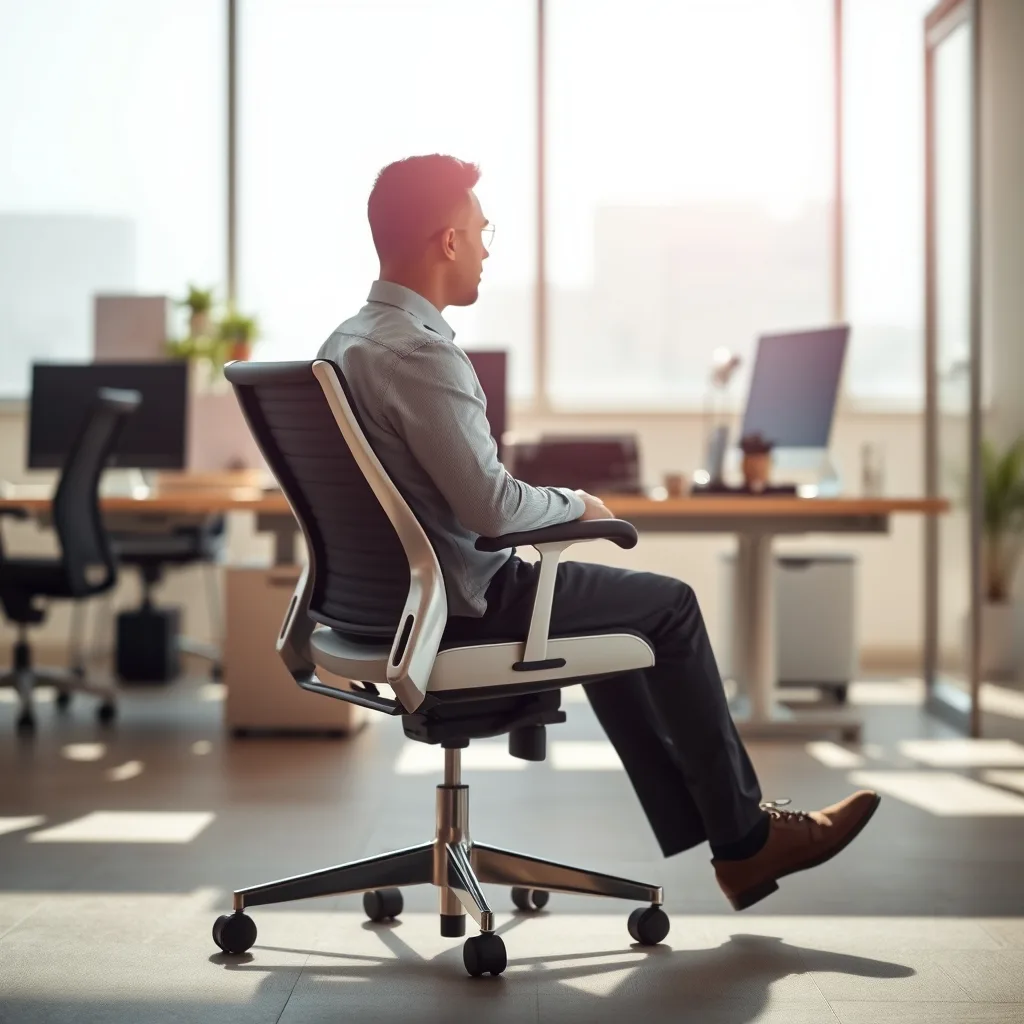
Spending hours at a desk, in front of a computer, or even relaxing on the couch can silently erode the natural curves of your spine. While the damage often appears gradually, the steps to protect and improve your sitting posture are both simple and effective. In this guide we break down the science behind posture, the ergonomic adjustments you can make today, and the daily habits that keep your body aligned and comfortable. By integrating these strategies, you’ll reduce strain, boost focus, and support long‑term musculoskeletal health.
1. Understand the Impact of Poor Sitting Posture
Before you can correct a habit, you need to recognize its consequences. Slouching, forward‑head posture, and a collapsed chest place extra pressure on the lumbar discs, shoulder girdle, and neck muscles. Over time, this can lead to tension‑type headaches, reduced lung capacity, and decreased circulation to the lower limbs. Research from occupational health studies shows that workers who maintain neutral spine alignment report lower rates of back pain and higher productivity. Awareness is the first tool: notice when your shoulders round or your chin jut forward, and treat those cues as signals to adjust.
2. Set Up an Ergonomic Workstation
Ergonomics is about matching the environment to your body, not forcing your body to fit the environment. Follow these core guidelines:
- Chair height: Sit so that your feet rest flat on the floor (or on a footrest) and your knees form a 90‑to‑100° angle. Your hips should be slightly lower than your knees.
- Seat depth: The back of the chair should support the base of your thighs while leaving about 2‑3 cm between the edge of the seat and the back of your knees.
- Backrest angle: Tilt the backrest back 100‑110° to maintain the natural lumbar curve. If your chair lacks lumbar support, add a small cushion or rolled towel.
- Armrests: Adjust them so your elbows rest comfortably at a 90° angle, shoulders relaxed.
These adjustments create a foundation where the spine can stay neutral without constant muscular effort.
3. Master Core Activation and Micro‑Movements
The core—abdominals, obliques, deep spinal stabilizers, and glutes—acts like a natural brace. Engaging these muscles while seated prevents the pelvis from tilting excessively forward or backward. Practice the following micro‑movements every hour:
- Seated pelvic tilt: Sit upright, inhale, and gently rock your pelvis forward, flattening the lower back against the chair. Exhale and rock back, creating a subtle arch. Repeat 5 times.
- Abdominal bracing: Lightly pull your belly button toward your spine without holding your breath. Hold for 5 seconds, release, and repeat.
- Glute squeeze: Contract the buttocks for 3‑5 seconds, then relax. This re‑engages the posterior chain, balancing forward‑pulling forces.
These tiny actions cost only a few seconds but reinforce muscular awareness, reducing reliance on passive support.
4. Use Supportive Seating Accessories Wisely
Accessories can enhance comfort, but they must complement, not replace, proper alignment.
- Lumbar cushions: Choose a firm, contoured cushion that fits the natural inward curve of your lower back. Place it at the small of the spine, not higher.
- Sit‑stand desks: Alternate between sitting and standing every 30‑45 minutes. When standing, keep weight evenly distributed on both feet and avoid locking knees.
- Footrests: If your feet don’t reach the floor, a footrest keeps thighs parallel to the floor and reduces pressure on the lower back.
- Monitor risers: Elevate the screen so the top of the display is at or slightly below eye level; this prevents forward‑head tilt.
Test each accessory for a few days; if you notice new discomfort, readjust or remove it.
5. Incorporate Regular Stretch Breaks
Static sitting reduces blood flow and shortens muscles. The 20‑20‑20 rule—every 20 minutes, look at something 20 feet away for 20 seconds—helps eye strain, but you also need a body break. Try the following sequence twice per hour:
- Chest opener: Stand, interlace fingers behind your back, and gently lift the arms while drawing the shoulder blades together. Hold 15 seconds.
- Seated spinal twist: Sit tall, place right hand on left knee, and rotate torso left, looking over the shoulder. Hold 10 seconds, switch sides.
- Hip flexor stretch: From a standing position, step one foot back, bend the front knee, and gently push hips forward. Hold 20 seconds each side.
- Neck release: Drop your right ear toward the right shoulder, use the right hand to apply light pressure, and hold 10 seconds. Repeat left side.
These moves reset muscle length, improve circulation, and remind your brain to maintain alignment.
6. Practice Mindful Sitting Techniques
Mindfulness isn’t only for meditation; it can be a practical tool for posture. Before you settle into a task, take a brief “posture check”:
- Close your eyes, feel the contact points—feet, buttocks, back, shoulders.
- Notice any tension; consciously release it.
- Take three deep breaths, allowing the rib cage to expand fully.
- Open your eyes and align your head over your shoulders, shoulders over hips.
Repeating this check every hour builds a habit loop that catches slouching before it becomes ingrained.
7. Optimize Screen and Keyboard Position
The placement of your monitor, keyboard, and mouse directly influences neck and shoulder posture.
- Monitor distance: Position the screen about an arm’s length away. The top edge should be at eye level, so you look slightly downward.
- Keyboard height: Your forearms should be parallel to the floor, elbows at a 90° angle. If the desk is too high, use a keyboard tray.
- Mouse placement: Keep the mouse close to the keyboard, within easy reach, to avoid reaching and shoulder elevation.
When using a laptop, combine a separate keyboard with a laptop stand, or invest in an external monitor to achieve the same ergonomic geometry.
8. Lifestyle Habits that Reinforce Good Sitting Posture
Posture is a cumulative result of daily choices beyond the office chair.
- Regular physical activity: Strengthening the core, back, and glutes through Pilates, yoga, or resistance training provides the muscular support needed for upright sitting.
- Hydration: Adequate water intake encourages frequent bathroom trips, which naturally break up prolonged sitting.
- Sleep ergonomics: A supportive mattress and pillow maintain spinal alignment at night, reducing morning stiffness that can carry into daytime posture.
- Weight management: Maintaining a healthy weight lessens excess load on the lumbar spine, making it easier to sit upright.
These broader habits create a feedback loop: a stronger, more flexible body finds it easier to stay aligned while you sit.
1. Advanced Ergonomic Tweaks for Prolonged Desk Work
Beyond the basic chair‑height and monitor‑level adjustments, seasoned desk‑workers benefit from fine‑tuning their environment to accommodate subtle anatomical differences and task‑specific demands. The following refinements target the often‑overlooked variables that can make the difference between a comfortable day and a cumulative strain.
- Dynamic desk height calibration: If your desk allows manual or electric height changes, adopt a mid‑range position for most typing tasks—typically 70‑80 cm from floor for an average adult. For tasks that require more precision (e.g., drafting, graphic design), lower the desk by 2‑3 cm to bring the forearms closer to the tabletop, reducing shoulder elevation. Remember to keep the elbows at a 90‑to‑100° angle; if you notice a slight shoulder lift, the desk is still too high.
- Keyboard and mouse tilt: Many ergonomic keyboards feature a negative tilt (the front edge lower than the back) that encourages a more neutral wrist position. Pair this with a mouse that has a slight palm‑rest angle (5‑10°) to keep the wrist in line with the forearm. For users with limited pronation strength (e.g., those recovering from a wrist sprain), a vertical mouse can eliminate forearm rotation entirely.
- Monitor stacking and dual‑screen geometry: When using two monitors, align their tops so the primary screen (the one you look at most) is directly in front, while the secondary sits slightly off‑center (about 15‑30°). This reduces constant neck rotation. If you need both screens at equal height, consider a monitor arm that allows independent tilting and height adjustment for each unit.
- Task‑lighting angle and intensity: Glare from overhead fluorescents forces you to lean forward or squint, compromising posture. Position a desk lamp so the light source is at a 30‑45° angle relative to the monitor, illuminating the work surface without reflecting on the screen. Use a lamp with adjustable brightness (lumens) to maintain a consistent visual comfort level; a dim environment often leads to a forward‑head posture as you lean in to see details.
- Acoustic ergonomics: Excessive background noise can cause you to tense the neck and shoulders while straining to hear. A simple solution is a pair of noise‑cancelling headphones or a desktop sound‑masking device that delivers a low‑level, uniform background tone (e.g., white or pink noise). This reduces subconscious muscular tension that otherwise manifests as slouching.
Implement these tweaks gradually—change one variable at a time and monitor how your body responds for a week before adding the next. This systematic approach prevents overwhelm and helps you identify which adjustments provide the greatest benefit.
2. Posture Strategies for Specific Populations
Not everyone sits in a standard office chair. Pregnant individuals, seniors, children, and people with mobility impairments each face unique challenges that demand tailored solutions.
Pregnancy
As the uterus expands, the center of gravity shifts forward, increasing lumbar lordosis. To counteract this:
- Use a chair with a forward‑tilting seat pan, allowing the pelvis to rotate slightly backward while maintaining contact with the backrest.
- Place a small, firm pillow or a lumbar roll just above the belly button to support the lower back without compressing the abdomen.
- Take micro‑breaks every 20‑30 minutes to perform a gentle pelvic tilt and hip‑flexor stretch; these movements keep the hip joint supple and reduce the risk of sciatic irritation.
Seniors
Age‑related spinal degeneration often reduces the natural curvature of the lumbar spine, leading to a flattened back. Recommendations include:
- Choosing a chair with a higher seat height (approximately 48‑50 cm) to avoid excessive knee flexion, which can strain the quadriceps and affect balance.
- Adding a firm, contoured cushion that restores the lumbar curve without forcing the spine into hyper‑extension.
- Incorporating a standing assist device—a stable countertop or countertop‑height rail—so the individual can safely transition between sitting and standing.
Children and Adolescents
Young learners often use desks that are too large for their bodies, causing them to hunch. Schools can improve posture by:
- Providing adjustable‑height chairs and desks that grow with the child; a good rule of thumb is that the chair seat should be at a height where the child’s feet rest flat on the floor.
- Integrating “active seating” options such as wobble stools that encourage subtle core engagement while still offering support.
- Teaching a simple “3‑point check” (feet, back, shoulders) at the start of each class, turning posture awareness into a habit.
People with Physical Disabilities
Wheelchair users, individuals with limited arm reach, or those with chronic pain need customized setups.
- For wheelchair users, ensure the backrest angle is between 100‑110° and that the lumbar support is positioned at the sacral apex. If the wheelchair lacks a tilt‑in‑space feature, a portable seat‑tilt cushion can simulate the effect.
- Install a reach‑assist rail on the side of the desk for those with limited arm extension, allowing them to pull the keyboard closer without twisting the torso.
- Use a voice‑activated dictation system to reduce the need for prolonged mouse use, which can otherwise cause shoulder elevation and neck strain.
By acknowledging these distinct needs, you create inclusive environments where everyone can sit with confidence and comfort.
3. Leveraging Technology for Real‑Time Posture Feedback
Modern wearables and software can turn posture correction from a conscious effort into an automated, data‑driven process. Below are the most effective categories and practical tips for integrating them into daily routines.
- Posture‑tracking wearables: Devices such as smart shirts, posture‑correcting bands, or sensor‑embedded clips (e.g., Lumo Lift, Upright Go) vibrate when you exceed a predefined forward‑head angle (usually >15°). To avoid habituation, set the vibration threshold to a gentle reminder and gradually tighten the tolerance as you improve.
- Computer vision apps: Software like ErgoScreen uses your webcam to analyze spinal alignment every few seconds. The app displays a visual cue—a green line for good posture, red for slouching—allowing instant correction without needing a separate device.
- Keyboard and mouse ergonomics analytics: Some high‑end keyboards log typing force and wrist angle, sending alerts when you develop excessive pronation or ulnar deviation. Pair these insights with a micro‑break schedule to reset hand positioning.
- Integrated health dashboards: Many corporate wellness platforms aggregate data from multiple devices (step count, heart rate variability, posture alerts) into a single dashboard. Review weekly trends to spot patterns—for instance, a spike in posture warnings on days with back‑to‑back meetings—and adjust your schedule accordingly.
- Voice‑controlled reminders: Use virtual assistants (Alexa, Google Assistant) to set “posture check” reminders that announce a brief cue (“Check your shoulders”) rather than a disruptive alarm. This maintains workflow while reinforcing habit loops.
When choosing a technology, prioritize comfort and unobtrusiveness. A bulky sensor can itself become a source of discomfort, undermining the very goal of improved posture.
4. Psychological and Behavioral Foundations of Posture Change
Even the most ergonomically perfect workstation will fail if the mind resists the habit. Understanding the psychology behind posture helps you design sustainable behavior change.
Habit stacking
Attach a posture check to an existing habit—e.g., after you sip your morning coffee, perform a quick “shoulder‑blade squeeze.” This leverages the brain’s cue‑routine‑reward loop, making the new behavior easier to adopt.
Reward systems
Positive reinforcement accelerates learning. After a full hour of maintaining neutral spine, reward yourself with a 5‑minute walk, a favorite snack, or a short mindfulness session. Over time, the brain associates upright sitting with pleasant outcomes.
Stress‑induced tension
High‑stress periods often manifest as clenched shoulders and a forward‑head posture. Incorporate brief diaphragmatic breathing (inhale for 4 seconds, hold 2 seconds, exhale for 6 seconds) whenever you notice a stress spike. This not only reduces muscular tension but also re‑centers attention on the body’s alignment.
Visualization techniques
Before starting a demanding task, close your eyes for 10 seconds and picture yourself sitting tall, with a string gently pulling the crown of your head upward. This mental image primes the proprioceptive system to align the spine correctly.
Social accountability
Form a “posture buddy” system with a colleague or friend. Share screenshots of your ergonomic setup, discuss challenges, and celebrate milestones. Peer support adds an element of external accountability that can keep you consistent.
By embedding these psychological tactics into your routine, you transform posture from a fleeting correction into a lasting lifestyle shift.
5. Dynamic Seating Solutions: Moving While You Sit
Static chairs are the default, but recent research shows that incorporating movement into seated work can dramatically improve spinal health and cognitive performance. Below are evidence‑based dynamic seating options and guidance on their appropriate use.
- Active‑sitting stools: These stools feature a rounded base that rocks gently, requiring constant micro‑adjustments from the core. Studies indicate a 30‑40% reduction in lower‑back fatigue after 4 hours of use compared to traditional chairs. Choose a model with adjustable height and a slight forward tilt to keep the pelvis in a neutral position.
- Stability balls (Swiss balls): Sitting on a 55‑cm ball forces the trunk muscles to engage continuously. However, they are best for short intervals (15‑30 minutes) because prolonged use can lead to excessive lumbar compression. Alternate a ball with a conventional chair throughout the day.
- Wobble cushions: A low‑profile inflatable cushion placed on a regular chair introduces subtle instability, encouraging the deep abdominal stabilizers to fire. They are especially useful for individuals who cannot switch to a full‑body active stool due to space constraints.
- Desk‑mounted foot‑rockers: While not a seat, a foot‑rocker adds lower‑limb movement, promoting circulation and reducing static load on the lumbar spine. Use a rocker with a gentle arc; excessive rocking can destabilize the pelvis and negate benefits.
- Timed movement protocols: Pair dynamic seating with a structured movement schedule—e.g., 10 minutes of active‑sitting followed by 5 minutes of traditional sitting, then a 2‑minute standing stretch. This pattern balances muscle activation with recovery.
When introducing dynamic seating, monitor for any increase in discomfort, especially in the sacroiliac region. If pain arises, reduce the duration or revert to a fully supportive chair while maintaining core‑activation exercises.
6. Designing Ergonomic Policies for the Workplace
Individual adjustments are powerful, but organization‑wide ergonomics policies ensure consistency, reduce injury risk, and demonstrate employer commitment to employee well‑being.
Ergonomic risk assessments
Conduct a baseline assessment using tools such as the Rapid Upper Limb Assessment (RULA) or the Cornell Musculoskeletal Discomfort Questionnaire. Document findings for each workstation and prioritize interventions based on severity scores.
Provision of adjustable equipment
Invest in chairs with built‑in lumbar support, height‑adjustable desks, and monitor arms. Provide a budget line for employees to acquire personal accessories (e.g., footrests, wrist rests) that fit their specific needs.
Training and education
Offer quarterly workshops led by occupational therapists or certified ergonomists. Include hands‑on sessions where employees practice proper desk setup, micro‑movement drills, and use of posture‑tracking tools.
Scheduled micro‑breaks
Implement software that prompts a brief stretch or posture check every 45 minutes. Encourage managers to model the behavior, reinforcing its importance across all levels.
Feedback loops
Establish a simple reporting system—an online form or a dedicated Slack channel—where employees can flag discomfort or suggest improvements. Review submissions monthly and adjust policies accordingly.
By embedding ergonomics into corporate culture, you create a sustainable environment where good posture becomes the norm rather than an after‑thought.
7. Maintaining Good Posture While Traveling and Working Remotely
Remote work and frequent travel introduce a host of non‑ideal seating situations: airplane seats, car seats, café stools, and hotel desks. The following strategies help you preserve spinal health regardless of location.
Airplane and train travel
- Use a portable lumbar roll (a small, inflatable pillow) placed in the small of your back. This restores the lumbar curve even in narrow seats.
- Adjust the seat tilt to a 100‑110° angle if possible; many economy seats allow a slight recline that reduces lumbar compression.
- Every 30 minutes, perform a seated pelvic tilt and shoulder‑blade squeeze to reset alignment without leaving the seat.
Car ergonomics
- Set the driver’s seat so that your hips are slightly higher than your knees and your elbows rest at a 90° angle on the steering wheel.
- Place a small lumbar cushion behind the lower back; many drivers forget this, leading to a flattened lumbar region during long drives.
- Take a 2‑minute “road‑stop” break every hour—step out, walk, and perform a standing chest opener to counteract forward‑head tilt.
Café and coworking spaces
- Bring a compact, foldable footrest in a messenger bag; elevating the feet restores proper thigh‑to‑floor angle when the chair is too high.
- If the table height is fixed, use a portable laptop stand to raise the screen to eye level, preventing a forward‑head posture.
- Choose a chair with a slight forward tilt or sit on a firm cushion that encourages a forward‑leaning pelvis, mimicking the ergonomics of a proper office chair.
Home office improvisation
- When a dedicated desk is unavailable, stack sturdy books or a low shelf to create a makeshift desk at the correct height.
- Use a rolled‑up towel as a temporary lumbar support if a cushion is not at hand.
- Employ a standing mat if you alternate between sitting and standing on a kitchen counter; the mat reduces joint stress and encourages subtle weight shifts.
By planning ahead and carrying a few lightweight accessories—lumbar roll, footrest, portable monitor riser—you can transform any improvised workstation into an ergonomically sound environment.
FAQ
Q1: How often should I adjust my sitting posture?
Ideally, perform a quick posture check every 30‑45 minutes. Setting a gentle timer or using a posture‑reminder app can help you develop the habit without feeling intrusive.
Q2: Can a standing desk replace the need for good sitting posture?
Standing desks reduce the total time spent sitting, but they introduce new alignment challenges. When standing, keep weight evenly distributed, avoid locking knees, and maintain a neutral spine similar to sitting.
Q3: Are lumbar rolls or cushions safe for everyone?
Most people benefit from a modest lumbar roll that supports the natural curve. However, individuals with specific spinal conditions (e.g., severe scoliosis) should consult a physical therapist before adding devices.
Q4: My job requires long periods of video conferencing. How can I keep good posture?
Raise your laptop or external monitor so the camera sits at eye level, use a headset to free your hands, and place a small cushion behind your lower back. Remember to stand up and stretch between calls.
Q5: Will these posture improvements eliminate back pain completely?
Improving posture reduces many common sources of discomfort, but back pain can stem from multiple factors, including injuries, medical conditions, or stress. If pain persists, seek professional evaluation.
Related posts:
 Managing Hip Pain from Sitting
 Desk Yoga for Back Pain Relief
 Simple Home Office Swaps for Better Health and Productivity
 How to Improve Posture While Working From Home
 Master Chair Pose Without Falling Over: A Yoga Guide for Real People
 5 Shoulder Exercises That’ll Remedy Rounded Shoulders Fast
 Is Eating While Standing Bad?
 Stretch Your Way to a Pain-Free Upper Back: A Step-by-Step Guide