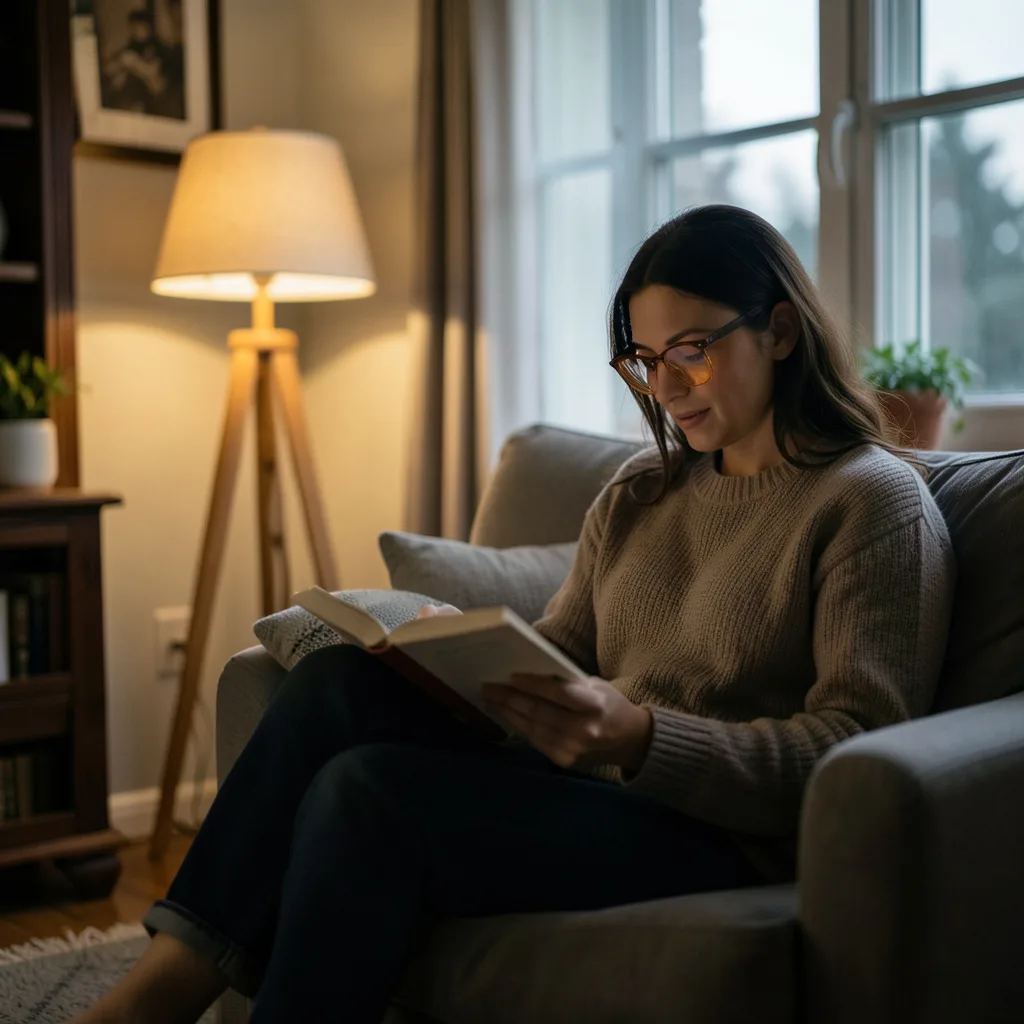
In the modern era, our lives are inextricably linked to screens. From the moment we wake up and check our smartphones to the hours spent working on laptops and the evening wind-down with a tablet or television, we are immersed in a digital glow. While this technology empowers us, it also exposes us to a significant amount of artificial blue light. This high-energy visible (HEV) light, while natural in sunlight, can disrupt our internal rhythms and cause physical strain when delivered in concentrated doses from a device inches from our faces.
Key takeaways
- Use built-in night mode settings or third-party apps like f.lux to shift screen color temperature to warmer tones in the evening.
- Follow the 20-20-20 rule: every 20 minutes, look at an object 20 feet away for 20 seconds to reduce eye muscle fatigue.
- Implement a digital sunset by powering down all electronic devices 60 to 90 minutes before your scheduled bedtime.
- Adjust your screen brightness to match the ambient light in your room to prevent harsh contrast and reduce digital eye strain.
- Eat foods rich in lutein, zeaxanthin, and omega-3 fatty acids to support eye health and natural retinal defenses.
Reducing your exposure to blue light isn’t about abandoning technology; it is about creating a sustainable relationship with it. By implementing a few simple, intentional changes to your environment and your habits, you can protect your vision, improve your sleep quality, and reduce the mental fatigue that often accompanies a long day of screen time. This guide provides a comprehensive, compassionate approach to mitigating the effects of blue light while maintaining your productivity and connectivity.
Understanding Blue Light and Your Body
To effectively reduce blue light, it is helpful to understand what it is and how it interacts with human biology. Blue light is a part of the visible light spectrum with short wavelengths and high energy. In nature, the primary source of blue light is the sun. During the day, this light is incredibly beneficial; it boosts alertness, helps regulate mood, and supports cognitive function by signaling to our brain that it is time to be awake.
The problem arises when we encounter artificial blue light from LED screens and fluorescent bulbs, especially during the evening. Our eyes contain specialized cells called intrinsically photosensitive retinal ganglion cells (ipRGCs), which are particularly sensitive to blue light. These cells communicate directly with the suprachiasmatic nucleus (SCN) in the hypothalamus, the brain’s master clock. When blue light hits these cells at night, the SCN suppresses the production of melatonin, the hormone responsible for inducing sleep.
This suppression tricks the brain into thinking it is still daytime, which can lead to difficulty falling asleep, poor sleep quality, and a disrupted circadian rhythm. Over time, this chronic disruption can affect everything from metabolic health to emotional stability, making the management of screen light a vital component of overall wellness.
The Impact of Digital Eye Strain
Beyond the disruption of sleep, excessive screen use leads to a condition commonly known as Digital Eye Strain or Computer Vision Syndrome (CVS). Unlike reading a printed page, viewing a digital screen requires the eyes to work harder to focus on pixels that are not as sharply defined as ink on paper. Furthermore, the flicker of screens—even those that seem steady to the naked eye—can cause the eye muscles to fatigue more quickly.
One of the most overlooked aspects of digital eye strain is the reduction in blink rate. Research suggests that we blink significantly less often when staring at a screen. Blinking is essential for spreading a fresh layer of tears across the cornea, which keeps the eye lubricated and clear. When we stop blinking, our eyes become dry, irritated, and prone to redness.
Common symptoms of digital eye strain include:
- Dry, itchy, or burning eyes.
- Blurred vision or double vision.
- Frequent headaches, particularly around the temples.
- Neck, shoulder, and back pain due to poor posture while leaning toward the screen.
- Increased sensitivity to light.
Recognizing these signs is the first step toward implementing the protective measures discussed in the following sections.
Adjusting Device Settings for Better Sleep
The most immediate way to reduce blue light is by utilizing the software tools already built into your devices. Most modern operating systems now include “night modes” that shift the color temperature of the display from a cool blue to a warmer amber tone.
For Smartphone Users: Both iOS (Night Shift) and Android (Eye Comfort Shield or Night Light) offer settings that automatically activate at sunset. By scheduling these features, your phone will gradually warm its colors as the evening progresses, reducing the stimulus to your melatonin-producing glands. For an even more drastic reduction, consider switching your phone to “Grayscale” mode in the accessibility settings. Removing color entirely makes the device less stimulating and less addictive, which can help you put the phone down earlier.
For Computer Users: Windows 10 and 11 have a built-in “Night Light” feature found in the Display settings. macOS offers “Night Shift,” which functions similarly. If you require more granular control, third-party software like f.lux is highly recommended. f.lux allows you to customize the exact warmth of your screen based on your specific geographic location and the current time of day, providing a seamless transition from bright daylight to dim, warm candlelight tones.
Adjusting Brightness: A common mistake is keeping screen brightness at 100% in a dark room. This creates a harsh contrast that strains the eyes. Always adjust your brightness to match the ambient light of your environment. If the screen looks like a glowing lamp in a dark room, it is too bright.
The Role of Blue Light Blocking Glasses
Blue light blocking glasses have become widely popular, but their effectiveness often depends on the user’s specific needs and the type of lenses chosen. These glasses are designed with specialized coatings or tinted lenses that filter out a portion of the high-energy blue light before it reaches the eye.
There are generally two types of blue light glasses: clear lenses and amber-tinted lenses. Clear lenses typically filter a small percentage of blue light and are ideal for daytime use in the office, as they do not significantly distort colors. Amber or orange-tinted lenses filter a much higher percentage of blue light and are most effective in the two hours leading up to bedtime. These are particularly useful for those who must work late into the night and want to minimize the impact on their sleep cycle.
While glasses can be a helpful tool, it is important to remember that they are not a substitute for taking breaks. The primary cause of eye strain is often not the light itself, but the lack of movement and lubrication in the eye. Use glasses as a supplementary layer of protection, but combine them with behavioral changes for the best results.
Implementing the 20-20-20 Rule
To combat the physical fatigue of the eye muscles, eye care professionals recommend the 20-20-20 rule. This is a simple, actionable habit that prevents the eyes from locking into a single focal distance for too long, which is what causes the “stiff” feeling in the eyes after a long workday.
How to practice the 20-20-20 rule:
- Every 20 minutes: Set a timer or use a browser extension to remind you to pause.
- Look at something 20 feet away: Shift your gaze from the screen to a distant object, such as a tree outside a window or a picture at the end of a hallway.
- For 20 seconds: Hold your gaze there for nearly half a minute. This gives the ciliary muscles in your eye a chance to relax from the constant tension of near-focus work.
To make this rule more effective, use these 20 seconds to consciously blink several times. This helps re-moisturize the eye and clears away any debris, significantly reducing the “gritty” feeling associated with digital eye strain.
Optimizing Your Physical Workspace
The way your desk is set up can either exacerbate or alleviate the effects of blue light and eye strain. Environmental adjustments are often the most sustainable way to reduce discomfort because they don’t require constant effort once they are in place.
Screen Positioning: Your monitor should be placed about an arm’s length away from your face. The top of the screen should be at or slightly below eye level. This ensures that you are looking slightly downward, which exposes less of the eyeball surface to the air, thereby reducing evaporation of the tear film and minimizing dryness.
Lighting and Glare: Avoid placing your screen directly in front of a window or directly under a harsh fluorescent light. This creates glare, which forces your eyes to work harder to see the content of the screen. If you cannot move your desk, consider using a matte screen protector to diffuse reflections. Additionally, using a desk lamp with a warm-toned bulb for task lighting can reduce the contrast between the bright screen and a dark room.
Ergonomic Support: Eye strain is often linked to neck and shoulder tension. Ensure your chair provides proper lumbar support and that your feet are flat on the floor. When your body is physically supported, you are less likely to lean forward into the screen, maintaining a healthy distance between your eyes and the blue light source.
Creating a “Digital Sunset” Routine
The most effective way to reduce blue light’s impact on your health is to limit exposure entirely in the hours before sleep. A “Digital Sunset” is a designated time—ideally 60 to 90 minutes before bed—when you intentionally power down your electronic devices.
Transitioning away from screens allows your brain to begin the natural process of melatonin production, ensuring that when your head hits the pillow, your body is chemically ready for deep, restorative sleep. This is a compassionate act of self-care that signals to your nervous system that the demands of the day are over.
Alternatives to screen time during your digital sunset:
- Reading a physical book: Paper does not emit blue light and allows the mind to wander and relax.
- Journaling: Writing by hand helps process the day’s emotions and clears mental clutter.
- Gentle stretching or yoga: Physical movement helps release the tension stored in the body from sitting at a desk.
- Listening to a podcast or audiobook: This allows you to enjoy storytelling or learning without the need for visual stimulation.
- Preparing a warm beverage: A cup of herbal tea (like chamomile or peppermint) creates a sensory ritual that reinforces the wind-down process.
By replacing the dopamine-driven loop of scrolling with these calming activities, you not only reduce blue light but also reduce the mental stimulation that often keeps us awake.
Nutritional Support for Eye Health
While nutrition cannot “block” blue light, certain nutrients can support the health of the retina and improve the eye’s resilience to oxidative stress. The macula, the central part of the retina, contains pigments that naturally filter some blue light. These pigments are primarily made up of carotenoids called lutein and zeaxanthin.
To support your eyes’ natural defenses, consider incorporating the following into your diet:
- Dark Leafy Greens: Spinach, kale, and collard greens are rich in lutein and zeaxanthin.
- Orange and Yellow Vegetables: Carrots, sweet potatoes, and yellow peppers provide beta-carotene, which the body converts to Vitamin A.
- Omega-3 Fatty Acids: Found in salmon, walnuts, and flaxseeds, omega-3s help maintain the oil layer of the tear film, reducing the dryness caused by screen use.
- Eggs: The yolk contains both lutein and zeaxanthin, making eggs a convenient source of macular support.
Integrating these foods into your daily routine provides a systemic layer of protection, ensuring your eyes have the biological resources they need to handle the demands of a digital lifestyle.
Long-term Habits for a Balanced Digital Life
Reducing blue light is not a one-time fix but a lifelong practice of balance. In a world that demands our constant attention, setting boundaries with technology is an essential skill for mental and physical longevity.
Start by establishing “no-phone zones” in your home. The dining table and the bedroom are the most impactful areas. By keeping the phone out of the bedroom, you remove the temptation to scroll in bed, which is the most damaging time for blue light exposure. Instead, use a traditional alarm clock to wake yourself up.
Additionally, practice mindful technology use. Before picking up your device, ask yourself: “What is my intention for using this screen right now?” If the answer is boredom or anxiety, try a five-minute breathing exercise instead. By reducing the overall volume of screen time, you naturally reduce your exposure to blue light and reclaim time for the physical world.
Evaluating Display Technologies: E-Ink vs. LCD and OLED
While software filters and glasses provide a layer of defense, the most fundamental way to reduce blue light is to examine the hardware emitting it. Not all screens are created equal, and understanding the difference between emissive and reflective displays can help you make more informed purchasing decisions for your devices.
The Challenge of LCD and OLED: Most smartphones, tablets, and monitors use Liquid Crystal Displays (LCD) or Organic Light Emitting Diodes (OLED). These are emissive displays, meaning they produce their own light. LCDs use a backlight (typically LED) that shines through a liquid crystal layer. OLEDs are more advanced, as each pixel produces its own light, allowing for true blacks and better contrast. However, both rely on high-energy blue LEDs to create white light. Even with “low blue light” modes, the physical architecture of these screens is designed to push light directly into your pupils.
The E-Ink Alternative: For those who spend hours reading or writing, Electronic Paper (E-Ink) is a revolutionary alternative. Unlike LCDs, E-Ink is a reflective technology. It uses tiny microcapsules of black and white pigment that move to the surface to create text. Because it does not require a backlight to be visible—it relies on the ambient light in the room—it emits virtually zero blue light. Devices like E-Ink tablets or e-readers are ideal for long-form reading and note-taking, as they mimic the experience of reading physical paper, completely bypassing the circadian disruption associated with traditional screens.
Looking for Certifications: When shopping for a new monitor or laptop, look for “TÜV Rheinland” or “Eyesafe” certifications. These hardware-level certifications indicate that the manufacturer has shifted the blue light peak from the harmful 450nm range to a safer wavelength without significantly distorting the color accuracy. This is a critical distinction for graphic designers or video editors who cannot use amber filters because they need to see colors precisely but still want to protect their vision during ten-hour workdays.
Mastering Environmental Lighting and Color Temperature
The impact of blue light is not just about the screen itself, but the contrast between the screen and the surrounding environment. When you use a bright screen in a pitch-black room, the relative intensity of the blue light is amplified, causing more significant strain and a sharper suppression of melatonin.
Understanding the Kelvin Scale: Light color is measured in Kelvin (K). Lower numbers represent “warm” light (yellows and reds), while higher numbers represent “cool” light (blues and whites). To create a blue-light-friendly environment, you should align your home lighting with the natural progression of the day:
- Daytime (5000K – 6500K): Use cool white light in your workspace during the morning and afternoon. This mimics daylight and helps maintain alertness and focus.
- Late Afternoon (3000K – 4000K): Transition to “neutral” or “warm white” bulbs as the sun begins to set.
- Evening (2000K – 2700K): Switch to soft, warm amber lighting. This range mimics candlelight or traditional incandescent bulbs, which contain very little blue spectrum light.
Implementing Layered Lighting: Instead of relying on a single, harsh overhead light, use a layered approach. Combine a warm floor lamp for general ambient light with a focused desk lamp for task work. By bouncing light off the walls (indirect lighting) rather than having a bulb shine directly into your field of vision, you reduce the overall glare and the perceived harshness of the screen. This reduces the “contrast shock” your eyes experience when shifting your gaze from a bright monitor to a dark room.
The Edge Case of Smart Lighting: If you use smart bulbs (like Philips Hue or LIFX), you can automate this transition. Setting a “circadian rhythm” scene that automatically shifts from cool white at 9:00 AM to deep amber by 8:00 PM removes the cognitive load of manually changing bulbs and ensures your environment is consistently supporting your biological clock.
Tailoring Blue Light Strategies for Different Age Groups
The human eye changes as it ages, meaning that a one-size-fits-all approach to blue light reduction is often ineffective. Children and seniors, in particular, have different physiological vulnerabilities that require specific adjustments.
Protective Measures for Children: Children’s lenses are more transparent than those of adults, which means their eyes allow more blue light to reach the retina. Furthermore, because their visual systems are still developing, they are more susceptible to the effects of digital eye strain. For children, the focus should be on “hard boundaries” rather than just filters. Implementing a strict “no screens 2 hours before bed” rule is more effective for a child’s developing brain than relying on Night Shift mode. Additionally, encouraging outdoor play in natural sunlight is crucial; the high-intensity blue light from the sun during the day actually helps regulate the growth of the eye and can reduce the risk of myopia (nearsightedness).
Considerations for Seniors: As we age, the lens of the eye naturally yellows and becomes more opaque, which actually filters out some blue light naturally. However, many seniors deal with conditions like cataracts or age-related macular degeneration (AMD), which can make them more sensitive to glare. For this demographic, high-contrast settings (such as white text on a dark grey background) are often more comfortable than pure black-and-white. Anti-reflective coatings on prescription glasses are also highly recommended to reduce the scatter of light that can cause visual confusion and fatigue.
The Teenager’s Dilemma: Adolescents experience a natural shift in their circadian rhythm, making them “night owls.” When combined with late-night gaming or social media use, the blue light exposure is compounded. For teens, the most effective strategy is often the “charging station” method: all devices are plugged into a charger in the kitchen or living room starting at a specific hour, removing the temptation to scroll in bed where the blue light impact is most severe.
The Synergy of Morning Light and Evening Restriction
Many people focus exclusively on blocking blue light at night, but the secret to a healthy circadian rhythm is not just the *absence* of blue light in the evening, but the *presence* of it in the morning. This concept is known as “circadian anchoring.”
The Power of the Morning Spike: To make your “Digital Sunset” more effective, you need to signal to your brain exactly when the day begins. Exposure to bright, blue-rich light (ideally natural sunlight) within 30 to 60 minutes of waking up triggers a cortisol spike that wakes you up and sets a timer for melatonin production to begin roughly 14-16 hours later. If you spend your morning in a dim room with only a computer screen for light, your brain never receives a clear “start” signal, which can make it harder to fall asleep even if you avoid screens at night.
Practical Morning Habits:
- The 10-Minute Walk: Step outside for ten minutes shortly after waking. Even on cloudy days, the lux levels (light intensity) outdoors are significantly higher than any indoor lighting.
- Light Therapy Boxes: For those living in northern climates with dark winters, a 10,000 lux light therapy lamp can mimic the morning sun. Using this for 20 minutes while eating breakfast can help anchor your rhythm.
- Open the Curtains Immediately: The simple act of opening blinds first thing in the morning helps reset the suprachiasmatic nucleus (SCN), making your body more resilient to the occasional late-night screen session.
The Balance: By maximizing blue light in the AM and minimizing it in the PM, you create a high-contrast signal for your brain. This biological “contrast” makes your sleep deeper and your wakefulness more sustainable, reducing the overall mental fatigue associated with a digital lifestyle.
Advanced Eye Relaxation and Recovery Techniques
While the 20-20-20 rule is an excellent baseline, there are more advanced physiological techniques to recover from the “stiffness” and dryness that accompany prolonged screen use. These methods focus on the muscles and the lubrication of the eye.
The Art of Palming: Palming is a relaxation technique used to give the optic nerve a complete break from all visual stimulation. Rub your palms together vigorously until they feel warm. Gently cup your palms over your closed eyes, ensuring that no light leaks through and that you aren’t putting direct pressure on the eyeballs. Breathe deeply and focus on the total darkness. The combination of warmth and the absence of light allows the ciliary muscles to fully relax and can reduce the “buzzing” feeling in the eyes after a long day of coding or writing.
Near-Far Shifting: To maintain flexibility in the eye’s focusing mechanism, practice active focal shifting. Hold your thumb about six inches from your face and focus on it for a few seconds. Then, shift your gaze to an object across the room. Finally, look at something as far away as possible (like a distant building or the horizon). Repeat this cycle five times. This “stretches” the lens of the eye, preventing the focal lock that occurs when staring at a screen for hours.
Warm Compresses for Dry Eye: Since screen use reduces blinking, the oil-producing meibomian glands in the eyelids can become clogged, leading to evaporative dry eye. Applying a warm, damp compress to closed eyelids for five minutes in the evening can liquefy these oils and restore the quality of your tear film. This is particularly helpful for those who experience the “gritty” sensation or redness at the end of the workday, as it treats the root cause of the dryness rather than just masking it with artificial tears.
Navigating Blue Light in Corporate and Office Environments
One of the hardest challenges in reducing blue light is the lack of control over a professional workspace. Most offices utilize high-intensity fluorescent or LED overhead lighting that is designed for visibility, not biological wellness, often resulting in a constant barrage of cool-spectrum light.
Mitigating Overhead Glare: If you cannot change the office lights, focus on your immediate vicinity. Use a desk lamp with a warm-toned bulb to create a “pool” of warm light around your keyboard. This reduces the contrast between your screen and the surrounding area. If the overhead lights are particularly harsh, consider using a monitor hood—a three-sided shield that blocks light from hitting the screen from the top and sides, significantly reducing glare and reflections.
The “Micro-Break” Strategy: In a corporate setting, it is often impossible to step away for long periods. Instead, implement “micro-breaks.” Every time you finish a specific task—such as sending an email or completing a spreadsheet—take a five-second “blink break.” Close your eyes tightly and open them slowly. This forces a full blink and re-lubricates the cornea without disrupting your workflow.
Managing the Open-Office Layout: Open-plan offices often have screens and windows positioned in ways that create “veiling glare.” If you find yourself squinting or leaning forward to see your screen, you are likely experiencing glare. Adjust your monitor angle so that it is perpendicular to the nearest window. If you are forced to face a window, use a sheer curtain or a matte screen protector. This prevents the blue-rich sunlight from bouncing off your screen and directly into your eyes, which is one of the most common causes of midday headaches.
Advocating for Wellness: If you have the influence, suggest “lighting zones” for your team. Encouraging the use of dimmable lights or warm-toned lamps in common areas can improve the overall cognitive endurance of the office. When employees aren’t fighting constant eye strain, productivity increases and the “3 PM slump”—often caused by visual fatigue—is significantly diminished.
Frequently Asked Questions
1. Do blue light blocking glasses actually work, or are they a marketing gimmick?
They do work to a certain extent, but their effectiveness depends on the lens. Clear lenses filter a small amount of blue light and are mainly helpful for reducing glare and contrast. Amber lenses filter significantly more and are much more effective for protecting sleep cycles. However, they are not a cure for eye strain; you still need to blink and take breaks using the 20-20-20 rule.
2. Can blue light permanently damage my eyes?
While there is ongoing research, most experts agree that the amount of blue light from screens is far less than what we receive from the sun. The primary concern is not immediate permanent blindness, but rather “digital eye strain” and the disruption of the circadian rhythm. However, chronic sleep deprivation caused by blue light can lead to long-term health issues, making it important to manage exposure.
3. Is “Dark Mode” better for my eyes than “Light Mode”?
Dark Mode can reduce the overall amount of light entering the eye and is often more comfortable in low-light environments. However, for some people, reading white text on a black background can cause a “halation” effect (where the text seems to bleed), which may actually increase strain for those with astigmatism. The best choice is the one that feels most comfortable to you in your specific lighting conditions.
4. If I use a blue light filter, do I still need to take breaks?
Yes, absolutely. Blue light filters address the *type* of light, but they do not address the *mechanics* of how we use screens. Eye strain is caused by the muscles of the eye remaining in a fixed position for too long and the reduction in blinking. A filter will not stop your eyes from drying out or your muscles from fatiguing; only movement and blinking can do that.
5. How long should my “Digital Sunset” be for maximum benefit?
Ideally, a digital sunset should begin 60 to 90 minutes before you intend to sleep. This provides enough time for the brain to recognize the lack of blue light and begin the secretion of melatonin. If 90 minutes feels unattainable, start with 30 minutes and gradually increase the window as you become more comfortable with the routine.
Related posts:
 Busy Philipps Eye Protection
 How to Reduce Screen Time for Better Focus
 Digital Eye Strain: Recognizing the Symptoms in a Screen-Dominated World
 Best Blue Light Protection Products
 Simple Ways to Reduce Your Screen Time
 Screen Time Eye Effects
 Do You Really Need Less Sleep as You Age?
 Blue Light Blues: Do Night Shift Modes Actually Work